
Your needs, this model
Does it fit your priorities?
Will it capture both sides of a page automatically?
Yes. Brother lists duplex scanning and up to 60 images per minute, a manufacturer maximum rather than a measured result. Use its loading guidance and expect actual workflow time to depend on settings and software.
Explore this need in the finder →Can a phone reliably participate in scanning?
The brochure lists mobile-device compatibility as No, while the current product page names Brother iPrint&Scan in that field without specifying the connection route. The sources do not resolve whether that means a direct phone workflow, so confirm with Brother for the exact setup; this essential requirement is not counted as documented.
Explore this need in the finder →Does my capture application have a TWAIN route?
Brother lists TWAIN, WIA, ICA and SANE drivers. Check the current downloadable package and your application's required operating system before purchase.
Explore this need in the finder →How much paper fits in its automatic feeder?
The published maximum is 20 sheets. If your normal load is closer to 100 pages, compare a larger-feeder unit rather than assuming the compact scanner can take the whole stack at once.
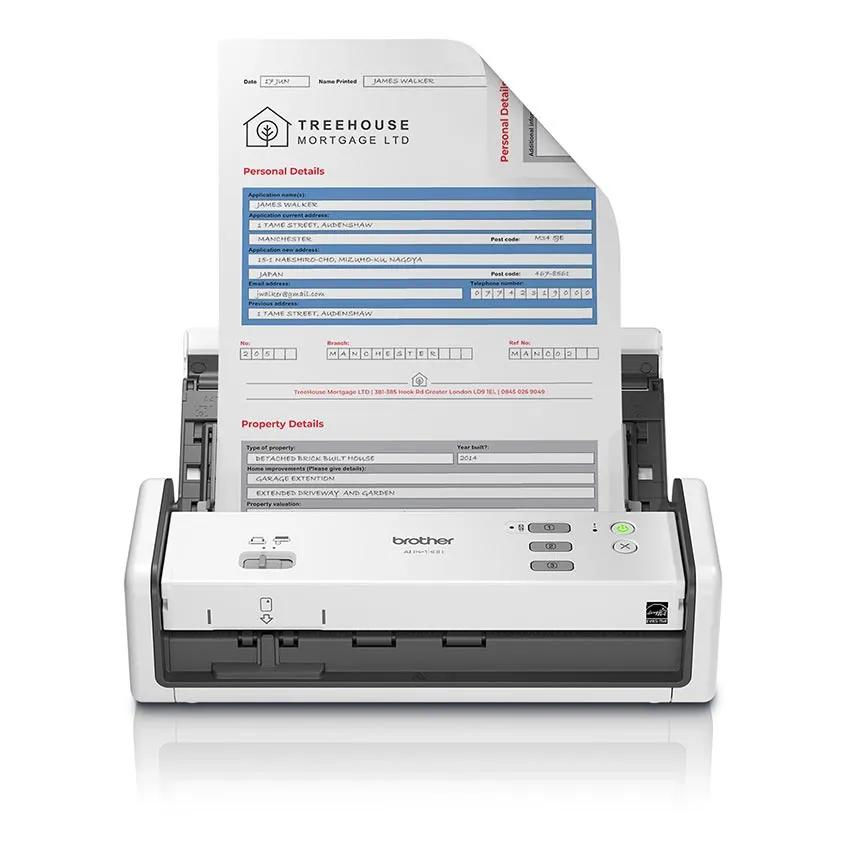
Explore this need in the finder →The ADS-1300 is the pared-back member of this Brother trio: a compact sheet-fed scanner with a 20-sheet automatic feeder, duplex capture and USB-C bus power. Its product brochure lists a USB Type-C interface, computer-based scan destinations and a USB-memory option; it does not list a wireless or mobile-device route. That clear boundary is useful. It is meant to fit a direct computer workflow, not to stand in for a network scanner because the word “cloud” appears in its software list.
Short stacks, two sides
Brother rates the ADS-1300 for up to 30 pages per minute simplex and 60 images per minute duplex, with a maximum daily cycle of 1,000 sheets. The brochure’s speed footnote describes color and monochrome pages, letter size at 300 dpi with advanced features off. Treat the values as the manufacturer’s comparison figures, not an independent test or a forecast for a job that includes image cleanup, OCR and file saving. A 20-sheet ADF can reduce repeated hand-feeding compared with a single-sheet portable unit, but it is a small batch limit. A recurring hundred-page stack means reloading the feeder several times, so capacity should be compared against the actual routine rather than the maximum speed headline.
The scanner captures both sides automatically and Brother lists a 600 by 600 dpi optical resolution. Its feature set includes deskew, blank-page skipping, background-color removal and bleed-through removal. The brochure names plain pages, receipts with a carrier-sheet recommendation, business cards and plastic or laminated cards. These are supported media categories, not a promise that every mixed stack is safe or that a marked, curled or unusually thick original will feed reliably. Check the instructions before scanning anything that is valuable, delicate or outside the stated media limits.
USB-first operation
Brother describes the device as USB-C powered and lists a USB Type-C 3.2 Gen 1 interface. It can scan to a connected PC for image, email, OCR, cloud or file destinations, and the brochure also lists USB-memory scanning. The distinction is important: a computer-based cloud option is not the same as a built-in Wi-Fi scanner sending a scan directly to cloud storage. The brochure marks mobile-device compatibility as “No,” while the current product page names Brother iPrint&Scan in its mobile compatibility row without explaining a direct phone connection; the separate iPrint&Scan support table confirms ADS-1300 desktop support but does not resolve mobile scanning. Treat phone-first use as unverified and confirm the exact workflow with Brother before relying on it. The brochure lists USB-C and no network connectivity, so Wi-Fi and Ethernet are not established.
The lack of a screen also means that it is not designed around choosing destinations at the machine. Brother’s listed desktop tools include iPrint&Scan, Kofax PaperPort for Windows and Kofax Power PDF. The brochure lists TWAIN, WIA, ICA and SANE drivers. That is a useful compatibility starting point for document-capture software, but it is not a guarantee that a particular application or current operating system will recognize the scanner; check the exact driver package and host requirements before ordering.
Why someone might prefer it
USB-C bus power, a compact footprint and a 20-sheet feeder can suit a desk where the scanner stays near one computer and most batches are short. It avoids paying attention to a wireless setup that the workflow does not need. Its duplex capture, OCR-oriented software and separate USB-memory option are more functional than a simple single-page receipt wand, while the absence of a touchscreen keeps the operating model straightforward. The manufacturer lists 3 pounds for the unit in its brochure, but that does not establish how convenient it will feel in a bag or whether a particular cable reaches the workstation.
Compared with the ADS-1800W, the ADS-1300 gives up Wi-Fi, a color touchscreen and mobile-device scanning while keeping a similarly compact, 20-sheet duplex design. Compared with the ADS-4900W, it has a much smaller feeder, no Ethernet or touchscreen, and a lower published daily rating. These are distinct use cases, not interchangeable versions with different colors.
What to verify first
Confirm the exact ADS-1300 model and that the box includes the USB Type-C cable described by Brother. Check whether the host computer has the port and operating-system support required by the current driver package. Verify whether your application needs TWAIN or a different capture interface, and whether its cloud output requires a connected computer and account. If you regularly scan batches larger than 20 sheets, compare the reloading burden with a larger-feeder scanner. No hands-on feed test, OCR accuracy evaluation or measured scan-speed comparison was performed for this assessment; all performance figures and supported-media claims are Brother’s published specifications.
Key specifications
Key details at a glance
| Scanner class | Compact desktop sheet-fed scanner |
|---|---|
| Manufacturer-listed simplex rate | 30 ppm |
| Manufacturer-listed duplex image rate | 60 ipm |
| Automatic document feeder capacity | 20 sheets |
| Optical resolution | 600 dpi |
| Connection options | USB |
| Automatic duplex capture | Yes |
| Touchscreen | No |
| TWAIN driver documented | Yes |
Use the exact model’s instructions for operating limits, supplied equipment and version differences.
Sources for this review
Sources for this assessment
Compare the workflow before you choose
Use the finder to test your connection, paper and software requirements against the documented scanner arrangements.