
Your needs, this model
Does it fit your priorities?
Can it capture both sides of a small stack without turning each sheet by hand?
Brother lists duplex scanning, up to 30 pages per minute simplex or 60 images per minute duplex, and a 20-sheet ADF. The speed is a manufacturer maximum under stated letter-paper conditions, not a measured result; larger jobs still require feeder reloads.
Explore this need in the finder →Can a phone scan to the unit without joining the office router?
Brother's guide documents Wireless Direct between the scanner and a mobile device without an access point. It requires setting up the scanner's SSID/password and a supported mobile-app/device combination; it is distinct from the infrastructure-Wi-Fi cloud route.
Explore this need in the finder →Can a phone-led job reach a supported cloud service without a laptop?
Brother describes Mobile Connect scanning to a computer or cloud when connected over Wi-Fi and lists supported cloud services. Treat this as a phone/app-mediated route, not an unrestricted scanner-to-cloud promise; verify the current app, named service, account and network requirements.
Explore this need in the finder →Is a TWAIN-based desktop capture application a documented possibility?
Brother lists TWAIN among the ADS-1350W scan drivers. The current driver release, host OS and target software still need to be checked together before relying on that interface.
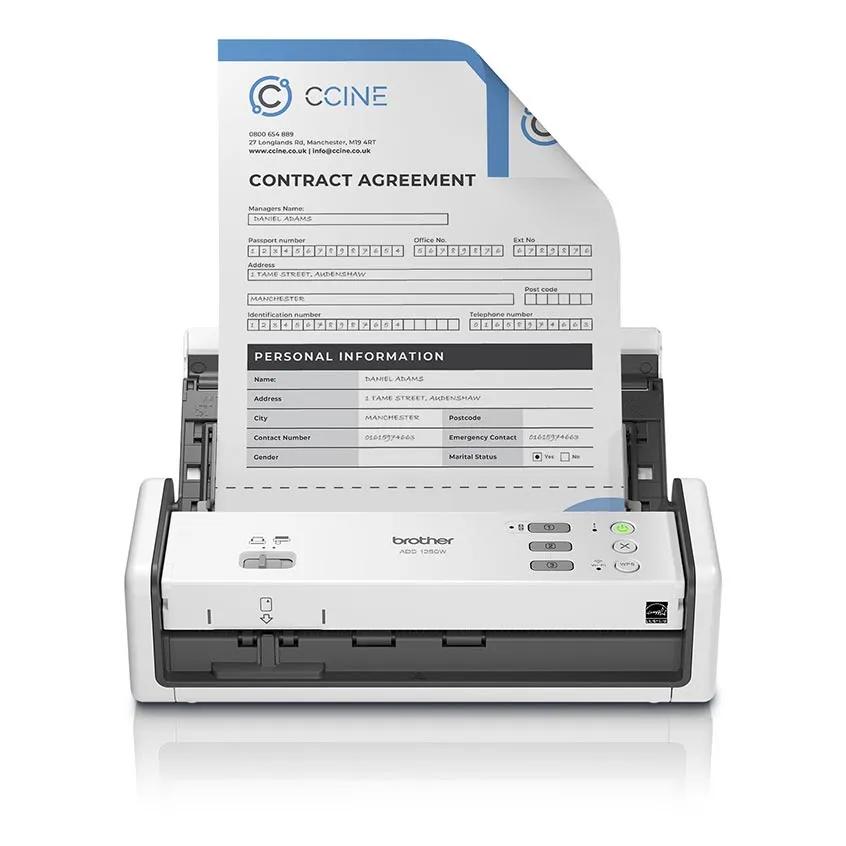
Explore this need in the finder →Brother’s ADS-1350W combines a small, 20-sheet duplex feeder with USB and Wi-Fi workflows. Its documented difference from the wired ADS-1300 is not a larger batch or a bigger scanner engine: it is the added phone-and-wireless path, including a direct wireless connection to a mobile device. In return, the ADS-1350W is still a short-stack machine with no touchscreen or Ethernet port. This is a research-based assessment of Brother’s published US information, not a hands-on test.
A feeder for short runs
Brother lists a 20-sheet automatic document feeder, two-sided capture, optical resolution up to 600 by 600 dpi, and maximum rates of 30 pages per minute simplex or 60 images per minute duplex. The manufacturer’s speed note uses letter-size paper at 200 or 300 dpi; transmission and software processing can change the time for a real job. These are specifications, not independent measurements. A 20-sheet capacity is handy for a few invoices, forms or pages of correspondence, but repeated larger batches mean stopping to reload. Brother also lists a maximum daily cycle of 1,000 pages; it describes that number as a comparison of designed durability between similar products, not a recommended daily target or tested endurance guarantee.
Wireless can mean two different routines
The ADS-1350W has a Wi-Fi network mode and a separate Wireless Direct option. Brother’s guide documents scanning from a mobile device over Wireless Direct without an access point, using the machine’s network name and password. For a shared home or office network, Brother says the scanner can join a wireless router; its guide notes a computer connection is needed for the setup step that makes the machine an independent network device. The documented radio is 2.4 GHz 802.11 b/g/n. The inspected sources do not establish 5 GHz or Ethernet, so check your network before choosing it for a managed office.
Brother describes its Mobile Connect app as a way to scan from the scanner to a phone and, on the product page, to a computer or supported cloud destination. That makes a phone-led cloud workflow plausible without a laptop in the scanning loop, but it is not the same as a scanner sending directly to every cloud account on its own. App version, phone operating system, Wi-Fi setup, internet access, the named service and its account requirements all matter. The USB-connected computer route remains available for people who prefer desktop drivers and file handling.
Know the paper route—and its limits
Alongside the ADF, Brother identifies a separate card slot for ID, business and plastic cards; its brochure lists laminated and embossed cards within stated thickness limits. That dedicated card path is useful for occasional card capture, but it should not be treated as a flatbed or a general-purpose manual-feed path for every unusual sheet. Brother lists receipts with carrier-sheet guidance, and the optional two-pack carrier sheet is a separate accessory. Its guide warns against photographic paper, glossy or coated media, attached notes or stickers, perforated originals, staples, wet ink, heavy curls and other unsupported items. Use the exact loading instructions for a card or receipt, and do not assume the scanner is suitable for fragile or valuable originals just because it has a card slot.
USB power and software checks
The published carton contents name the ADS-1350W, a USB Type-C 3.2 cable and documentation. Brother’s guide lists an AC adapter as an optional accessory; if you want to avoid relying on a host computer’s USB power, verify the adapter and included cable in the exact offer. The manual also distinguishes USB-A-to-C data cables from cables that can provide bus power. The product page lists TWAIN, WIA, ICA and SANE drivers, plus Scan-to-PC, USB-memory and software destinations. That is a useful range for everyday capture, but it does not guarantee a particular app/OS pairing. Check Brother’s current download page and the software owner’s exact driver requirement before purchase.
Where it sits in Brother’s compact line
Compared with the ADS-1300, the ADS-1350W adds documented Wi-Fi and mobile scanning while keeping the 20-sheet feeder and compact sheet-fed format. Compared with the ADS-1800W, it gives up the 2.8-inch color touchscreen: the ADS-1350W relies on its buttons, indicators and a connected computer or phone rather than on-screen profile selection. For larger or more office-centered jobs, the ADS-4900W is a different tier, with a 100-sheet feeder, Ethernet and touchscreen controls; its published figures should not be mistaken for a promise about actual throughput. A flatbed may still be the better tool for bound books or originals that should not pass through rollers.
Who should shortlist it?
This model makes sense to compare if compact storage, duplex batches of up to 20 sheets, a phone-assisted workflow and USB as a fallback all matter. It is a weaker fit when the scanner must join 5 GHz-only Wi-Fi, offer Ethernet, provide large on-device controls, or handle long stacks without reloads. The model code is ADS1350W and Brother’s brochure lists UPC 012502674238; match those identifiers and the new base configuration rather than assuming a refurbished RADS1350W listing or a bundle is identical. Confirm the included cable, optional adapter, supported phone/OS, cloud service, carrier sheet and current seller return terms. No feed-reliability, speed, OCR, image-quality or durability test was performed for this review.
Key specifications
Key details at a glance
| Scanner class | Compact wireless desktop sheet-fed scanner |
|---|---|
| Manufacturer-listed simplex rate | 30 ppm |
| Manufacturer-listed duplex image rate | 60 ipm |
| Automatic document feeder capacity | 20 sheets |
| Optical resolution | 600 dpi |
| Connection options | USB / Wi-Fi |
| Automatic duplex capture | Yes |
| Touchscreen | No |
| TWAIN driver documented | Yes |
Use the exact model’s instructions for operating limits, supplied equipment and version differences.
Sources for this review
Sources for this assessment
- Brother ADS-1350W US product page and specifications
- Brother ADS-1350W US two-page brochure
- Brother ADS-1350W US support specifications
- Brother ADS-1350W US manuals index
- Brother ADS-1300 / ADS-1350W / ADS-1800W Online User's Guide: specifications
- Brother Online User's Guide: scan from a mobile device using Wireless Direct
- Brother Online User's Guide: document specifications and media routes
- Brother Online User's Guide: unacceptable documents
- Brother Online User's Guide: replacement supplies and optional accessories
- Brother ADS-1350W US supported operating systems
Compare the workflow before you choose
Use the finder to test your connection, paper and software requirements against the documented scanner arrangements.