
Your needs, this model
Does it fit your priorities?
Can the ADS-2000 scan directly to an Android phone?
Brother documents a direct USB route only for mobile devices that use USB mass-storage mode, and its product page says an Android cable is required. Its separate Image Viewer guide is from 2012 and names Android 2.1 or later; check whether the exact current phone, cable and software still support this arrangement. It is not Wi-Fi scanning.
Explore this need in the finder →Does the ADS-2000's USB port provide Wi-Fi or cloud scanning?
No. The exact U.S. support specification lists Hi-Speed USB 2.0. Brother documents local scanning to a connected computer, USB flash memory, and compatible USB-mass-storage mobile devices, but none is an Internet or computer-free cloud route.
Explore this need in the finder →Is its 50-sheet feeder limit the same for every document size?
Do not assume that. Brother's support specification says up to 50 pages on 20 lb Legal paper or under a 5 mm stack, while the version-0 user guide says Letter or A4 at the same weight. Both give the same count but differ on the nominal stock size. Verify the guide matched to the exact machine and obey its paper, thickness and special-media instructions.
Explore this need in the finder →Should a Windows 11 buyer rely on its listed TWAIN driver?
No compatibility should be assumed from the TWAIN name alone. Brother's ADS-2000 specification lists TWAIN for Windows XP, Vista and 7 and old Mac OS versions; the U.S. Windows 11 table marks ADS-2000 Driver/Software and USB users not supported. Verify a compatible host and named capture application before considering one.
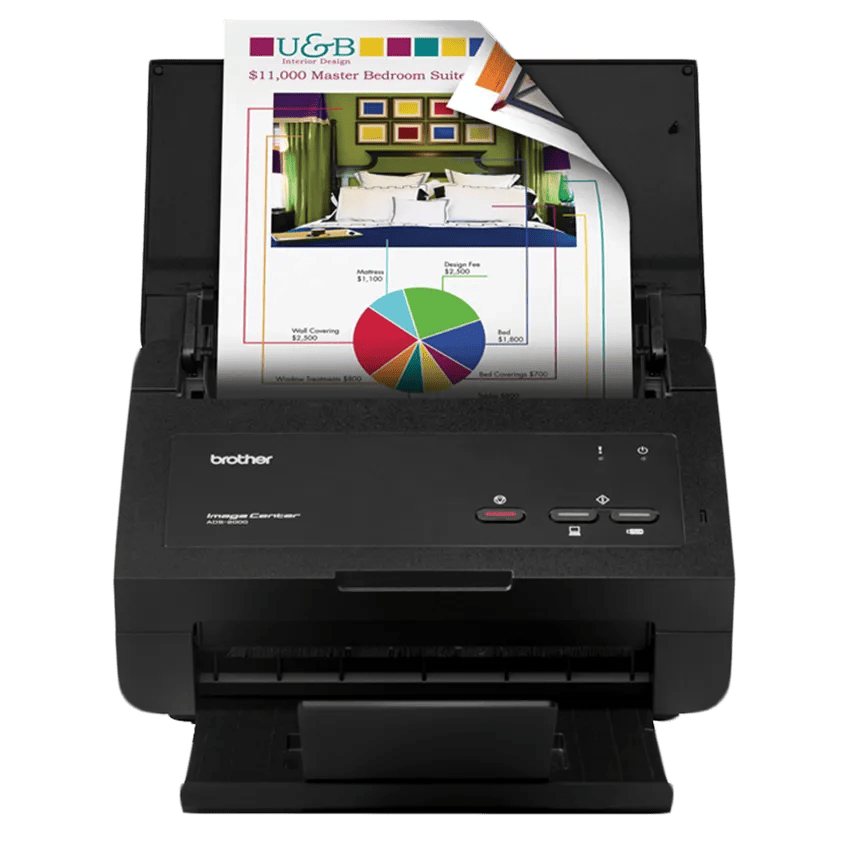
Explore this need in the finder →The Brother ImageCenter ADS-2000 is an earlier desktop sheet-fed scanner, not the later ADS-2000e. Brother's U.S. page marks this exact model discontinued. The published feature set is modest but specific: a USB 2.0 connection, one-pass duplex capture, a 50-sheet ADF, listed TWAIN support for older operating systems, and an unusual direct USB-to-mobile-storage option. This assessment is based on Brother's model-qualified product, support and setup materials; it is not a hands-on test or a statement about any individual used machine.
A familiar wired document routine
For normal computer-based work, the ADS-2000 is designed around a direct USB connection. Brother's setup guide describes installing its driver and software first, then connecting the scanner to a computer; scans can be initiated from the host or with the Scan to PC control. The exact U.S. support page specifies Hi-Speed USB 2.0, and the user guide shows a scan-to-computer route with output saved on the connected host. There is no documented Ethernet, Wi-Fi or Wi-Fi Direct arrangement, so this is a one-computer-at-a-time style workflow rather than a network device for a shared office.
Automatic two-sided capture is the model's clearest productivity feature. Brother describes scanning both sides in a single pass and rates the machine at up to 24 pages per minute in black-and-white or color. That speed is a manufacturer maximum under its stated scan-to-image conditions with advanced functions off; OCR, image processing, long originals, file handling and the host can all change a real job's duration. The listed 600 dpi optical resolution is a specification, not a claim that every document needs that setting.
Fifty sheets, with a source discrepancy worth checking
The ADS-2000 has a 50-sheet automatic feeder. Brother's U.S. support specifications describe that maximum using 20 lb Legal paper or a stack below 0.2 inches (5 mm). The version-0 user guide gives 20 lb Letter or A4 paper for the same 50-sheet count. Since the official documents differ on the nominal size basis, I would not silently treat 50 as a universal count for every stock or combine the numbers into a promise. Check the paper guide for the exact scanner and use the lower model-specific limit for thicker or unusual sheets.
Brother also lists receipts, business cards, photos and plastic cards, including embossed cards, but compatibility with an original does not establish that it can be mixed into a full ADF stack. A carrier sheet is recommended for some media. The reviewed documents do not establish a separate manual-feed mode for special originals; a carrier sheet travels through the existing paper path and is not an independent second inlet. If one-at-a-time handling or a dedicated special-media route is essential, this model should not be treated as satisfying that requirement without additional exact instructions.
The mobile option is wired and unusually narrow
One standout is Brother's direct mobile-storage route. The model guide says the scanner can save scanned data to a mobile device connected by USB, but the device must use USB mass-storage mode; Brother's product page separately says an Android cable is required. The 2012 Image Viewer guide describes an older Android workflow. This is materially different from modern wireless scanning: there is no scanner Wi-Fi, and the guide does not establish current Android app availability, iPhone support or compatibility with today's phone connection modes. Anyone interested in the feature should verify the exact phone, cable and software before relying on it.
A USB flash drive is another local destination. Neither a flash drive nor a phone attached by USB turns the ADS-2000 into a computer-free cloud scanner. The examined U.S. model material lists no network interface or direct cloud workflow, so people who need a scan to leave the scanner for online storage should plan on a separate computer-based process.
Controls and host support are the main age-related concerns
The control-panel guide documents physical Scan to PC and Scan to USB keys with status indicators, not a touchscreen for choosing profiles. Host software therefore matters: Brother lists TWAIN and other driver standards, but the exact support specification limits its listed Windows TWAIN compliance to XP, Vista and 7 and its listed Mac versions to OS X 10.5.8–10.7.x. More importantly for a present-day desktop, Brother's U.S. Windows 11 table marks the ADS-2000's Driver/Software and USB-user support as Not Supported. Do not assume that a published TWAIN driver will work with a current operating system or named capture application.
Discontinued status is not proof that a particular seller has no stock, nor does it tell us whether an offered scanner was refurbished, tested or packaged with the expected cable, power supply or installation disc. Confirm the exact model label and host setup before weighing the low-level scanner specifications.
Who should investigate it—and who should move on
The ADS-2000 is most coherent for someone who already has a known-compatible older computer workflow, needs straightforward duplex feeder scanning, and is willing to confirm the 50-sheet loading basis. The wired direct-to-mobile feature could matter to a very specific legacy Android and USB-mass-storage setup, but it should be treated as a compatibility check rather than a modern mobile convenience. Its rated capacity is a single load, not a daily duty recommendation, and no independent feed reliability, OCR accuracy or image-quality testing is claimed here.
Choose a different assessment if Wi-Fi, Ethernet, touchscreen operation, a distinct manual-feed route, a current Windows 11 USB driver or direct cloud upload is a hard requirement. When considering a used unit, verify its condition, exact model code, supplied power and USB cables, included media guides, return terms and current software route with the seller; none of those offer details is established by Brother's generic product listing.
Sources checked: Brother's ADS2000 U.S. product page, ADS-2000 support specifications, ADS-2000 manuals index, Quick Setup Guide, Brother Image Viewer Guide for Android and U.S. Windows 11 support table.
Key specifications
Key details at a glance
| Scanner class | Desktop sheet fed |
|---|---|
| Manufacturer-listed simplex rate | 24 ppm |
| Automatic document feeder capacity | 50 sheets |
| Optical resolution | 600 dpi |
| Connection options | USB |
| Automatic duplex capture | Yes |
| Separate manual-feed route | No |
| Touchscreen | No |
| TWAIN driver documented | Yes |
Use the exact model’s instructions for operating limits, supplied equipment and version differences.
Sources for this review
Sources for this assessment
- Brother ADS2000 U.S. product page and specifications
- Brother ADS-2000 U.S. support specifications
- Brother ADS-2000 U.S. manuals index
- Brother ADS-2000 U.S. HTML User's Guide, version 0
- Brother ADS-2000 U.S./Canada Quick Setup Guide
- Brother Image Viewer Guide for Android, linked from the ADS-2000 manual index
- Brother ADS-2000 supported operating systems
- Brother U.S. Windows 11 driver/software support table
- Brother ADS2000 exact U.S. product-page image asset
Compare the workflow before you choose
Use the finder to test your connection, paper and software requirements against the documented scanner arrangements.