
Your needs, this model
Does it fit your priorities?
Can someone scan from a compatible phone over Wi-Fi?
Brother's exact ADS-2500We manuals index links iPrint&Scan scan guides for Apple and Android devices, and the user guide describes scanning to a mobile device over Wi-Fi. Check the current app and OS support for the actual phone; this is a host/network route, not a promise that every app version works.
Explore this need in the finder →Can it send a scan to cloud storage without a computer today?
Do not count on that. The older Web Connect guide describes direct uploads, but Brother's ADS-2500We support notice says the cloud-connectivity feature became unavailable from April 2026 because the machine does not support TLS 1.2 or later. A network connection does not restore that retired service.
Explore this need in the finder →Does it combine a touchscreen and TWAIN driver?
Brother specifies a 3.7-inch color touchscreen and documents a TWAIN driver for dated host systems. These are different routes: profile selection is at the machine, while TWAIN is computer software. Verify the currently available driver against the named host OS and application.
Explore this need in the finder →Is a plastic card handled by a separate feed path?
No separate slot is documented. The ADS-2500We user guide loads one plastic card at a time through the ADF and offers a Plastic Card Mode; it does not establish a separate manual-feed route. The ADF itself is rated up to 50 sheets on Brother's stated paper basis.
Explore this need in the finder →The Brother ADS-2500We is an earlier network document scanner whose paper handling and connection mix can still look capable on a specification sheet: a 50-sheet automatic feeder, one-pass duplex capture, a 3.7-inch touchscreen, USB, Wi-Fi and wired Ethernet. The important present-day qualification is not small print. Brother's exact-model support page says that its cloud-connectivity feature became unavailable from April 2026 because the scanner does not support TLS 1.2 or newer. A modern review of this discontinued model must treat its former Web Connect destinations as history, not a current buying feature.
Capacity for a workgroup-sized stack
Brother rates the ADS-2500We's ADF at up to 50 pages when loaded with 20-pound paper in Legal size, or within a 0.2-inch stack-height limit. This is a useful middle ground between a personal scanner's short feeder and a larger workgroup device, especially if the normal job consists of a few dozen sheets. It is still a per-load figure, not pages per day, and heavier or thicker originals can reduce the amount that should be loaded at once.
The manufacturer describes single- and double-sided scanning in one pass at up to 24 pages per minute. That is a published maximum, not an independent test, and Brother's current product page does not establish a separate duplex-images-per-minute figure. Real job time also depends on resolution, image cleanup, OCR, the connection and saving. The manual's special-original instructions matter: a plastic card is loaded one at a time through the ADF with Plastic Card Mode, not through a separate card slot. Brother recommends a carrier sheet to reduce scratching risk. A card handled by the normal feeder does not create a second manual-feed route.
Three ways to connect, three different routines
The exact U.S. support specification lists Hi-Speed USB 2.0, 802.11b/g/n wireless networking and wired Ethernet. These are alternative arrangements for a computer or networked workflow, not a claim that all links operate at once. The Wi-Fi path can support Brother's model-indexed iPrint&Scan mobile scanning guide, while USB and Ethernet are useful for host or local-network placement. The network manual describes older setup and security procedures, so an IT team should review its own security requirements rather than assume that a 2014-era protocol table fits a current network.
Brother's manual index associates both Apple and Android mobile print/scan guides with the ADS-2500We. That supports a documented mobile route, but the guides are older and do not guarantee that every current phone, app version, or operating-system release will connect. Brother's operating-system page itself warns that software for greyed-out versions is no longer updated. Check the exact device and current application before choosing this model for phone-first capture.
A touchscreen and a computer-side driver
The 3.7-inch color touchscreen is a genuine on-device control surface for scan destinations and shortcuts. It can help people start saved jobs without selecting every setting from a computer. It does not, by itself, establish user permissions, secure profile administration or current cloud service availability. The older manual describes TWAIN, WIA and ISIS application paths for named, dated Windows or Mac environments; Brother's U.S. specification lists TWAIN compliance for older operating-system versions. That is evidence that a TWAIN driver existed for the model, not a guarantee that a modern capture application or current host will accept it. Confirm the exact ADS-2500We driver and software combination first.
Cloud is the decisive limitation now
The Web Connect guide describes scanning to internet services without a computer, and the product page still summarizes direct cloud destinations. But Brother's current model-specific support notice states that cloud connectivity on the ADS-2500We would no longer be available from April 2026 because it does not support TLS 1.2 or later. Since this review was checked in November 2026, the old destination list cannot be used as proof of a working scanner-to-cloud route. Wi-Fi, Ethernet and a mobile app do not restore a discontinued service. A desktop application or a separate host-based workflow may still handle files, but that is not the same as direct cloud upload from the scanner.
Keep the suffix and package straight
Brother's U.S. item page identifies ADS2500WE as the SKU, while its support and manual pages use the styling ADS-2500We. The separately observed ADS-2500W should not be silently merged with it just because the names and body family look close: this assessment is tied to the exact ADS2500WE listing and its own support notice. The manual's comparison table distinguishes the ADS-2500We from the USB-only ADS-2000e, including the screen and network interfaces. The exact U.S. page does not provide a reliable box-content list for this configuration, so a secondhand or reseller listing needs a direct check of its adapter, cables, carrier sheet, documentation and unit condition.
Who should keep looking
The ADS-2500We may suit a buyer comparing an earlier 50-sheet feeder, touchscreen and network options, particularly where a compatible existing host or mobile setup is already established. It is a poor fit if the purchase depends on current scanner-side cloud upload, current mobile support that has not been verified, or a recent operating-system driver without testing the model's exact support matrix. The current Brother ADS-4700W is a newer and larger-feeder reference point; the USB-only ADS-2000e in the shared specification table illustrates the difference a networked touchscreen can make, though it does not share all of this model's features. Do not assume that any of those packages, speeds or connections transfer to this scanner.
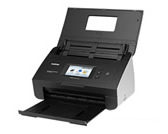
This assessment is based on Brother's exact U.S. product and specification pages, model-indexed manuals, older mobile/Web Connect guides and current cloud-retirement notice. It makes no hands-on performance claim and does not infer availability, package contents, seller condition or current app compatibility. The support-directory image is a low-resolution scanner-body reference, not a picture of a particular offer.
Key specifications
Key details at a glance
| Scanner class | Workgroup network sheet fed |
|---|---|
| Manufacturer-listed simplex rate | 24 ppm |
| Automatic document feeder capacity | 50 sheets |
| Optical resolution | 600 dpi |
| Connection options | USB / Ethernet / Wi-Fi |
| Automatic duplex capture | Yes |
| Separate manual-feed route | No |
| Touchscreen | Yes |
| TWAIN driver documented | Yes |
Use the exact model’s instructions for operating limits, supplied equipment and version differences.
Sources for this review
Sources for this assessment
- Brother U.S. ADS2500WE product page
- Brother U.S. ADS-2500We support specifications
- Brother U.S. ADS-2500We manuals index
- Brother ADS-2000e/ADS-2500We U.S. User's Guide
- Brother ADS-2000e/ADS-2500We U.S. Network User's Guide
- Brother ADS-2500We Web Connect Guide
- Brother U.S. iPrint&Scan Mobile Print/Scan Guide for Apple Devices
- Brother U.S. iPrint&Scan Mobile Print/Scan Guide for Android
- Brother U.S. ADS-2500We support and downloads page
- Brother U.S. ADS-2500We supported operating systems
- Brother U.S. support index ADS-2500We product thumbnail
- Brother U.S. product recalls page
Compare the workflow before you choose
Use the finder to test your connection, paper and software requirements against the documented scanner arrangements.