
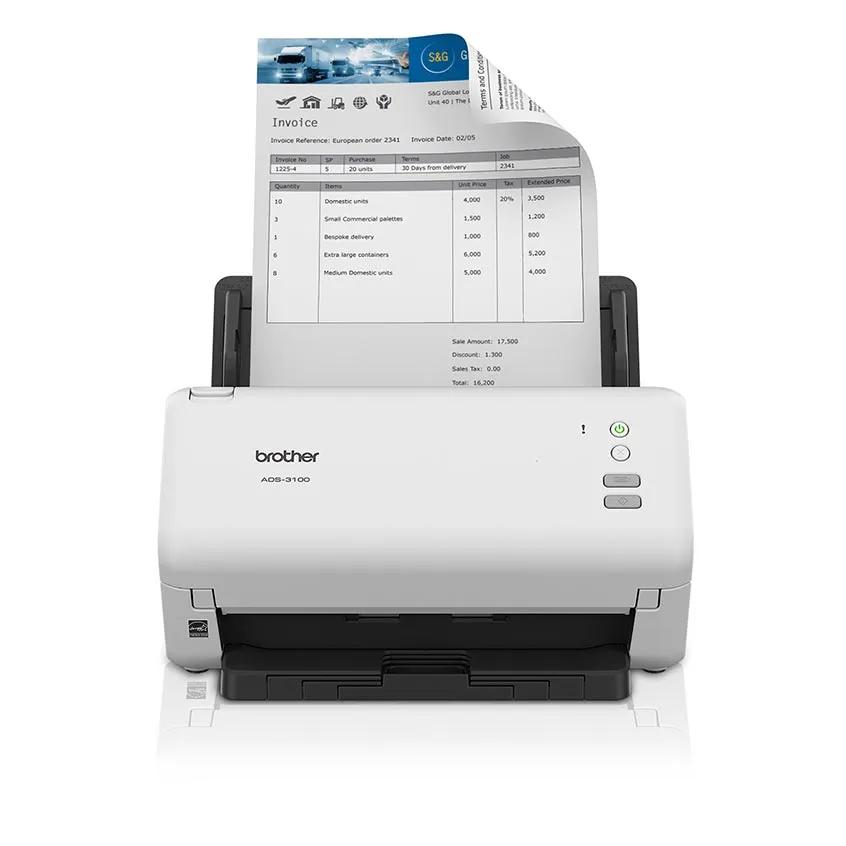
Your needs, this model
Does it fit your priorities?
Does it have a desktop ADF large enough for batches?
Brother lists a 60-sheet automatic document feeder and duplex capture. The capacity is based on 20 lb paper and does not establish jam-free handling for every stock or job size.
Explore this need in the finder →Can it save scans to a USB memory stick?
Yes, Brother documents Scan to USB for a separately purchased compatible drive. Its Online User's Guide says initial scan settings are configured through Remote Setup on a computer, after which an individual scan-to-stick job can be started at the scanner.
Explore this need in the finder →Does it have a TWAIN driver for capture software?
Brother lists TWAIN among supported driver types. Check the exact current driver and operating-system build with the software vendor before relying on a specific capture program.
Explore this need in the finder →The Brother ADS-3100 is a 60-sheet desktop document scanner for a wired USB routine. It adds automatic two-sided capture and a direct USB-memory destination, but Brother’s detailed interface specification lists USB rather than Wi-Fi or Ethernet. That makes it a different choice from the networked ADS-3350W even though the two share a feeder size and professional-desktop positioning. This assessment is based on Brother’s US product and support material, not a hands-on test.
Mid-volume batch work over USB
Brother lists a 60-sheet automatic document feeder, duplex scanning and maximum rates of 40 pages per minute simplex or 80 images per minute duplex. Its note says the speed figures use letter-size paper at 300 dpi with advanced features off; they are manufacturer maxima, not independent measurements. An 80-ipm figure counts images from both sides and should not be rewritten as 80 sheets per minute. The feeder capacity is based on 20 lb paper, so loading instructions and the stock you use remain important. The published 6,000-page daily maximum is a designed-durability comparison rating, not a recommended daily target or a guarantee against jams.
The ADS-3100 is a sheet-fed machine, not a flatbed. It fits loose documents that can travel through the ADF, including the standard paper and card types Brother lists. Its support guide says acceptable size and paper thickness matter, advises against mixing pages with varying thickness or quality, and warns against damaged or curled sheets, wet ink, staples, clips, glossy media, attached notes and other unacceptable originals. For thin or irregular documents, a carrier sheet may be needed; that is an accessory to verify, not something the model name guarantees is in the carton.
USB to a computer or to a flash drive
The standard host interface is SuperSpeed USB 3.0, backward-compatible with supported USB versions. Brother’s US product page lists scanning to a computer and a USB memory stick. Those are distinct destinations: the first depends on the current desktop driver/software and host, while the second saves to a compatible flash drive at the machine. Brother lists USB Mass Storage support up to 128 GB and FAT12, FAT16, FAT32 and exFAT file systems. The drive is not included in the stated box contents.
The direct Scan to USB function has a setup step. Brother’s online guide describes configuring scan settings through Remote Setup on a computer, then inserting the flash drive and pressing the machine’s Scan to USB control. Once configured, a computer need not be present for each scan-to-stick job, but the initial settings and ongoing file handling still belong in your operating plan. The machine does not turn that USB destination into a network folder or a cloud service.
Check the driver against the actual application
Brother lists TWAIN, WIA, ICA and SANE driver types. Its current US support pages provide downloads for Windows, macOS and Linux, but that does not settle compatibility with a specific capture program or workstation image. If an application depends on TWAIN, for example, confirm the exact operating-system build and driver version with Brother and the software owner. The advertised bundled software and direct USB controls may make basic work simpler, but they do not replace that application check.
Product materials refer to destinations such as OCR, email, cloud services and SharePoint alongside the computer workflow. The reviewed model documentation does not establish that the ADS-3100 itself joins a network and sends those destinations without a computer. Treat them as software-led options unless a current model-specific setup guide proves the route you intend to use. The product page’s detailed standard interface is USB 3.0; unlike the ADS-3350W, it does not list Ethernet, Wi-Fi or a touchscreen.
The simplest difference from ADS-3350W
Brother’s ADS-3350W has the same 60-sheet feeder and automatic duplex, but adds 2.4 GHz Wi-Fi, Ethernet, Wi-Fi Direct, Mobile Connect and a 2.8-inch touchscreen. Those features are material if operators scan to network folders, use a phone or want on-device destination selection. The ADS-3100’s detailed US product and support pages instead show USB, and the product page describes computer or USB-memory scanning. Its stated 80-ipm duplex maximum is also higher than the ADS-3350W product page’s detailed 40-ipm field, although different manufacturer figures still are not real-world tests. The ADS-4900W is another comparison point when a 100-sheet feeder or larger workgroup feature set is important.
Who should shortlist it?
Compare the ADS-3100 when its documented 60-sheet capacity, duplex capture and computer-centered USB setup are more relevant than Wi-Fi or network sharing. It is a weaker fit if a mobile app, wired Ethernet, touchscreen profiles, a flatbed or computer-free cloud routing is essential. The US product page lists the new base ADS-3100 package as the scanner, USB 3.0 cable, AC adapter and quick setup guide with a one-year limited warranty. Brother also exposes a refurbished RADS3100 condition route; this review is for the new/base ADS-3100, not a refurbished offer. Match code ADS3100, verify exact condition and package, check the host OS and application, and source a compatible flash drive or carrier sheet only if needed. No feed, OCR, scan-quality, throughput or endurance test was performed.
Key specifications
Key details at a glance
| Scanner class | Professional desktop sheet-fed scanner |
|---|---|
| Manufacturer-listed simplex rate | 40 ppm |
| Manufacturer-listed duplex image rate | 80 ipm |
| Automatic document feeder capacity | 60 sheets |
| Optical resolution | 600 dpi |
| Connection options | USB |
| Automatic duplex capture | Yes |
| Touchscreen | No |
| TWAIN driver documented | Yes |
Use the exact model’s instructions for operating limits, supplied equipment and version differences.
Sources for this review
Sources for this assessment
- Brother ADS-3100 US product page and specifications
- Brother ADS-3100 US support specifications
- Brother ADS-3100 US manuals index
- Brother ADS-3100 US supported operating systems
- Brother ADS-3100/ADS-3300W/ADS-3350W Online User's Guide index
- Brother Online User's Guide: save ADS-3100 scans to USB flash drive
- Brother Online User's Guide: ADS-3100 acceptable documents
- Brother RADS3100 certified-refurbished US product page
Compare the workflow before you choose
Use the finder to test your connection, paper and software requirements against the documented scanner arrangements.