
Your needs, this model
Does it fit your priorities?
Can the DS-620 handle non-embossed plastic ID cards?
Yes, within Brother's stated card-size and thickness limits; embossed plastic cards are listed among unacceptable documents.
Explore this need in the finder →Can I load 20 pages into an ADF?
No. Brother's guide limits input to one page at a time; it does not document a multi-sheet ADF.
Explore this need in the finder →Does the model provide Wi-Fi scanning to a phone?
No such route is documented for the DS-620; its supported arrangement in the reviewed sources is USB-connected computer scanning.
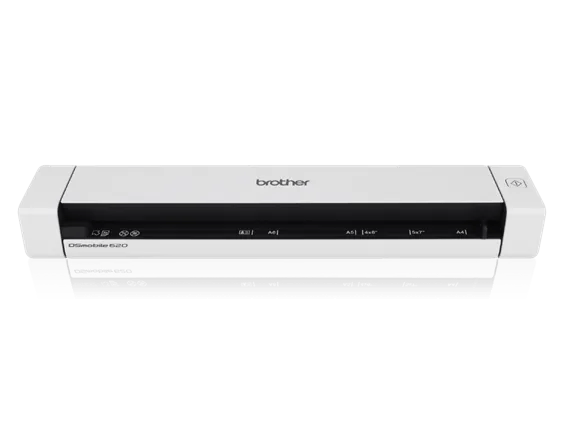
Explore this need in the finder →The Brother DSmobile DS-620 is a compact, USB-connected scanner for handling individual documents, receipts, business cards and non-embossed identification cards. It is not an automatic document feeder: Brother’s manual sets a one-sheet limit, and the connection is USB 2.0 rather than Wi-Fi. Its case is therefore about the convenience of a small host-powered scanner and the software routes Brother documented for it, not about feeding a stack or scanning directly to a phone. The assessment distinguishes the DS-620 base model from the separately listed refurbished RDS-620 condition offer.
One original at a time
The product page gives a maximum of eight pages per minute in both color and black-and-white, while Brother’s brochure specifies letter paper at 300 dpi for the comparison figure. This is a manufacturer specification, not a timed result. Brother lists optical resolution up to 600 by 600 dpi and interpolated resolution up to 1200 by 1200 dpi. None of those figures changes the feed routine: the manual states a maximum of one page in the input. The slot can be useful for a short run of receipts or papers, but a person still loads each original.
Small-paper flexibility has boundaries
The official page describes document, photo, receipt, business-card and plastic-card use, and Brother’s manual gives mode-specific paper and card limits. For a plastic card, the manual says non-embossed cards only. It also identifies originals the scanner should not accept, including wet-ink, stapled, glossy or mirrored media and items outside the stated thickness limits. A carrier sheet is available for certain special originals; its presence in the named package should be verified, and it does not create a separate manual-feed route. For a fragile original, check the exact manual instructions rather than treating a broad product-page example as universal permission.
USB and software, not wireless sharing
The DS-620’s normal arrangement is a Micro USB cable to a computer, with USB power and manufacturer-listed TWAIN and SANE driver support. The US guide also explains Button Manager and DSmobileCapture workflows. Brother’s scan-to language includes destinations such as email or a shared folder through the specified computer software; that should not be confused with a stand-alone network connection. The model page has no documented Wi-Fi or mobile-device route, and an official portable-scanner comparison lists no mobile-device capability. Verify that the relevant driver and application still support the computer you plan to use.
Software may add cost and setup work
The original product material names document management, OCR and business-card software, but availability depends on the software package and a compatible host. Brother’s manual describes BR-Receipts as available for purchase with the DS-620, rather than a feature to assume is included at no cost. The current US product page lists a package that includes the scanner, USB cable, carrier sheet, calibration sheet, cleaning cloth, bag and installation media. That package statement does not tell you what a later refurbished listing contains. Check the exact condition and box contents separately.
Where it sits against nearby models
Compared with the older DS-610, Brother lists the DS-620 at eight rather than six pages per minute, but the two models remain USB-only, simplex and one-sheet-at-a-time devices. The later DS-640 is a different model with a 16-page-per-minute specification and a longer page limit; it is also marked discontinued and uses Micro USB 3.0. The DS-620’s exact model number matters when checking its manual, drivers and refurbished offers. It should not be confused with DS-640e or with RDS-620 refurbished condition.
Practical fit
The DS-620 is worth comparing when the routine is occasional paper capture into a computer, one page at a time, with USB power and no required wireless route. A person who needs duplex, an ADF, mobile capture, direct cloud routing or modern software assurance should look elsewhere or verify a different arrangement. The unit’s compact body does not make it a substitute for a stack scanner, and the published 100-page daily figure is a manufacturer limit—not a recommended daily workload or an independently tested durability result.
What remains unknown
This review relies on Brother’s US product page, brochure and US manual. The product page’s generic power-source row mentions a rechargeable battery, while its description, product-package list and model brochure point to a USB-powered DS-620 and do not list a battery in the box. This assessment therefore does not claim that a battery is included or that standalone battery use is supported. It also makes no claim about current availability, OCR accuracy, feed reliability or performance with an individual computer.
Key specifications
Key details at a glance
| Scanner class | Portable one-sheet sheet-fed scanner |
|---|---|
| Manufacturer-listed simplex rate | 8 ppm |
| Optical resolution | 600 dpi |
| Connection options | USB |
| Automatic duplex capture | No |
| Touchscreen | No |
| TWAIN driver documented | Yes |
Use the exact model’s instructions for operating limits, supplied equipment and version differences.
Sources for this review
Sources for this assessment
Compare the workflow before you choose
Use the finder to test your connection, paper and software requirements against the documented scanner arrangements.