
Your needs, this model
Does it fit your priorities?
Will the DS-635 scan both sides automatically?
No. Brother lists Duplex Scanning as No for DS635 and the brochure specifies simplex only. Turn originals over between sides; this single-sheet model is not a substitute for an automatic duplex scanner.
Explore this need in the finder →Can I leave a 20-page stack in the DS-635 and walk away?
No. Brother states a maximum one-sheet input and its guide says to insert only one page at a time. The fact record therefore leaves ADF capacity null; a one-sheet input is not a 20-sheet automatic feeder.
Explore this need in the finder →Can it send scans to a phone or cloud account without a computer?
The checked U.S. sources do not establish that route. Brother's setup guide assigns the DS-635 USB computer workflow, while the Wi-Fi/mobile and memory-card setup is specifically for DS-940DW; DS-635 cloud destinations require PC software, internet and an account.
Explore this need in the finder →Is the optional carrier sheet a separate manual-feed path?
No separate second inlet or manual mode is documented. The optional CS-A3401 carrier sheet enters the ordinary feeder slot and should be used for selected photos, thin or irregular originals; it is not included in the base carton list.
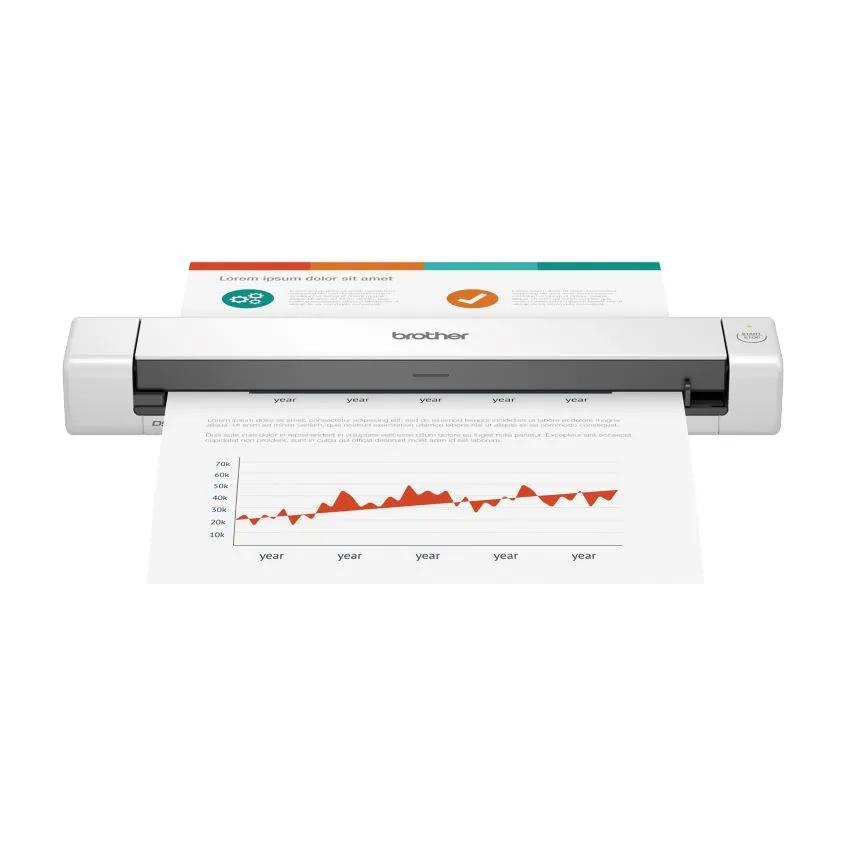
Explore this need in the finder →The Brother DS-635 is an earlier, portable sheet-fed scanner for USB-to-computer capture, not an automatic duplex machine or a compact ADF. Brother marks its exact U.S. base model discontinued; the reviewed code is the unsuffixed DS635 with Micro-B USB, not the separate USB-C DS-635e/DS635E and not the RDS635 refurbished offer. The strongest reason to consider its documented design is simple: scan occasional paper, cards or long receipts to a computer without setting up a desktop scanner. The key costs are manual page-by-page feeding, one-sided capture and the need to confirm software support for the exact host.
A portable single-sheet route, not a stack feeder
Brother's exact-model brochure identifies a single contact image sensor, a sheet-fed mechanism and a maximum one-sheet input. The DS-635 accepts one page at a time; the model guide cautions against inserting multiple pages together. It can therefore suit a traveler, home-office user or small paper backlog when the person can feed each original and let the host computer handle the output. It is not a way to leave a pile in a tray and return to finished files. The category's ADF question is deliberately not treated as “one sheet”: this record has no documented multi-sheet ADF capacity, so a positive minimum feeder requirement excludes it.
It is also simplex. Brother's current U.S. page explicitly lists Duplex Scanning as “No,” and the brochure rates simplex capture only. If a document is double-sided, the operator must make separate passes and manage page order. The model's small footprint does not change that workload. The DS-740D is a useful comparison within the earlier portable range: it is also one-sheet and USB-connected, but its separate exact review documents single-pass duplex. Neither model is a stack-feeding ADF.
Long originals, with real handling limits
Brother lists standard media from 2.0 to 8.5 inches wide and 3.4 to 72 inches long, with paper from 35 to 270 g/m² (9.3 to 72 lb). That range can accommodate long forms or receipts when their width and stock fit the instructions. The same sheet limit still applies: “long page” is not the same as batch capacity. The brochure lists receipts, business cards, plastic or laminated cards—including embossed cards—and photos, with a carrier sheet recommended for photographs. The model guide calls out a carrier sheet for thin, coated, perforated, curled, damaged or irregular originals and specifies that it goes through the ordinary feeder slot. The optional CS-A3401 carrier-sheet two-pack is not listed in the base carton, and one original still goes into it at a time. Check the permitted card thickness, stock and exact original before relying on this workflow.
USB, host software and cloud are separate steps
The DS-635 uses USB 3.2 Gen 1 Micro-B, which Brother's product page also calls Micro USB 3.0. It is powered from the connected computer; there is no documented battery or Wi-Fi operating plan. The Quick Setup Guide assigns it a USB host connection and reserves Wi-Fi/mobile and microSD instructions for the DS-940DW. Brother lists TWAIN, WIA, ICA and SANE drivers, which gives it a documented bridge to several computer-side capture environments. That driver list does not prove that an unlisted application, current operating-system release or managed workstation will work.
Brother's U.S. support matrix says feature availability varies by operating system and that software for older gray-listed systems is no longer updated. Its shared family guide contains older OS notes, so check the exact DS-635 download page, current host and scanning application together rather than relying on a generic driver acronym. The brochure names Brother iPrint&Scan Desktop, PaperPort and Power PDF software, but its footnotes explain that drivers and bundled software are downloads. Cloud services require connected-PC software, Internet access and an account with the chosen service; the sources do not establish computer-free cloud delivery. That matters because a software “scan to” destination is not the same thing as a scanner that can send a file on its own.
Speed and package claims need their conditions
Brother advertises up to 16 pages per minute. Its September 2026 brochure states letter-size color and black speed at 200/300 dpi, while the product page gives the 16-ppm headline and qualifies it at 300 dpi. Brother warns that data transfer and software processing affect actual speed. These are manufacturer maxima, not an independent test or a promise of a completed searchable file at that pace. The brochure lists optical resolution up to 600 × 600 dpi and interpolated resolution up to 1200 × 1200 dpi. It also gives a maximum daily/monthly design figure of 100/2,000 pages and says to choose a higher-rated model if the intended workload exceeds the requirement; that comparison is not a recommendation to run continuously at the limit.
The exact base-page carton reference lists the DS-635, Micro-B cable, Quick Setup and Product Safety guides, and calibration sheet; it does not list the optional carrier sheet. Brother's separate RDS635 page names a DSmobile DS635 scanner in a refurbished offer, but that offer code and condition are not the same as the DS635 base listing. For a third-party unit, check the physical model label, included cable, carrier-sheet requirement, actual condition, seller return terms and any warranty directly. The base model is a technical reference, not a claim about stock or another seller's box.
Who should look elsewhere
Choose a different configuration if automatic duplex, a 20-sheet-or-larger ADF, a touchscreen, Wi-Fi, mobile-device capture or standalone cloud delivery is essential. A separate manual-feed requirement also does not fit the documented layout: the optional carrier sheet is a media aid in the existing slot, not another feed path. For intermittent, USB-powered simplex work—especially when long originals or TWAIN matter—the DS-635 remains a coherent earlier-model option on paper. Its value depends on accepting the feeding steps and validating present-day host support, not on assuming that discontinued hardware, an old bundled-software name or a reseller listing guarantees a ready-to-use setup.
Key specifications
Key details at a glance
| Scanner class | Portable single sheet fed |
|---|---|
| Manufacturer-listed simplex rate | 16 ppm |
| Optical resolution | 600 dpi |
| Connection options | USB |
| Automatic duplex capture | No |
| Touchscreen | No |
| TWAIN driver documented | Yes |
Use the exact model’s instructions for operating limits, supplied equipment and version differences.
Sources for this review
Sources for this assessment
- Brother DS635 exact U.S. product page, New-condition base route
- Brother DS-635 exact U.S. page-linked At-a-Glance graphic
- Brother DS-635 exact-model U.S. product brochure, revision 2026-09-22
- Brother DS-635 U.S. model-specific support specification table
- Brother DS-635 U.S. manuals index
- Brother DS-635/640/740D/940DW U.S. Quick Setup Guide, version B
- Brother DS-635/640/740D/940DW U.S. Online User's Guide, version B
- Brother DS-635 U.S. supported operating-system matrix
- Brother DS635 U.S. product-support landing
- Brother RDS635 exact U.S. refurbished offer page
- Brother DS-635 exact U.S. product-page image asset
- Brother U.S. recall notices page, screened for DS-635
Compare the workflow before you choose
Use the finder to test your connection, paper and software requirements against the documented scanner arrangements.