
Your needs, this model
Does it fit your priorities?
Can it capture both sides automatically?
No. Brother specifies simplex-only scanning. A two-sided original would need to be turned and run again.
Explore this need in the finder →Can it scan a stack without someone loading each sheet?
No. Brother’s guide says to insert one page at a time; the one-sheet input is not a multi-page ADF.
Explore this need in the finder →Can a phone scan directly without a computer?
A mobile-device route is not documented for this USB-only configuration; the published workflow uses a host computer and driver.
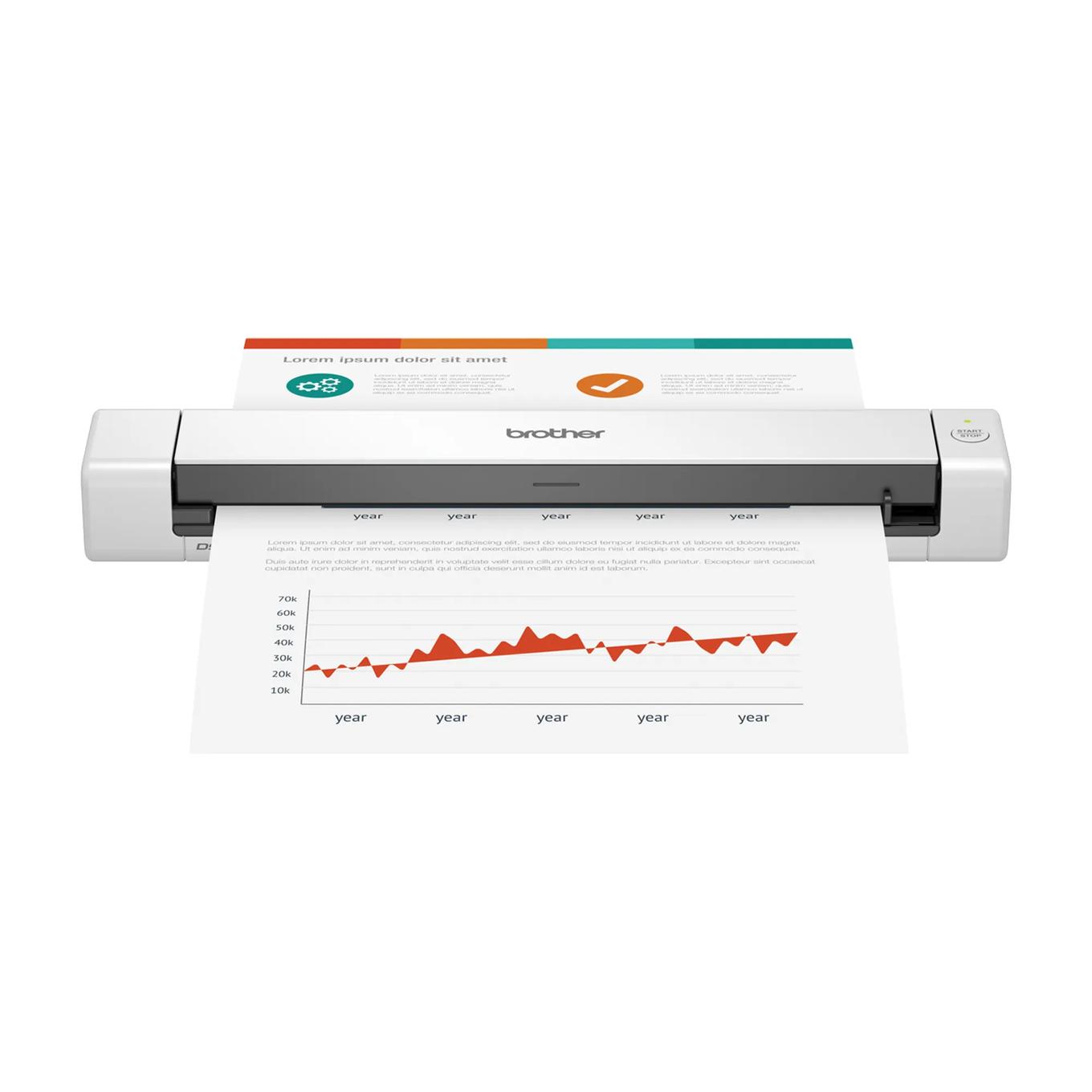
Explore this need in the finder →The Brother DS-635e is a compact, USB-C-powered scanner for feeding one original at a time into a computer workflow. Its strongest case is portability: the scanner weighs about a pound, needs no separate power adapter, and Brother lists a 16-page-per-minute maximum. The important boundary is just as clear: it is simplex only, has no wireless or phone route, and its one-sheet path is not a stack-feeding automatic document feeder. This assessment uses Brother’s US product page, brochure and model-family guide; no hands-on scanning or speed test was performed.
Think page-by-page, not batch
Brother lists the DS-635e’s paper input capacity as one sheet. Each page is inserted and scanned before the next can go in, so the scanner can help with a receipt, a signed form, or a few pages away from a desk, but it does not remove the handling in a larger batch. The manufacturer’s guide warns against inserting multiple sheets at once. Treat the stated maximum of 100 pages a day as a design-duty figure, not evidence that it will feed a hundred-page stack automatically.
The scanner captures one side only. Its single contact image sensor, optical resolution up to 600 by 600 dpi, and advertised maximum of 16 ppm describe a basic portable capture route, not a duplex machine. Brother’s rate note is based on letter paper at 200 or 300 dpi and cautions that processing and data transfer change actual time. If your normal papers have information on both sides, you would need to turn each sheet and run it again; a small duplex model such as the DS-740De is the more direct comparison.
One cable, one computer-led setup
The supplied USB Type-C cable carries both power and data. That is convenient when a laptop is already part of the work kit, and it avoids a separate wall adapter. It also means the DS-635e is not an independent battery scanner: plan on a compatible host or power source, a working USB port and Brother’s current software. A hub should not be assumed to deliver enough power; the shared Brother troubleshooting guide specifically lists insufficient hub power as a possible cause of trouble.
Brother lists TWAIN and WIA drivers for Windows, ICA for Mac, and SANE support in its current brochure. The product page’s software language can be read as suggesting a ready-to-use kit, but the small print says driver and bundled software downloads need an internet connection. Check Brother’s current supported-OS page and the capture application you intend to use before relying on an older driver, a specific OS release, or a particular bundled app. This is a computer connection, not a Wi-Fi scanner or a mobile-app model.
Small originals and long receipts still need care
The published product dimensions are about 11.9 by 2.0 by 1.4 inches and its listed weight is one pound. It can sit in a laptop bag more easily than a desktop feeder, but it still needs a stable surface and clearance where its output exits. Brother lists documents up to 72 inches long and media such as receipts, business cards and plastic cards. Those categories do not mean every fragile, glossy, curled or unusual original can be fed safely. The manual recommends a separately purchased carrier sheet for certain thin or special media and rules out items such as wet-ink pages, stapled sheets, fabric and metallic sheets. Read its paper limits for the exact original rather than relying on the broad “photos and more” product language.
Brother includes the DS-635e, a USB-C cable, quick and safety guides, and a calibration sheet. The carrier sheet is an optional accessory, not part of the box list. There is no flatbed for books or bound pages, and no distinct special-original manual-feed route has been established beyond placing one sheet in the feeder slot.
How it compares with nearby portable models
The exact model code is DS635E. Brother also lists a DS-640e as a separate US model. In the current materials reviewed for both, the shared model-family guide groups the two together and the core published routine is the same: USB-powered, single-sheet, simplex capture. The reviewed sources do not establish a useful functional reason to prefer one over the other; compare the exact label, included package and seller terms rather than assuming a feature upgrade from the number alone. The “e” model names also remain distinct from older unsuffixed DS-635 and DS-640 listings.
If automatic two-sided capture matters, compare the DS-740De instead; if a phone, Wi-Fi or standalone card destination matters, the DS-940DWe is the different operating class, although Brother’s current US page lists that model as Coming Soon. None of those alternatives turns this one-sheet machine into a stack feeder.
Who should shortlist it?
Consider the DS-635e when a light, wired scanner for occasional single-side pages fits better than an ADF and you can connect it to a supported computer. Pass if automatic duplex, wireless/mobile scanning, battery independence, unattended batch feeding or an established ADF capacity is essential. Confirm product code DS635E at order time, current OS/app support, USB-C host compatibility and whether any carrier sheet is separately required. Brother’s published figures are specifications, not our measurements; no OCR accuracy, image quality, feed reliability or practical scanning rate was tested.
Primary references: Brother DS-635e US product and specification page, Brother DS-635e brochure, and the US DS-635e/DS-640e/DS-740De/DS-940DWe Online User’s Guide.
Key specifications
Key details at a glance
| Scanner class | Portable one-sheet sheet-fed scanner |
|---|---|
| Manufacturer-listed simplex rate | 16 ppm |
| Optical resolution | 600 dpi |
| Connection options | USB |
| Automatic duplex capture | No |
| Touchscreen | No |
| TWAIN driver documented | Yes |
Use the exact model’s instructions for operating limits, supplied equipment and version differences.
Sources for this review
Sources for this assessment
- Brother DS-635e exact US product page and specifications
- Brother DS-635e US product brochure
- Brother DS-635e US product support landing
- Brother DS-635e US manuals index
- Brother portable e-series US Online User Guide index
- Brother portable e-series US Online User Guide specifications
- Brother portable e-series US acceptable-document instructions
- Brother portable e-series US load-document instructions
Compare the workflow before you choose
Use the finder to test your connection, paper and software requirements against the documented scanner arrangements.