
Your needs, this model
Does it fit your priorities?
Can it capture originals up to 72 inches long?
Brother's US model material lists a maximum document length of 72 inches. Check the exact original's width, weight and handling limits in the manual.
Explore this need in the finder →Will it scan both sides of a sheet in one pass?
No. The DS-640 is simplex; two sides require separate passes, and the machine accepts one sheet at a time.
Explore this need in the finder →Does it use a USB-C connector?
No. Brother specifies Micro USB 3.0 for this exact base model; it is distinct from the USB-C DS-640e.
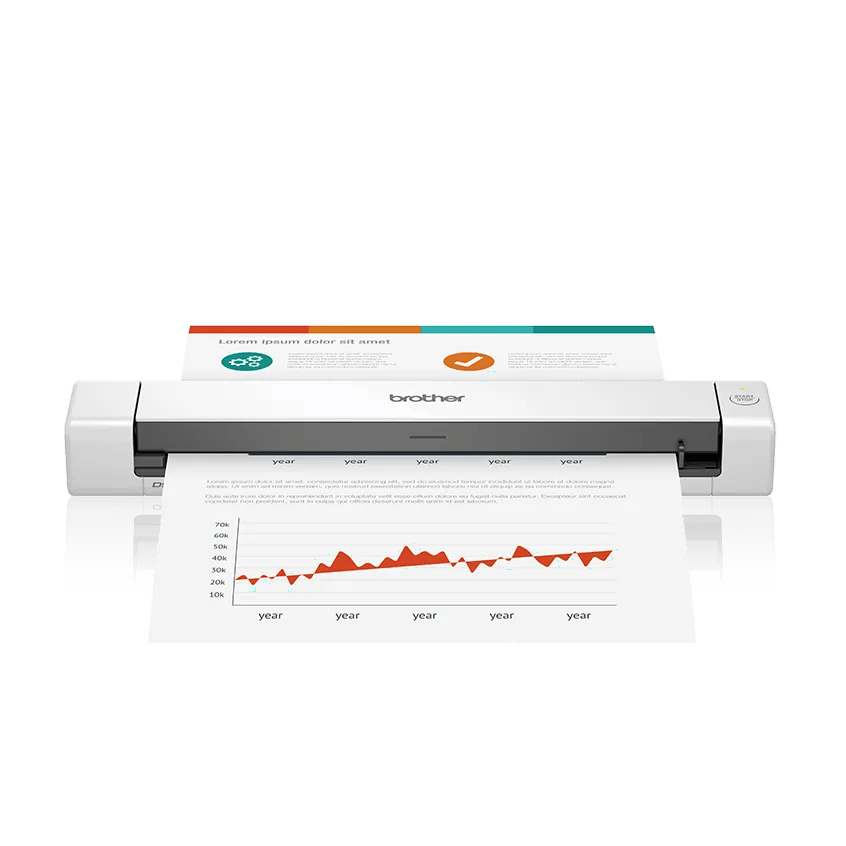
Explore this need in the finder →The Brother DS-640 is a discontinued portable sheet-fed scanner built around a wired computer workflow. Brother’s US material identifies the base model as DS-640, lists a Micro USB 3.0 connection and advertises up to 16 pages per minute. Its longer-paper support distinguishes it from many short document captures, but one sheet still enters at a time and the model does not automatically scan both sides. This is the unsuffixed DS-640 assessment, not the separate DS-640e and not the refurbished RDS-640 offer; their model and condition labels should be checked before comparing packages.
Long pages without a stack feeder
Brother lists originals up to 72 inches long and paper up to 72 lb bond, alongside invoices, receipts, business cards and plastic ID cards. The brochure identifies a one-sheet input capacity, and the guide describes loading through a feeder slot. That combination may suit an occasional long receipt or similar document, but it is not continuous-feed automation: each original must be presented separately. The product’s long-page limit should not be read as approval for every media thickness or surface. Check the original’s width, weight and feed instructions in the manual.
Simplex speed and resolution are manufacturer specifications
The DS-640 is a one-sided model, with no automatic duplex route. Brother advertises up to 16 pages per minute in both color and monochrome, with the speed figure tied to letter paper at 300 dpi using its Micro USB 3.0 cable. The brochure lists optical resolution up to 600 by 600 dpi and interpolated resolution up to 1200 by 1200 dpi. Those are stated capabilities, not an independent throughput or image-quality test. If your work includes two-sided forms, each side would need a separate pass and should be treated as a different task from its headline speed.
The host computer is central
Brother describes the scanner as powered through its USB 3.0 cable and documents TWAIN, WIA, ICA and SANE drivers. Its software offers computer-connected scan-to destinations, including file, OCR, email and cloud services through Brother iPrint&Scan. The source material describes those software routes when connected to a PC with applicable software; it does not establish a Wi-Fi interface, mobile-device scan route or computer-free cloud path for the DS-640. Check the intended computer, cable, driver and application before relying on a destination. Older scanner software can be a greater limitation than the physical scan mechanism.
Exact model and package distinctions matter
Brother labels the base DS-640 discontinued, while separate catalogue records show DS-640e and RDS-640. The original DS-640 uses Micro USB 3.0; the DS-640e has its own product code and USB Type-C package. Those names should not be shortened to a generic “DS-640” in a listing without checking the model label. Brother’s US brochure identifies UPC 012502657477 for the base model and lists the scanner, Micro USB 3.0 cable, setup and safety material and calibration sheet in its standard carton. A refurbished RDS-640 or third-party seller bundle may differ.
Who should still compare it
This model belongs in a historical or exact-offer comparison for someone who wants single-sided USB capture, values the documented long-original support, and can verify a compatible computer workflow. It is a poor fit if a duplex feeder, unattended stack, Wi-Fi sharing, mobile-device route or guaranteed current driver support is essential. Its 100-scans-per-day rating is Brother’s design figure, not a recommendation for a daily production job. The one-sheet slot and the separate scan-to software should be considered as distinct parts of the workflow.
Checks for a discontinued scanner
Before relying on an older DS-640, confirm that the exact unit is the base model rather than DS-640e or RDS-640; identify the actual cable and included items; and verify official driver support for the intended operating system and application. Ask about the seller’s condition and return terms, especially if the scan routine is business-critical. Do not infer current stock, software maintenance, OCR quality or real-world speed from a historical brochure. No hands-on test or reliability claim is represented here.
Evidence boundary
The assessment draws on Brother’s US product page, model brochure and US support/manual route for the DS-640. The source’s “up to” speed, daily-duty and media figures are manufacturer specifications. No current price, availability, seller package, user experience or present-day host compatibility is guaranteed.
Key specifications
Key details at a glance
| Scanner class | Portable one-sheet sheet-fed scanner |
|---|---|
| Manufacturer-listed simplex rate | 16 ppm |
| Optical resolution | 600 dpi |
| Connection options | USB |
| Automatic duplex capture | No |
| Touchscreen | No |
| TWAIN driver documented | Yes |
Use the exact model’s instructions for operating limits, supplied equipment and version differences.
Sources for this review
Sources for this assessment
Compare the workflow before you choose
Use the finder to test your connection, paper and software requirements against the documented scanner arrangements.