
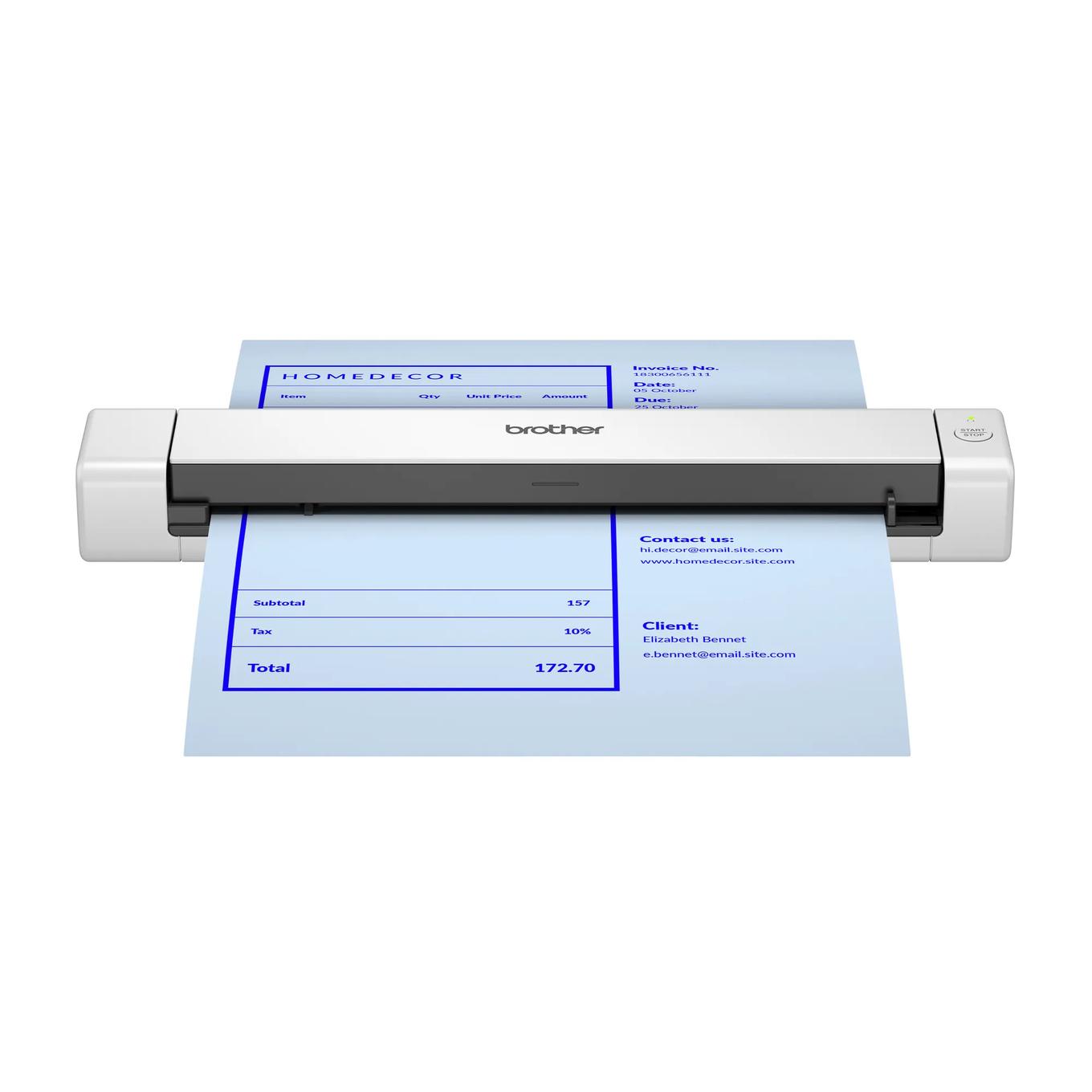
Your needs, this model
Does it fit your priorities?
Does the DS-640e automatically capture both sides?
No. Brother lists duplex as No, so double-sided originals need a second pass.
Explore this need in the finder →Can it take a stack and scan unattended?
No. The input path takes one page at a time; there is no documented multi-sheet ADF.
Explore this need in the finder →Can it scan over Wi-Fi directly to a phone?
The exact DS-640e support evidence documents a USB-C computer workflow, not a Wi-Fi/mobile route.
Explore this need in the finder →The Brother DS-640e is a USB-C portable scanner built around a deliberately simple routine: place one sheet in the feeder, scan it to a computer, then load the next. Brother publishes a maximum of 16 pages per minute, optical resolution up to 600 dpi and a one-pound body, but there is no automatic duplex capture, wireless connection or multi-sheet ADF. The practical question is not whether it can replace a full document station; it is whether this wired, one-page workflow suits the occasional originals you need to digitize. This is a research-based assessment, not a hands-on test.
Compact capture with an ordinary-paper limit
The DS-640e is listed at 11.9 by 2.0 by 1.4 inches and one pound. Its dimensions make it easier to put away than a desktop unit, while the one-sheet input means it does not take a stack and work through it on its own. Brother’s manual says to feed only one page at a time and wait for the scan to finish before placing another. That’s fine for a few receipts, forms or business cards; for recurring packets, loading is likely to matter more than the headline speed.
This model is simplex: Brother’s product specifications explicitly say duplex scanning is No. A double-sided original therefore needs a second pass after you turn it over, and the scanner does not collate or automatically reconcile both sides. The 16-ppm maximum is the manufacturer’s figure for letter-size paper at its stated resolutions; transfer and processing can affect real throughput. Because no independent measurement was made, treat the rate as an advertised reference point, not a result from our testing.
USB-C is the whole connection plan
The included Type-C cable is both the host connection and the power source. There is no battery to charge and no separate power adapter listed in the package, so the computer or suitable USB power source must be available wherever you scan. A laptop makes this arrangement portable, but the DS-640e is not a scanner that can send pages directly from the machine to a phone or join a wireless network. If your routine begins and ends on a phone without a computer, this is the wrong model to assume will handle it.
Brother lists TWAIN, WIA, ICA and SANE driver support in its product material, and its model-family manual includes software instructions for current computer workflows. The fine print says driver and included-software downloads require an internet connection. Before buying, check the exact operating-system release, driver availability and compatibility with the application that must receive scans. A scanner’s ability to produce a PDF does not guarantee that a particular document-management app can address it through its preferred driver.
Paper handling is specific, not universal
Brother lists ordinary paper, receipts, business cards, embossed plastic cards and other media types, along with long originals up to 72 inches. It also recommends the optional CS-A3401 carrier sheet for some receipts and photos, and the carrier sheet is not included in the box list. Thin documents may need the carrier sheet; the model guide also cautions against feeding damp, stapled, clipped, curled or otherwise unacceptable originals. A short legal form is not the same handling problem as a brittle photo, a heavily textured receipt or a laminated card, so use the current guide’s type and thickness limits before choosing the feed path.
The one-sheet input capacity should not be mistaken for a small ADF. It describes a single original at a time, not a feeder that accepts a pile. There is no flatbed for bound material, and Brother’s inspected documents do not establish a separate alternate manual-feed path for occasional special originals. If you need to preserve page order across a substantial batch, plan the file naming and page sequence on the computer side.
DS-640e and DS-635e: check the exact code
Brother’s current US store lists DS-640e and DS-635e under different model codes and provides a separate product page and package list for each. The current shared online guide groups them together; the checked documents show the same key workflow—USB bus power, one-sheet capture and no duplex—and do not establish a material capability difference between them. That is a reason to avoid inventing an advantage, not permission to collapse the product names. Verify the exact DS640E marking, USB-C cable and package description on the offer; do not assume the older unsuffixed DS-640 listing has the same connector or contents.
For two-sided scans, compare the DS-740De. For wireless and direct-card options, the DS-940DWe is a different configuration, and its page currently says Coming Soon. Those are not small setting changes: they add different ways to operate the scanner, while the DS-640e remains a computer-led simplex tool.
Who should shortlist it?
Shortlist the DS-640e if you want a compact USB-C scanner for occasional single-sided documents and can load each page yourself. Choose another class if duplex, a 20-sheet ADF, wireless/mobile capture, battery operation or a separate special-original route is an essential requirement. Match DS640E, check current drivers against your actual host and application, and decide whether you need the optional carrier sheet. The supplied carton includes the scanner, USB Type-C cable, quick and safety guides, and calibration sheet. No scan-quality, feed-reliability, OCR or speed testing was performed.
Primary references: Brother DS-640e US product and specification page, Brother DS-640e brochure, and the US DS-635e/DS-640e/DS-740De/DS-940DWe Online User’s Guide.
Key specifications
Key details at a glance
| Scanner class | Portable one-sheet sheet-fed scanner |
|---|---|
| Manufacturer-listed simplex rate | 16 ppm |
| Optical resolution | 600 dpi |
| Connection options | USB |
| Automatic duplex capture | No |
| Touchscreen | No |
| TWAIN driver documented | Yes |
Use the exact model’s instructions for operating limits, supplied equipment and version differences.
Sources for this review
Sources for this assessment
- Brother DS-640e exact US product page and specifications
- Brother DS-640e US product brochure
- Brother DS-640e US product support landing
- Brother DS-640e US manuals index
- Brother portable e-series US Online User Guide index
- Brother portable e-series US Online User Guide specifications
- Brother portable e-series US acceptable-document instructions
- Brother portable e-series US load-document instructions
Compare the workflow before you choose
Use the finder to test your connection, paper and software requirements against the documented scanner arrangements.