
Your needs, this model
Does it fit your priorities?
Can it capture both sides of a sheet without turning it?
Yes. Brother documents dual CIS and up to 16 ipm duplex capture; it does not mean a stack feeds automatically.
Explore this need in the finder →Can I load a twenty-page packet once?
No. The scanner handles one page at a time, so a packet needs repeated user loading.
Explore this need in the finder →Does it support phone scanning over Wi-Fi?
No Wi-Fi or mobile-device route is documented for the exact DS-740De USB-C configuration.
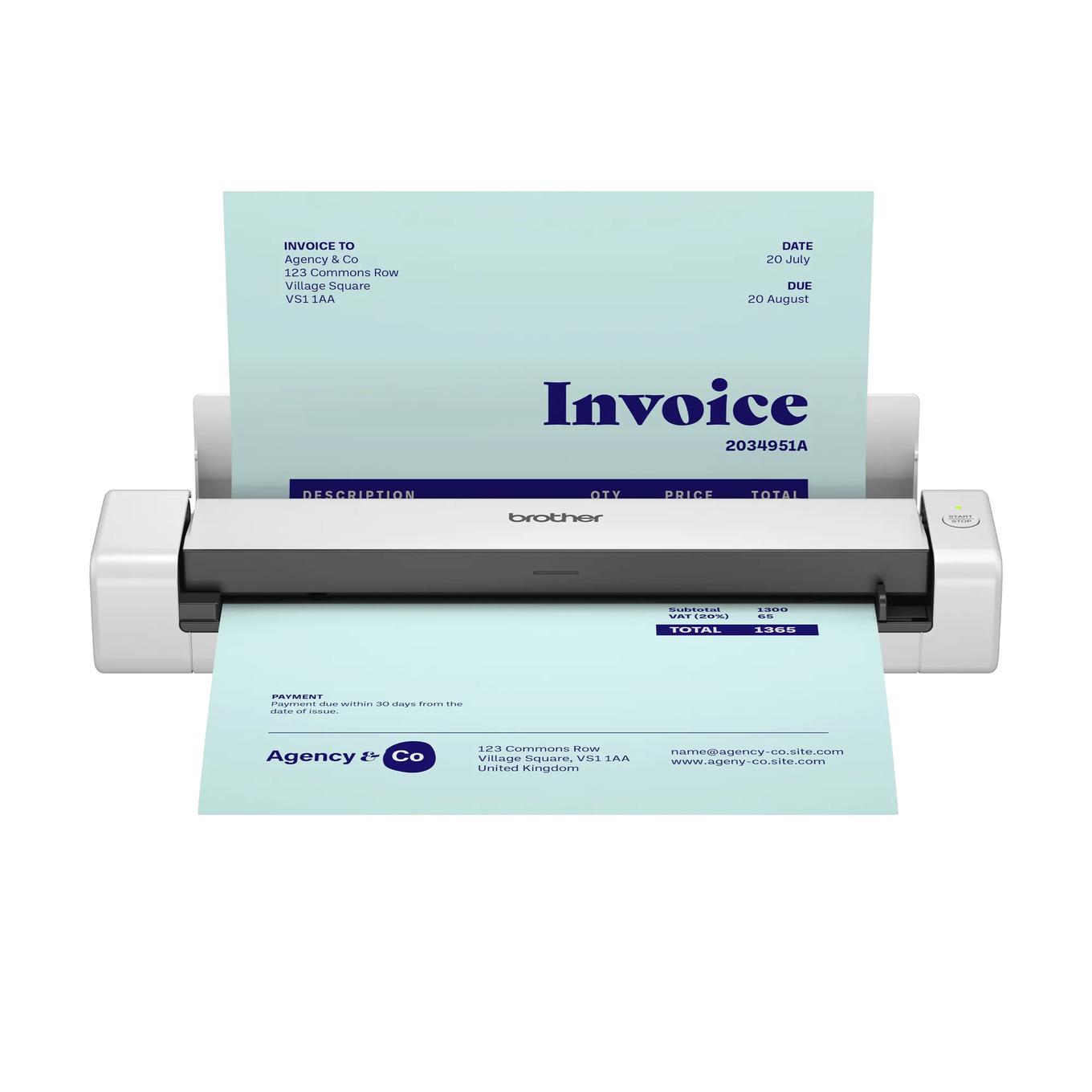
Explore this need in the finder →The Brother DS-740De adds automatic two-sided capture and a space-saving output guide to a light, USB-C-powered scanner, but it still feeds only one page at a time. That distinction is central: the DS-740De can capture both sides of one sheet in a pass; it does not accept a stack like a desktop ADF. Brother lists a maximum of 16 ppm for both simplex and duplex modes, plus a one-pound-four-ounce body. These are manufacturer specifications, not results from an independent test.
Duplex does not mean automatic batching
Brother’s one-sheet input figure and shared user guide put a clear limit on the routine: insert one original, wait until it is scanned, and only then feed the next. The dual CIS captures both sides together, so there is no need to manually turn that sheet for a two-sided document. But if you have a fifty-page packet, you remain the person loading fifty separate sheets. A small ADF desktop scanner can be a much better fit for regular stacks even if it takes up more room.
Brother’s brochure states up to 16 ppm simplex and 16 ppm duplex, with a note that the claim uses letter paper at 200 or 300 dpi and that processing and transfer can alter actual times. The brochure and current product page identify the two-sided path; we did not measure speed, alignment, OCR or jam rate. The model-family guide sets an important paper-length distinction: the maximum for a one-sided original is 72 inches, while a two-sided original is limited to 16 inches. Long one-side receipts and long duplex originals should not be treated as the same task.
A vertical path for a tight desk
The scanner measures about 11.9 by 2.5 by 1.8 inches and weighs 1.4 pounds, according to Brother. Its vertical paper path is designed to use less rear clearance than earlier Brother scanners; the product page claims up to 11 inches less. Paper still exits the rear when the output guide is closed. Opening the guide supports top ejection where rear clearance is limited, but the guide is not a free-for-all alternative feed: Brother says to check suitable paper size and weight, and not to use it with a carrier sheet or plastic cards. The documentation also associates the output-guide mode with lighter stock. In a cramped workspace, measure the real path and use only the paper types Brother allows in that mode.
USB Type-C supplies power and a computer connection. No rechargeable battery, Wi-Fi or phone route is documented for this configuration. The added space-saving guide is useful for a compact desk, but it does not remove the need to align one page at a time, reserve exit space, or switch the guide back when the original calls for a different handling path.
Originals and software need a quick check
Brother lists 600 by 600 dpi optical resolution, color and monochrome scanning, and a maximum daily duty figure of 100 pages. It lists paper, receipts, business cards and embossed plastic cards among supported categories; a separately sold carrier sheet can assist with some thin or unusual originals. The guide warns against wet ink, staples, clips, curled or torn paper, and other unsuitable items. It also says the scanner can handle a plastic card in the usual path but specifically excludes cards when using the output guide. These conditions matter more than a generic promise to handle “forms and photos.”
The product page names TWAIN, WIA, ICA and SANE driver types and several computer scan destinations. Driver and bundled software downloads require internet access, so confirm the specific version for your operating system and application. There is no touchscreen profile panel or direct memory-card slot in the product specifications. The carton list includes the DS-740De, USB-C cable, quick and safety guides and calibration sheet; it does not include the optional carrier sheet.
Where it sits among portable choices
The DS-740De is a middle ground between simplex pocket scanners and desktop feeder machines. Compared with the DS-635e and DS-640e, it adds dual-sided capture and the vertical output guide while retaining the same one-sheet pace and wired operation. The two simplex models are not substitutes if turning every original is unacceptable. Compared with Brother’s DS-940DWe, the DS-740De stays USB-only and bus-powered rather than adding the wireless, battery and microSD routines; Brother lists the DWe as Coming Soon on its current US page. It is not appropriate to infer that an unsuffixed DS-740D offer has the same USB-C package as this exact DS740DE code.
Who should shortlist it?
Choose the DS-740De for occasional duplex pages when a light, host-connected unit and reduced rear clearance matter more than a stack feeder. Pass if you need a wireless phone workflow, independent battery operation, long duplex originals, a flatbed, or an ADF capacity of at least 20 sheets. Confirm DS740DE, the supplied USB Type-C cable, current drivers and your intended output-guide media. Brother lists the product as a one-year limited-warranty configuration; check exact offer terms and current support. We did not conduct hands-on testing, and the published duty and speed numbers should not be treated as independent performance findings.
Primary references: Brother DS-740De US product and specification page, Brother DS-740De brochure, and Brother’s output-guide instructions and acceptable-document specifications.
Key specifications
Key details at a glance
| Scanner class | Portable one-sheet sheet-fed scanner |
|---|---|
| Manufacturer-listed simplex rate | 16 ppm |
| Manufacturer-listed duplex image rate | 16 ipm |
| Optical resolution | 600 dpi |
| Connection options | USB |
| Automatic duplex capture | Yes |
| Touchscreen | No |
| TWAIN driver documented | Yes |
Use the exact model’s instructions for operating limits, supplied equipment and version differences.
Sources for this review
Sources for this assessment
- Brother DS-740De exact US product page and specifications
- Brother DS-740De US product brochure
- Brother DS-740De US product support landing
- Brother DS-740De US manuals index
- Brother portable e-series US Online User Guide index
- Brother portable e-series US Online User Guide specifications
- Brother portable e-series US acceptable-document instructions
- Brother portable e-series US load-document instructions
- Brother portable e-series US output-guide instructions
Compare the workflow before you choose
Use the finder to test your connection, paper and software requirements against the documented scanner arrangements.