
Your needs, this model
Does it fit your priorities?
Can a phone participate in the scan routine?
Brother documents both infrastructure Wi-Fi and a local Wireless Direct mobile route. Confirm current app, phone OS and service support; Wireless Direct is not the cloud route.
Explore this need in the finder →Can it feed a stack automatically?
No. Brother lists one-sheet input capacity rather than an ADF. The page must be placed and fed individually, although automatic duplex capture handles both sides of each sheet.
Explore this need in the finder →Can scans be kept locally without a phone or computer attached?
Brother documents direct capture to a separately purchased compatible microSD card. Check the stated 2–32 GB SDHC range and do not confuse it with USB flash storage.
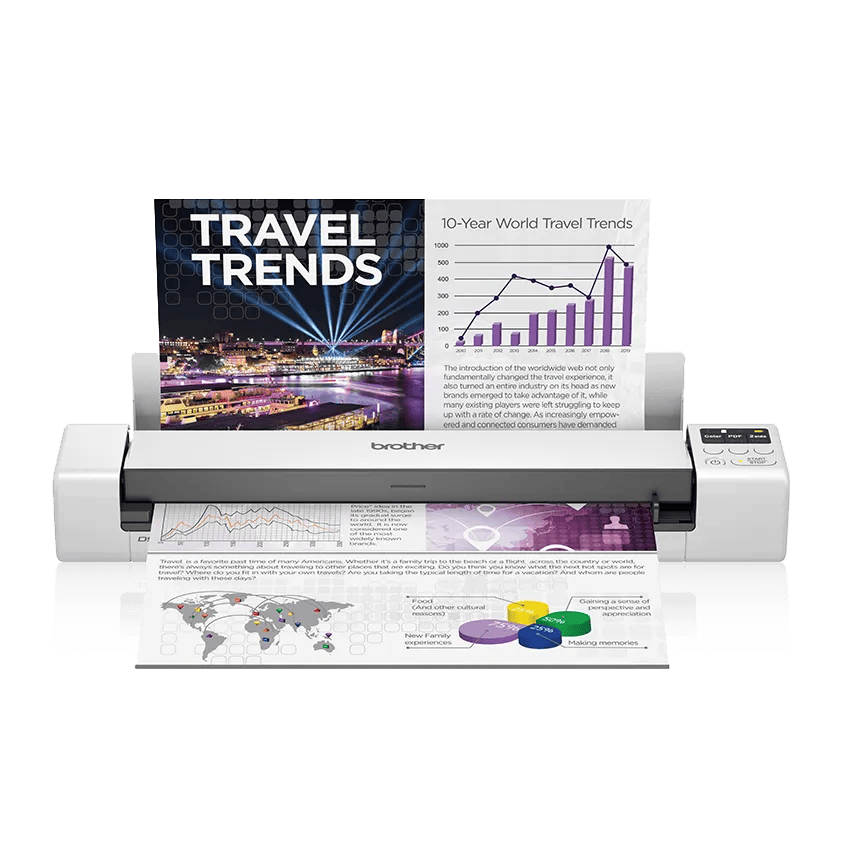
Explore this need in the finder →The Brother DS-940DW is a battery-powered, one-sheet-at-a-time mobile scanner with automatic two-sided capture, Wi-Fi and a microSD slot. It is not a small desktop ADF: Brother lists a single-sheet input capacity, so a stack has to be fed page by page. Its appeal is a portable routine that can save scans to a memory card or use a phone/computer connection, not hands-free batch loading. This research-based assessment uses Brother’s US product, brochure and support information; it is not a hands-on test.
A travel scanner, not a stack feeder
Brother calls the DS-940DW a compact portable scanner and lists paper input capacity as one sheet. It captures both sides in one pass, at a manufacturer-listed maximum of 16 pages per minute; the brochure’s test note specifies letter paper at 300 dpi using the Micro USB 3.0 cable. That is a controlled maximum, not tested throughput on a phone or while saving to a card. Unlike the ADS-1350W with its 20-sheet automatic document feeder, this model has no stack waiting to feed. A short form, receipt or few separate pages is a more natural fit than a day’s mail or thick invoice packet.
Brother’s support specification distinguishes the paper-size limit by mode: a single-sided original can be up to 72 inches long, but a two-sided original is limited to 16 inches in length. The small one-sheet path means you handle each original, align it and wait for it to pass; duplex automation removes the need to turn that page over, not page-by-page handling.
Four distinct ways to move a scan
USB, Wi-Fi infrastructure mode and Wi-Fi Direct are separate ways of working. A USB connection supports a computer-led scan. Infrastructure Wi-Fi joins a wireless router or access point; Brother describes scanning to computers or mobile devices on the network and using its iPrint&Scan app for supported cloud destinations. That cloud route depends on the current app, Wi-Fi, an Internet connection and a compatible service/account. It should not be read as a promise that the scanner uploads to every cloud service without setup.
Wireless Direct creates a secured connection between the scanner and a nearby phone or computer without a router. Brother explains this as a mobile-to-machine connection, not an Internet connection, so it is useful when a local access point is unavailable but should not be confused with the network-based cloud route. The radio specification is 802.11 b/g/n; the inspected US material does not establish 5 GHz or Ethernet. If your workplace requires a managed 5 GHz-only network, wired networking or centralized profiles, this is the wrong class of device to assume will fit.
Standalone card capture has a catch
The DS-940DW’s distinguishing option is its microSD card slot. Brother says it can scan to a compatible microSD card and retrieve files later, without a driver installed on the receiving computer. The card is an additional purchase, and the specified range is 2–32 GB SDHC. It is not a USB flash drive or wireless synchronization.
The embedded rechargeable lithium-ion battery is included. Brother lists roughly 200 scannable sheets with WLAN on or 320 with it off, a 2.6-hour charging time and a short continuous-standby specification; its support note warns that the sheet figures vary with document and environmental conditions. Treat them as manufacturer estimates rather than a promise of a full workday. The included Micro USB 3.0 cable can power and connect the scanner, so the battery is not the only route, but the cable and an appropriate host or power source are still part of a mobile kit.
Originals, software and setup
Brother’s specifications list paper, photos, receipts, business cards and embossed cards among compatible types, with optical resolution up to 600 by 600 dpi. That describes supported media categories, not a guarantee for a damaged, valuable or unusually thick original. The manufacturer also offers a carrier sheet as an optional accessory for certain thin or special documents. There is no flatbed for bound pages, and no separate bypass feed has been established beyond the one-sheet input path.
The product page lists TWAIN, WIA, ICA and SANE driver types, plus Brother’s mobile scanning app. A driver label alone does not confirm a named capture program, operating-system release or mobile-service combination. The listed box includes the scanner, rechargeable battery, Micro USB 3.0 cable, calibration sheet, quick and safety guides, warranty paperwork and a BR-Receipts insert; it does not list a microSD card. Check current download and app support before relying on an older software name.
Where it sits beside desktop models
The DS-940DW trades feeder capacity for mobility. The ADS-1350W has a 20-sheet ADF and USB/Wi-Fi; the wired ADS-3100 offers a 60-sheet feeder and direct USB-memory scanning. These are materially different routines, not size variants. Choose the DS-940DW when battery operation, standalone microSD capture or a phone connection outweighs stack handling. Choose a desktop ADF for repeated batches, wired Ethernet or unattended feeding.
Who should shortlist it?
The DS-940DW suits comparison by travelers, field staff or home users needing occasional one-page duplex capture away from a desk. It is a poor match if an ADF of 20 sheets or more, duplex originals over 16 inches, Ethernet or 5 GHz Wi-Fi is essential. Match code DS940DW and UPC 012502657491. Brother separately lists refurbished RDS940DW: it shares the DS-940DW function, but condition and offer/package are separate; verify the exact listing rather than treating it as the new base unit. Do not assume a microSD card or carrier sheet is included. Check app, OS, condition and return terms. Brother’s product-page technical table conflicts with its own duplex evidence: one field says “No,” while its brochure and US support/manual specifications describe duplex and its speed. We rely on the latter model-specific materials, but advise checking the current manual before purchase. No independent speed, OCR, image-quality, feed-reliability or battery-endurance test was performed.
Key specifications
Key details at a glance
| Scanner class | Portable one-sheet sheet-fed scanner |
|---|---|
| Manufacturer-listed simplex rate | 16 ppm |
| Manufacturer-listed duplex image rate | 16 ipm |
| Optical resolution | 600 dpi |
| Connection options | USB / Wi-Fi / microSD |
| Automatic duplex capture | Yes |
| Touchscreen | No |
| TWAIN driver documented | Yes |
Use the exact model’s instructions for operating limits, supplied equipment and version differences.
Sources for this review
Sources for this assessment
- Brother DS-940DW US product page and specifications
- Brother DS-940DW US product brochure
- Brother DS-940DW US support specifications
- Brother DS-940DW Online User's Guide and specifications
- Brother DS-940DW scanning with a mobile device FAQ
- Brother DS-940DW US manuals index
- Brother DS-940DW US supported operating systems
- Brother DS-940DW product page condition variant for RADS940DW/RDS940DW refurbished offer
Compare the workflow before you choose
Use the finder to test your connection, paper and software requirements against the documented scanner arrangements.