
Your needs, this model
Does it fit your priorities?
Can a phone participate in a wireless scan routine?
Brother documents Wi-Fi, AirPrint, Brother Mobile Connect and Wi-Fi Direct routes. Check current app, device and network support.
Explore this need in the finder →Can it save a page without a computer attached during capture?
Yes, to a separately purchased supported microSD card after the card has been formatted on a computer; retrieve files later by USB.
Can it load a packet automatically?
No. It feeds one page at a time even though both sides can be captured in one pass.
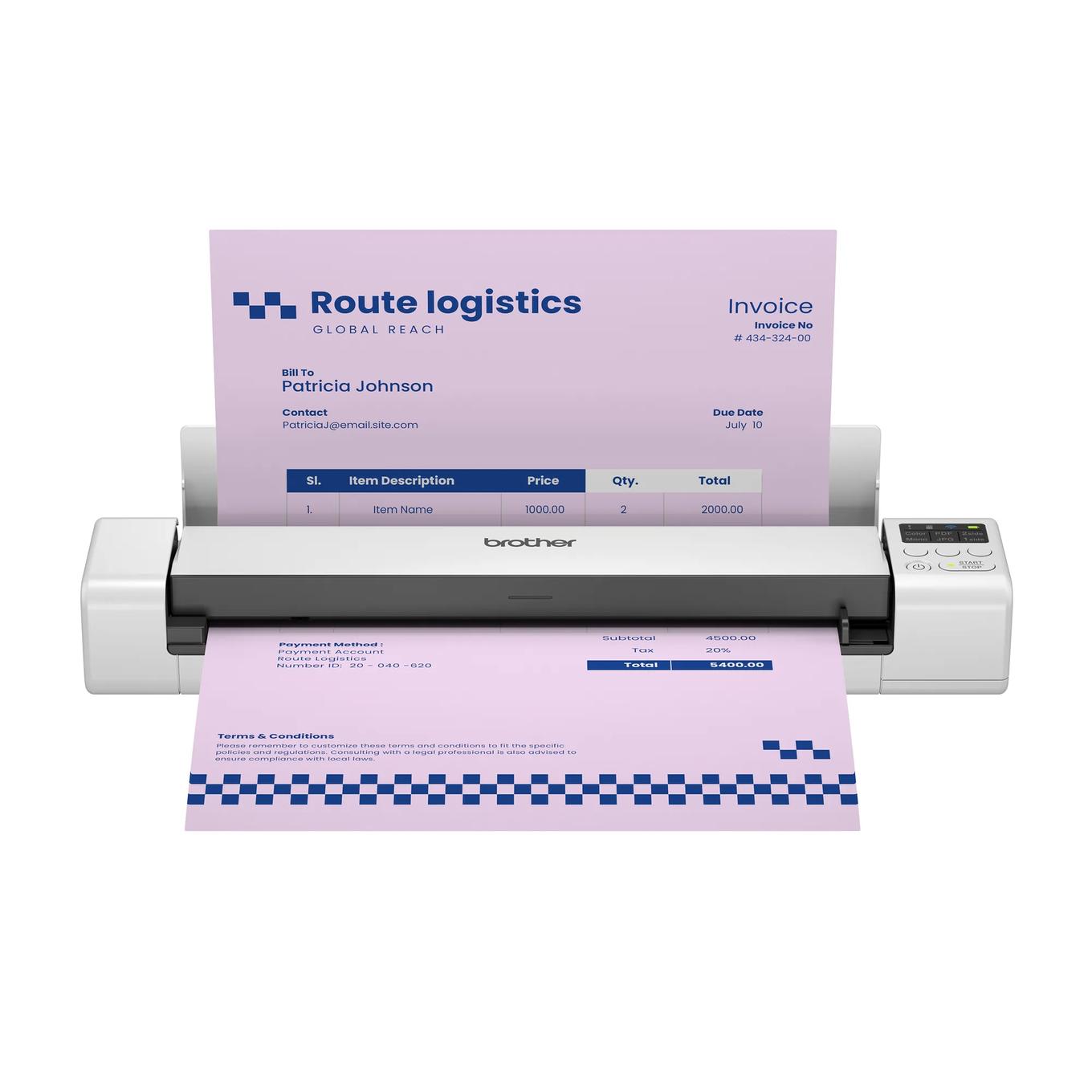
Explore this need in the finder →The Brother DS-940DWe combines automatic duplex capture with three distinct ways to work: a USB-C-connected computer, Wi-Fi and a microSD card. Its rechargeable battery adds flexibility away from outlets, but the scanner still feeds one original at a time. It is not a miniature desktop ADF, and a memory card is not included. Brother’s US page currently labels the DS-940DWe Coming Soon, so this research-based review describes the documented configuration—not present stock or a promise that an offer is available.
One page at a time, two sides together
Brother lists a one-sheet input capacity and up to 16 ppm for both simplex and duplex scanning. The dual image sensors capture both sides in a pass, but they do not turn a pile into an unattended batch: the next sheet must wait until the current one finishes. That can make sense for travel forms, signed pages or individual receipts. It is a poor match for a workflow built around routine packets. A desktop model with an automatic feeder handles that chore in a different way, even if it is heavier and needs a permanent desk.
The model-family manual separates the paper limits by mode. One-sided originals can be up to 72 inches long; two-sided originals are listed only up to 16 inches. Brother’s 16-ppm maximum uses letter paper at 200 or 300 dpi, and it cautions that data transfer and software processing affect actual rate. Those are manufacturer conditions, not a measured expectation for a particular phone, card or host computer.
Three routes that should not be confused
USB-C provides a computer connection and can charge or power the scanner. The infrastructure Wi-Fi plan joins a router; Brother lists 802.11b/g/n and mobile-device compatibility with AirPrint, Brother Mobile Connect and Wi-Fi Direct. Wi-Fi Direct is a local scanner-to-device link, not by itself an internet connection. The app route depends on an appropriate phone, app version and network setup, so confirm those pieces rather than assuming every mobile device or service will work.
The microSD mode is different again. Brother’s guide says to format a supported card using a computer first, insert it in the scanner and load a page; the scanner starts the capture and stores the file on the card. The card is an additional purchase, with the published supported range of 2–32 GB SDHC. To retrieve scans, Brother describes connecting the scanner to a computer by USB and accessing the card. That is standalone capture followed by later transfer—not USB flash storage, wireless sync, or a direct-cloud guarantee. The materials reviewed do not establish computer-free cloud delivery as an essential capability, so this assessment does not promise it.
Battery helps mobility but is not a workday guarantee
The lithium-ion battery is built in, and the included USB-C cable can also power the scanner. Brother estimates up to 200 sheets with WLAN on or 320 with WLAN off and lists a 2.6-hour charging time. Its guide explicitly says the sheet figures can vary with documents and environmental conditions. They are manufacturer estimates, not results from our own endurance test; long periods of Wi-Fi use or a particular document mix may produce a different routine. The product weighs 1.5 pounds and measures about 12.6 by 2.5 by 1.8 inches, still portable but larger than the DS-635e/DS-640e simplex models.
The vertical output guide helps in spaces without room behind the scanner, but it has restrictions: Brother advises checking paper size and weight, does not allow the carrier sheet or plastic cards in that mode, and recommends avoiding it in high or low temperature and humidity conditions for best results. The guide documents cards through the regular path, not every path. If you rely on a valuable or unusual original, verify the paper guidance before using this scanner.
Software, exact edition and the “Coming Soon” note
Brother lists TWAIN and WIA for Windows and SANE for Linux; its new brochure also describes mobile and computer software that is available for download. The carton list contains the DS-940DWe, USB-C cable, quick and safety guides and calibration sheet. It does not include a microSD card or optional carrier sheet. Verify current operating-system, mobile-app, Wi-Fi and service support before choosing a route. This model’s exact code is DS940DWE, not the older DS940DW. The DWe uses Type-C and has a 2026 brochure and model-family manual; do not assume old micro-USB package descriptions apply.
Most importantly, Brother’s current US product page marks the DS-940DWe “Coming Soon.” That status says nothing about a future retailer’s stock, price or release timing. Check an exact product code and package before ordering, and do not treat this assessment as proof that a seller currently has the model.
Who should shortlist it?
The DS-940DWe deserves comparison if your priority is duplex capture away from a desk and you genuinely expect to use its battery, mobile connection or separate microSD workflow. It is not a fit for hands-free stacks, a minimum ADF capacity, Ethernet, a guaranteed computer-free cloud path or duplex originals longer than the documented limit. If wireless is unnecessary and duplex remains important, compare the DS-740De; if duplex is unnecessary, the smaller DS-635e/DS-640e family may be simpler. No throughput, feed reliability, OCR, image quality, battery duration or mobile compatibility was tested by us.
Primary references: Brother DS-940DWe US product and specification page, Brother DS-940DWe brochure, Brother’s microSD capture instructions and its acceptable-document specifications.
Key specifications
Key details at a glance
| Scanner class | Portable one-sheet sheet-fed scanner |
|---|---|
| Manufacturer-listed simplex rate | 16 ppm |
| Manufacturer-listed duplex image rate | 16 ipm |
| Optical resolution | 600 dpi |
| Connection options | USB / Wi-Fi / microSD |
| Automatic duplex capture | Yes |
| Touchscreen | No |
| TWAIN driver documented | Yes |
Use the exact model’s instructions for operating limits, supplied equipment and version differences.
Sources for this review
Sources for this assessment
- Brother DS-940DWe exact US product page and specifications
- Brother DS-940DWe US product brochure
- Brother DS-940DWe US product support landing
- Brother DS-940DWe US manuals index
- Brother portable e-series US Online User Guide index
- Brother portable e-series US Online User Guide specifications
- Brother portable e-series US acceptable-document instructions
- Brother portable e-series US load-document instructions
- Brother portable e-series US output-guide instructions
- Brother DS-940DWe US microSD capture instructions
- Brother DS-940DWe US access-to-card instructions
Compare the workflow before you choose
Use the finder to test your connection, paper and software requirements against the documented scanner arrangements.