
Your needs, this model
Does it fit your priorities?
What does an 80-sheet DR-M140II ADF mean for a mixed paper stack?
Canon’s 80-sheet maximum is stated for A4-or-smaller same-type originals and conditions on total stack thickness. A mixed load can be smaller; the number is not a promise for every size or stock. For this earlier profile, it clears 70 and 80 but not 90.
Explore this need in the finder →Can the DR-M140II handle cards or thick originals?
Canon documents both U-turn and straight-through paths and special card/non-separation instructions. The U-turn path has a lower weight limit than the straight path; use the exact manual and allow rear clearance rather than assuming the routine stack can handle every special original.
Explore this need in the finder →Does the DR-M140II have a TWAIN driver for a USB workflow?
Canon lists USB 2.0 and ISIS/TWAIN for the exact model. Confirm a current driver for the computer and the required interface/version in your scanning application.
Explore this need in the finder →A small closed footprint, with a second path when needed
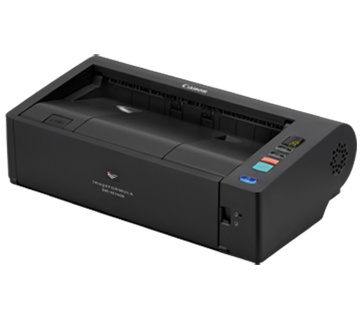
The DR-M140II is an office feeder whose ordinary U-turn paper route keeps its working area toward the front. With trays closed, Canon lists a body about 12.32 inches wide, 7.13 inches deep and 3.66 inches high; the scanner weighs 5.7 pounds. That is a compact profile for a duplex office model, but the closed depth does not tell you how much room the straight-through route needs. If thick originals or cards are part of the routine, include rear output space and access to the feed guides in the desk plan.
The straight path matters because its paper limits differ from the U-turn route. Canon’s U.S. table lists 7–34 lb bond for the U-turn path and 7–68 lb bond for straight-through. Those are not interchangeable: stock allowed on the straight path is not automatically appropriate for the space-saving route. The manual gives separate instructions for cards, folded sheets and non-separation feeding. A “manual” capability here means using an instructed special-original method, not a second ADF tray.
Capacity is conditional on the stack
Canon lists an ADF maximum of 80 sheets, but its loading instructions matter. The capacity is tied to A4-or-smaller same-type paper and a maximum stack thickness. A batch with larger or mixed originals is not guaranteed to hold the same number. Think of 80 as one documented upper threshold under the stated conditions, not a universal count for every receipt, form or paper weight. The numeric finder treats this model as an 80-sheet profile and removes it at a 90-sheet minimum.
The rated speed is up to 40 pages per minute and 80 images per minute for black-and-white, grayscale and color. Canon also lists long-document mode up to 220 inches, so a narrow long receipt or form is a different task from a batch of office sheets. Both features are tied to software settings and original dimensions. These are published maxima, not an independent scan-to-file test, and actual work can be limited by the host, resolution, image cleanup and application.
USB and TWAIN suit a computer-owned capture routine
The reviewed U.S. model uses USB 2.0 and Canon lists CaptureOnTouch with ISIS/TWAIN driver support. That is a useful combination when a desktop application or records system controls the scan. Before choosing it for a managed environment, check the exact driver package for the current Windows version and make sure the capture application expects TWAIN or ISIS. A manufacturer driver listing does not guarantee compatibility with every software version.
The exact sources do not document a Wi-Fi or phone-scanning route for this configuration. CaptureOnTouch can handle file and cloud tasks on the connected computer, but that is not the same as a scanner sending files directly to cloud storage without a computer. Physical buttons are not touchscreen profile selection. If wireless placement, mobile use or direct cloud capture is a must-have, compare a separate network-capable configuration instead of inferring those functions from desktop software.
Where it sits among the earlier DR-M models
The DR-M140II is smaller and lighter than the DR-M1060II, but handles narrower originals and is rated at 40/80 rather than 60/120. Both list 80-sheet ADFs and USB, so the decision is less about nominal capacity than about document width, path and placement. The DR-M160II moves to a 60/120 rating and a compact square body, but its ADF is rated at 75 sheets, and its software package has different licensing and OS questions. Newer Canon DR-C340/C350 models list 100-sheet ADFs; they are useful current-reference comparisons, not proof that this older model is still available.
For occasional cards or unusual stock, the M140II’s path selection and single-sheet handling can be more meaningful than the headline speed. But treat each special-original task separately: a paper weight allowed in the straight path may not be allowed in U-turn mode, and the manual’s size, orientation and thickness directions still control.
Check the exact model and older offer
The Canon U.S. shop page identifies the retail SKU as DR-M140II and lists the USB cable, adapter, setup guide and warranty card. It also displays in-stock language alongside a discontinued/no-longer-available message. The model belongs in an earlier-model assessment, but that page does not establish a currently available seller or a valid price. For a secondary-market purchase, confirm that the rollers, cable, power adapter and any software materials are present, then ask how the seller handles returns and warranty claims.
On paper, the DR-M140II is a plausible fit for USB duplex work on a small desk when 80 sheets per loading is enough and the path-specific limitations match the originals. Its 40/80 rate, modest closed body and manual feed instructions give it a clear office role. The tradeoffs are a computer-dependent workflow, limited network features, conditional stack capacity and conflicting availability wording. Verify the current driver and actual package before making it part of a production routine.
Key specifications
Key details at a glance
| Scanner class | Desktop sheet fed office |
|---|---|
| Manufacturer-listed simplex rate | 40 ppm |
| Manufacturer-listed duplex image rate | 80 ipm |
| Automatic document feeder capacity | 80 sheets |
| Optical resolution | 600 dpi |
| Connection options | USB |
| Automatic duplex capture | Yes |
| Separate manual-feed route | Yes |
| Touchscreen | No |
| TWAIN driver documented | Yes |
Use the exact model’s instructions for operating limits, supplied equipment and version differences.
Sources for this review
Sources for this assessment
- Canon U.S.A.: Canon imageFORMULA DR-M140II Office Document Scanner
- Canon Support for Canon imageFORMULA DR-M140II Office Document Scanner
- Canon Canon imageFORMULA DR-M140II Office Document Scanner user manual (official linked manual)
- Canon Canon imageFORMULA DR-M140II Office Document Scanner brochure (official product-page download)
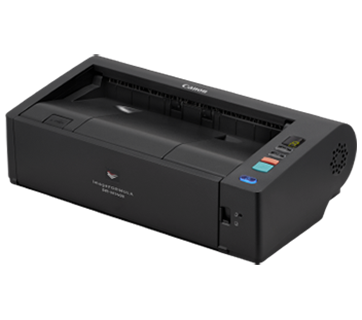
- Canon official exact-model gallery image for Canon imageFORMULA DR-M140II Office Document Scanner
Compare the workflow before you choose
Use the finder to test your connection, paper and software requirements against the documented scanner arrangements.