
Your needs, this model
Does it fit your priorities?
Does the DS-50000 have USB and TWAIN for a host computer?
Epson lists Hi-Speed USB 2.0 and TWAIN/ISIS drivers on the exact product page. Check supported host and software versions.
Explore this need in the finder →Can it automatically duplex a stack or hold 20 ADF sheets?
No. The exact model is a flatbed only with no ADF capacity or automatic duplex feeder specified. The platen requires manual placement but is not a manual-feed path.
Explore this need in the finder →Can the base unit send scans to cloud without a computer?
No computer-free route is documented. Epson describes cloud workflows through connected host software; the optional network module is a separate accessory.
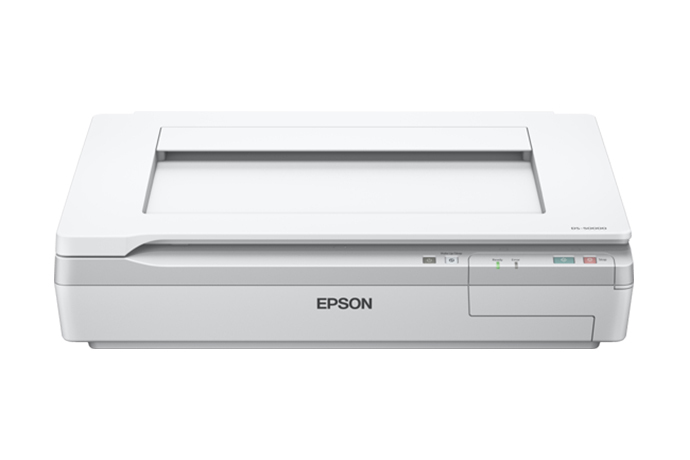
Explore this need in the finder →The Epson WorkForce DS-50000 is a large-format color flatbed document scanner, identified on Epson's U.S. product page by part B11B204121. Its useful distinction is the 11.7-by-17-inch glass platen: the guide describes bound books and oversized originals that would not suit a conventional sheet feeder. The same distinction sets a firm limit. The base DS-50000 is a flatbed-only scanner in Epson's technical table, with no ADF capacity specified, so it cannot be matched to a minimum stack size or automatic duplex routine.
Platen work rather than stack capture
A glass surface is valuable for pages that should not be pulled through rollers, including bound material, maps, drawings, and irregular documents within the stated scanning area. The maximum platen size is 11.7 by 17 inches, and Epson specifies 600-by-600 dpi optical resolution. Each original must be positioned on the glass; a person turning pages is not a manual-feed mechanism or a feeder capacity. Two-sided sheets require separate capture and handling. If the main job is recurring piles of loose paper, an ADF model is a better workflow fit even if its platen is smaller.
Computer and software route
The DS-50000 uses Hi-Speed USB 2.0 and Epson lists TWAIN and ISIS drivers alongside Epson Scan and Document Capture Pro. Its host software can route saved files onward, but that is not a scanner-side, computer-free cloud function. The model does not have a documented Wi-Fi or mobile capture path. Epson lists user-programmable one-touch jobs, but the front controls are not a touchscreen interface. An optional Network Scan Module can add network access to host computers; it is a separate accessory, so verify the part, current software support, and included contents rather than assuming that network capability is in the base box.
Large-format strengths have practical costs
The scanner's broad platen also means a substantially larger desk footprint than personal flatbeds: Epson lists the body at about 25.1 by 18.5 inches and roughly 32.6 pounds. Confirm the actual table depth, cable access, lid-opening space, and operator reach before specifying a location. The scanner can capture books or pages wider than Letter, but image-quality settings, page curvature near a book spine, file assembly, and OCR still require an appropriate workflow. A large-format optical rating does not guarantee that every oversize original will produce a readable searchable file without adjustment.
Configuration and offer checks
Epson's product material lists a three-year limited warranty for the base configuration; a separate Certified ReNew offer uses the suffix B11B204121-N. Treat that suffix as a distinct condition and offer record. Do not assume equivalent cosmetic condition, package contents, service coverage, return rights, or present availability from the base-model page. Confirm B11B204121 versus B11B204121-N, the platen glass condition, included cable/software, host OS, TWAIN application, and any network module in the written offer.
For a document room, the decisive trade is operator time versus original care and size. A flatbed can protect a bound book from roller transport, but page-by-page placement and capture remain part of the task; it is not a substitute for a feeder when staff have recurring loose-paper batches. Its large platen also does not mean an entire oversized drawing fits unless the original falls within the stated glass area. Check document dimensions and host-side file assembly needs, not only the nominal optical resolution.
Assessment: the DS-50000 is a specialized oversized-original and book platen profile, not a high-volume feeder. It matches USB/TWAIN workflows and deliberately does not meet duplex or ADF-capacity requirements. The optional network module broadens where a computer can receive scans; it does not convert the platen into a batch feeder. No hands-on use, measurements, or current stock claim is implied here.
Key specifications
Key details at a glance
| Scanner class | Large format flatbed document scanner |
|---|---|
| Optical resolution | 600 dpi |
| Connection options | USB |
| Automatic duplex capture | No |
| Separate manual-feed route | No |
| Touchscreen | No |
| TWAIN driver documented | Yes |
Use the exact model’s instructions for operating limits, supplied equipment and version differences.
Sources for this review
Sources for this assessment
- Epson U.S.: unfiltered WorkForce document-scanner category
- Epson WorkForce DS-50000 Color Document Scanner — exact U.S. product page
- Epson WorkForce DS-50000 Color Document Scanner — Epson support page
- Epson WorkForce DS-50000/60000/70000 User Guide
- Epson WorkForce DS-50000 specification sheet
- Epson U.S.: Epson WorkForce DS-50000 Color Document Scanner — Certified ReNew suffix
Compare the workflow before you choose
Use the finder to test your connection, paper and software requirements against the documented scanner arrangements.