
Your needs, this model
Does it fit your priorities?
Can it scan two sides from a stack while also handling large books or oversized originals?
Yes. Epson specifies a 150-sheet single-pass duplex ADF and an 11-by-17-inch flatbed. The guide explains that ADF and glass pages can be added sequentially in one job, with the ADF taking priority if originals are left in both sources.
Explore this need in the finder →What additional requirement distinguishes this from the DS-61000WN?
Epson identifies the DS-71000WN as EdgeLink capable and rates its ADF at up to 70 ppm/140 ipm; verify a specific platform and capture application with the workflow owner.
Explore this need in the finder →Can it send directly to cloud storage and accept scans from a phone?
Epson documents configured panel ScanWay and connected Smart Panel routes over the wireless network. Online destinations require network/internet and account setup; these features do not convert USB host capture into a cloud route.
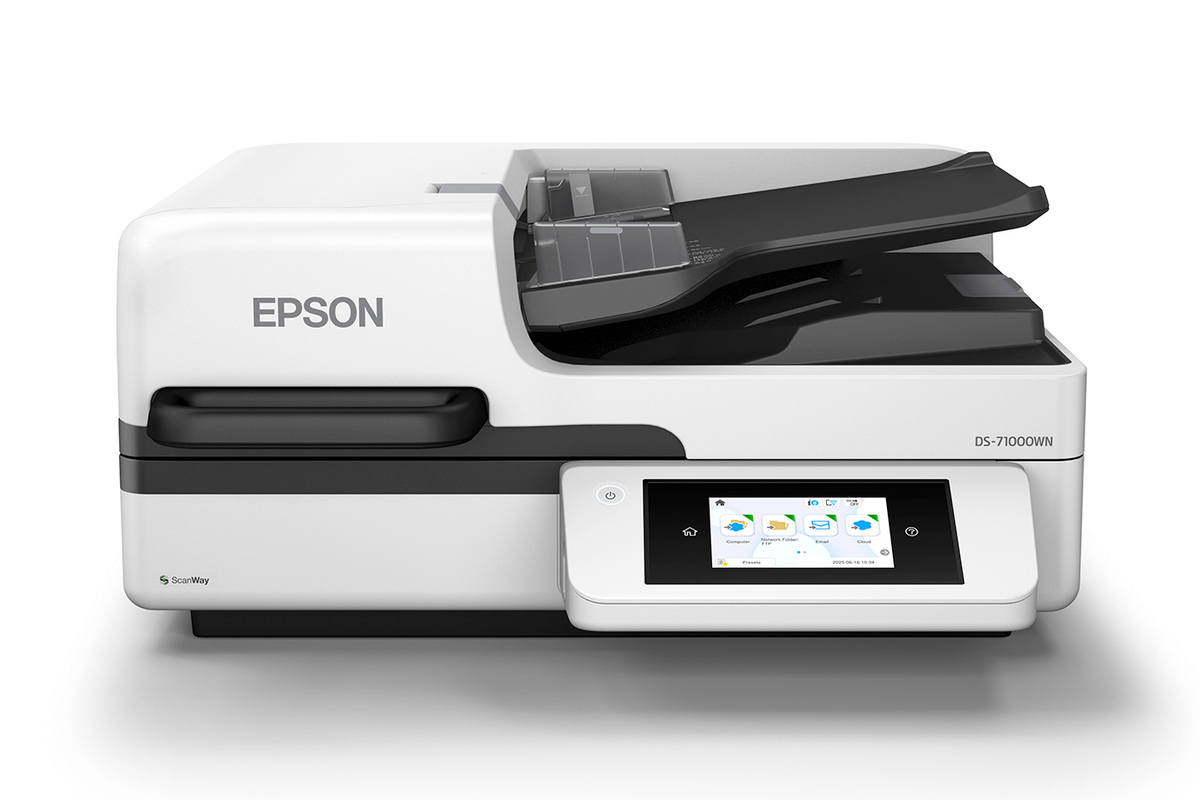
Explore this need in the finder →The DS-71000WN is Epson's most performance-oriented model in this particular three-scanner A3 group. The exact U.S. product page identifies part B11B284201, a 150-sheet duplex ADF, an 11-by-17-inch platen, USB, Wi-Fi and Ethernet, plus EdgeLink capability. Epson rates its feeder at up to 70 pages per minute and 140 images per minute under stated USB/Letter/300-dpi conditions. The result is a hybrid station for departments that need to alternate between loose-paper batches and bound or oversize originals rather than a sheet-fed device alone.
Why combine an ADF with a platen?
The ADF is the day-to-day route for a stack of normal documents. Epson specifies 150 sheets at 80 g/m² and single-pass duplex scanning, with document protection and ultrasonic double-feed detection called out on the U.S. product page. That loading figure is not the same as a daily duty recommendation: paper type, original size, surface condition and the model guide's restrictions still matter. A thick or damaged original should not be forced through because the nominal capacity looks generous. For books, large plans or originals that should not travel through a roller path, the separate 11-by-17-inch glass offers a different route. Epson's guide describes scanning ADF and glass originals sequentially in one job by adding pages after an initial scan; if originals are placed in both sources, the ADF takes priority. That is useful flexibility, but not simultaneous capture, and it does not establish a special manual-feed slot. The platen and ADF solve different handling problems.Published speed is conditional
Epson states up to 70 ppm/140 ipm based on Letter-size originals at 300 dpi in black-and-white, grayscale or color using USB. It is a manufacturer rating, not an independent benchmark. A job's practical time will also reflect resolution, media, software, image processing, transfer, naming and review. If your decision rests on end-to-end throughput, test a representative workload rather than assuming the rated scanner rate is equivalent to finished files per hour. The listed 11,200-sheet peak daily duty cycle is also a manufacturer's upper recommendation, calculated from maximum scanning speed and an assumed daily use period. It is neither a promised production volume nor evidence of an endurance test. Procurement should consider feed maintenance, operator time and the destination system as well as that headline. Epson's guide includes ADF-cleaning instructions and the model has a roller-replacement maintenance route, so ongoing care belongs in the operating plan.EdgeLink and other routes are not the same thing
The feature that most clearly separates the DS-71000WN from the DS-61000WN is Epson's explicit EdgeLink and enterprise-workflow support. Epson describes direct-to-workflow scanning through supported third-party platforms and centralized management through Epson workflow solutions. That is a capability statement, not confirmation that a particular custom application, authentication server, license or network architecture is included or will interoperate. The exact platform and procurement terms should be confirmed with the vendor and the team's systems owner. The scanner also has ScanWay panel destinations and Smart Panel scanning for connected mobile devices. The U.S. page describes direct delivery from the touchscreen to USB storage, email, network folders and online storage without a computer at scan time; internet/account and destination configuration still matter. A mobile scan through Smart Panel uses the wireless network. The USB host route remains separate. Epson's guide also describes Print Admin and Serverless authentication options; confirm any server, software, reader or license needs instead of treating a menu feature as an included enterprise deployment. For ordinary computer capture, Epson lists TWAIN and ISIS. Check the current host OS and the exact capture program with IT before committing. Epson's software can create searchable PDF or editable Office output, but no recognition-accuracy figure is established here. ScanWay, phone capture, EdgeLink and TWAIN are complementary routes with different setup requirements, not one automatic pipeline.Choice within the A3 flatbed group
Choose the DS-71000WN over the DS-51000WN when a real feeder and automatic duplex are required; the 51000WN is the platen-only model and has no ADF. Choose it over the DS-61000WN if the higher published scanner rate or EdgeLink capability serves an identified need. The DS-61000WN has the same stated 150-sheet feeder tier but a 50-ppm rating; its own U.S. page conflicts between 90 and 100 ipm, a discrepancy not transferred to this model. Conversely, if network and panel basics are sufficient, do not pay for a capability your workflow cannot use.Before ordering
Verify the U.S. part B11B284201, the exact unit condition, return policy and package contents. Confirm the 150-sheet stock conditions, physical space and feed-maintenance plan, and ask whether the intended EdgeLink platform and authentication setup are supported and licensed. Do not infer live availability from a current-reference category listing or assume an optional service plan, reader, cable, software entitlement or seller bundle is in the box. This review analyzes manufacturer documentation; no hands-on use, measured speed or workload test is claimed.Key specifications
Key details at a glance
| Scanner class | Large format flatbed adf hybrid |
|---|---|
| Manufacturer-listed simplex rate | 70 ppm |
| Manufacturer-listed duplex image rate | 140 ipm |
| Automatic document feeder capacity | 150 sheets |
| Connection options | USB / Wi-Fi / Ethernet |
| Automatic duplex capture | Yes |
| Separate manual-feed route | No |
| Touchscreen | Yes |
| TWAIN driver documented | Yes |
Use the exact model’s instructions for operating limits, supplied equipment and version differences.
Sources for this review
Sources for this assessment
Compare the workflow before you choose
Use the finder to test your connection, paper and software requirements against the documented scanner arrangements.