
Your needs, this model
Does it fit your priorities?
Does the exact part meet a procurement requirement?
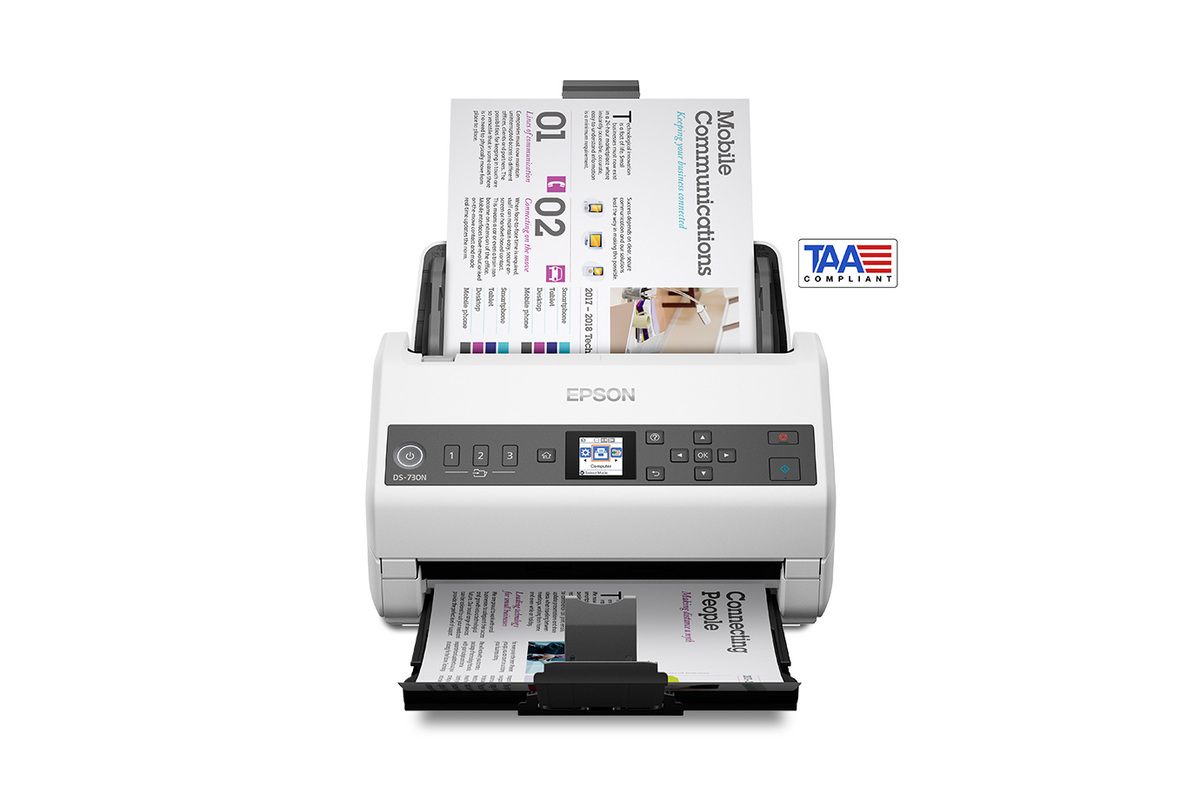
Epson identifies B11B259202 as the TAA-compliant DS-730N and lists Japan as origin in its TAA-specific sheet. Confirm the offered part, current country-of-origin documents, seller and solicitation rules with the procurement authority; this profile cannot determine eligibility.
Explore this need in the finder →Can it reach a destination without a computer?
The panel can send configured jobs to email or SMB/FTP/FTPS network folders over wired LAN. Epson’s online-storage workflow requires Document Capture software on a connected Windows PC or Mac and internet; this profile does not count that as computer-free cloud.
Explore this need in the finder →How should I interpret 100 sheets?
Epson states 100 sheets at 80 g/m² per load. Media size, weight, folded-paper carrier-sheet rules and the guide’s loading instructions still matter; 100 is not a daily duty claim.
Explore this need in the finder →Does it provide TWAIN and duplex?
Epson lists TWAIN and ISIS and describes one-pass duplex capture for B11B259202. Check current drivers against your host operating system and capture application.
Explore this need in the finder →Evidence-led assessment of Epson U.S. model B11B259202. This is not a hands-on test, and no current seller offer, price or procurement approval is implied.
Read the part number before comparing the DS-730N
Epson lists the DS-730N in two distinct U.S. entries: the standard model B11B259201 and the separately titled TAA-compliant model B11B259202. The latter is the subject here. Its TAA-specific specification sheet identifies Japan as its country of origin and calls the device TAA-compliant. That designation is a meaningful procurement-screening detail, but it is not a blanket finding that this scanner, a particular reseller, a later replacement part or a proposed purchase satisfies every agency, contract or solicitation. A buyer should confirm the exact part number, current country-of-origin documentation, seller authorization and the purchasing authority's own requirements before ordering.
A wired workgroup route, not a wireless personal scanner
The TAA specification sheet lists USB 2.0 and wired Gigabit Ethernet, with TWAIN and ISIS drivers. USB is the straightforward route when a nearby supported computer owns capture and filing. Ethernet is the more relevant distinction for a shared desk or networked workgroup: Epson documents PC-free jobs to email or SMB, FTP and FTPS network destinations, and three Quick Send buttons for saved tasks. The small 1.44-inch color LCD has push-button controls; it is not a touchscreen profile display.
There is no Wi-Fi or mobile-device route in the TAA configuration's listed interfaces and the linked family guide describes USB and wired LAN setup. Nor should “scan to online storage” be confused with a scanner-only cloud destination. Epson's sheet describes cloud services through Document Capture software installed on a connected Windows PC or Mac with internet access. The direct panel/network path is described for email and network folders. If a work process needs a named cloud service, check which desktop software, account, network and destination setup is allowed in that environment.
What the 100-sheet ADF figure does—and does not—mean
This is a sheet-fed, one-pass duplex scanner with a stated input capacity of 100 sheets at 80 g/m². Epson rates it up to 40 pages per minute and 80 images per minute; the spec sheet footnote bases those figures on Letter originals at 300 dpi in black-and-white, grayscale or color using USB. They are manufacturer conditions, not measured results or a guarantee for every paper mix, resolution or full filing workflow. The separate peak daily-duty figure is up to 6,500 sheets; Epson says it is a calculated peak recommendation, not a promise of uninterrupted throughput.
For long documents, Epson's TAA sheet lists an 8.5-inch-wide maximum of 215 inches at 300 dpi and 240 inches at 200 dpi. A carrier sheet is required for folded papers, and the spec sheet lists that accessory separately. The shared DS-730N user guide supports operating details such as loading and Quick Send setup, but Epson's product-page support link leads to standard-model support code B11B259201. Treat that manual as family operating guidance, not as proof that a particular TAA carton includes accessories or that every software route is enabled in a restricted network.
Who should consider it
The B11B259202 is worth evaluating when a buyer needs a document feeder with duplex capture, a 100-sheet stated paper load, TWAIN/ISIS integration and a wired office path—and has a real reason to verify the TAA-specific part. The Ethernet Quick Send workflow may fit a networked records desk better than a personal scanner if the approved destinations are email or network folders. A USB-connected workstation is also documented.
Look elsewhere if wireless placement, direct phone capture, a touchscreen, or a scanner-side cloud-service workflow is essential. This is not a flatbed, and the listed 100-sheet amount applies to the stated paper basis rather than every stock or mixed stack. The base DS-730N and its TAA counterpart must not be treated as interchangeable listings simply because their family name is similar.
Checks before purchase
Match B11B259202—not B11B259201—to the quote, solicitation and final invoice. Confirm agency eligibility and the evidence your procurement office needs for country of origin and TAA status; the product name alone does not decide that question. Ask the seller to identify the exact scanner, included cable and power supply, warranty, service terms, software and any separately purchased carrier sheets. Check the target computer, OS and TWAIN/ISIS application against current Epson downloads, and confirm whether the planned destination is an approved wired share, email service or host-software cloud workflow. No availability or Amazon listing is established by this review.
Key specifications
Key details at a glance
| Scanner class | Desktop sheet fed document scanner |
|---|---|
| Manufacturer-listed simplex rate | 40 ppm |
| Manufacturer-listed duplex image rate | 80 ipm |
| Automatic document feeder capacity | 100 sheets |
| Optical resolution | 600 dpi |
| Connection options | USB / Ethernet |
| Automatic duplex capture | Yes |
| Separate manual-feed route | No |
| Touchscreen | No |
| TWAIN driver documented | Yes |
Use the exact model’s instructions for operating limits, supplied equipment and version differences.
Sources for this review
Sources for this assessment
Compare the workflow before you choose
Use the finder to test your connection, paper and software requirements against the documented scanner arrangements.