
Your needs, this model
Does it fit your priorities?
Can the DS-C480W send directly to cloud without a computer beside it?
Yes, the exact guide lists a touchscreen Scan to Cloud route that sends to a destination already registered with Epson Connect. Set up Wi-Fi, the account and destination first, then confirm that the intended service works; this is not the same as a computer uploading a scan.
Explore this need in the finder →Will the phone app handle long paper and every original?
No. Epson's guide says Smart Panel does not scan with a carrier sheet or scan originals longer than 15.5 inches (393.7 mm); it also excludes booklets. Use the computer or documented panel route only when the exact original and destination limits fit.
Explore this need in the finder →Is the 20-sheet feeder capacity universal?
No. The guide specifies 20 sheets at 21 lb (80 g/m²), then 18 at 24 lb, 15 at 28 lb and 12 at 34 lb for its listed path. Special media and the one-at-a-time straight path have separate rules; do not treat this as a daily-volume rating.
Explore this need in the finder →Can I require a touchscreen and TWAIN while keeping both USB and Wi-Fi choices?
The exact U.S. page identifies the 2.4-inch touchscreen, USB/Wi-Fi and included TWAIN/ISIS drivers for B11B269202. Before depending on a TWAIN workflow, check the target host operating system, current Epson download and capture application's own compatibility matrix.
Explore this need in the finder →A compact feeder with a genuine panel and phone workflow
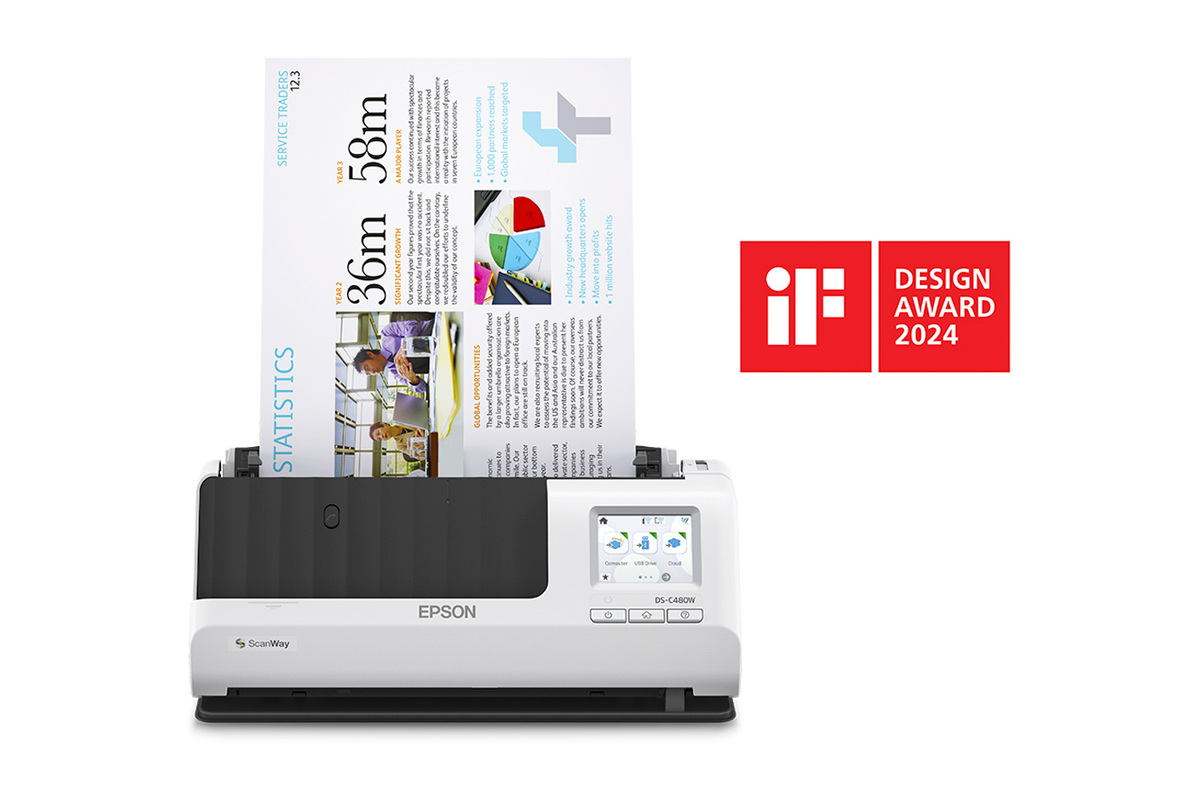
The Epson DS-C480W is the wireless member of Epson's current compact DS trio, not just a C330 or C490 with a different label. Its U.S. model is B11B269202. Epson lists USB and Wi-Fi, a 2.4-inch color touchscreen, Smart Panel mobile capture, TWAIN/ISIS drivers, one-pass duplex and a 20-sheet feeder. The trade is a short-load machine with more routing choices—not a high-capacity unattended office scanner. This assessment concerns the base scanner and does not assume a specific seller package, carrier sheet or cloud-service account.
The scanner can occupy a compact vertical position, but it also has a straight-path mode for selected originals that exit at the front. Allow for the paper path and output, not just the narrow body shown in a product image. The manual gives approximate body dimensions of 11.7 inches wide, 4.9 by 4.1 inches in vertical position and 4.7 by 5 inches in straight position. These figures do not include operating clearance.
Small batches and paper-specific loading
Epson lists a 20-sheet ADF load at 21 lb (80 g/m²). The English guide reduces that count to 18 at 24 lb, 15 at 28 lb and 12 at 34 lb. Media such as cards, folded paper and receipts has separate limits. Thus, 20 is neither a universal mixed-stack count nor a daily-volume recommendation. The machine captures both sides in one pass and Epson rates it up to 30 ppm/60 ipm under Letter, 300-dpi USB conditions; those manufacturer figures do not include OCR, checking or filing, and are not independent test results.
For a small recurring packet, loading and destination choice may be a sensible compromise for the space saved. For large stacks, the 20-sheet limit means more reloading than a desktop model with a larger feeder. Duplex avoids turning each page by hand, but it does not reduce the work of reviewing page order, correcting names or confirming that an image reached the intended location.
USB, wireless, phone and cloud are separate routes
A computer can connect by USB, and Epson also documents wireless setup and Wi-Fi Direct. Those are alternative connection arrangements, not simultaneous ways to transport one scan: the troubleshooting section says USB takes priority over Wi-Fi and advises disconnecting a USB-connected computer if wireless scanning is needed. The touchscreen gives the operator access to ScanWay destinations. Smart Panel provides a separate compatible iOS/Android route for scanning and saving or sharing from a phone or tablet.
The panel's Scan to Cloud function is different again. It sends to a destination registered through Epson Connect, so the owner must configure the account, network and destination before using it. At scan time it can operate without a computer attached, but it still depends on the network/internet and the configured service. This is not a universal cloud-provider promise. The panel can also save to a user-supplied USB drive, subject to the guide's supported format and device rules: up to 2 TB, FAT/FAT32/exFAT, and no password-protected, encrypted or driver-dependent drive.
Destination choice changes the kind of original that can be scanned. The computer route accepts long originals up to 220 inches at 50–200 dpi, 215 inches at 201–300 dpi and 53 inches at 301–600 dpi. Panel network, FTP, email, cloud and USB destinations are limited to 36 inches at the listed resolutions. Smart Panel is tighter still: it does not handle originals longer than 15.5 inches, carrier-sheet scans or booklets. A person who needs one of those formats should use the model's computer procedure instead of assuming the touchscreen or phone app can do everything.
Special originals and software compatibility
The straight path is for supported special media one item at a time, not an extra feeder. Epson's guide distinguishes small passports that may be scanned as-is from thicker passports that require the optional compatible carrier sheet. Carrier-sheet work uses the computer route; the panel's cloud and USB choices do not support that procedure. Booklet scanning is also not available through Smart Panel. These details make the scanner more flexible than a plain USB-only compact model, but the route restrictions matter whenever the original is a passport, booklet or long page.
Epson names TWAIN and ISIS drivers for the exact product. That is useful evidence for a capture workflow that calls for TWAIN; it is not certification for every host OS, software version or third-party application. Check Epson's current support download for the intended computer and the application's supported device list. Likewise, confirm the intended cloud destination and wireless policy before making the scanner a part of a business workflow.
How it differs from the C330 and C490
The three compact models each have a 20-sheet feeder, one-pass duplex and an official speed rating. The C330 and C490 are USB-centered, without the C480W's touchscreen, phone route or documented scanner-side cloud process. C330 has a 30 ppm/60 ipm rating and requires an optional carrier for all passports. C490 is rated at 40 ppm/80 ipm and has its own booklet and passport procedures; it also reaches farther on very long originals at higher resolutions than the C330. The C480W's distinction is routing, not feeder size. Conversely, its wireless and Smart Panel workflows come with lower length and media restrictions than a computer connection.
The C480W deserves consideration when small duplex jobs need a physical touchscreen, a phone option or a preconfigured panel-to-cloud destination, while a computer path remains useful for TWAIN and longer originals. It is a weaker fit if a routine starts with large stacks, depends on a long page scanned by phone, or needs a carrier-sheet original sent directly from the panel. Before choosing, verify B11B269202, the host/application matrix, account and network setup, compatible drive format, paper weight and optional-carrier requirements. Epson's references are the exact product page, model support page and CPD-63368 English guide.
Key specifications
Key details at a glance
| Scanner class | Compact desktop document scanner |
|---|---|
| Manufacturer-listed simplex rate | 30 ppm |
| Manufacturer-listed duplex image rate | 60 ipm |
| Automatic document feeder capacity | 20 sheets |
| Optical resolution | 600 dpi |
| Connection options | USB / Wi-Fi |
| Automatic duplex capture | Yes |
| Separate manual-feed route | Yes |
| Touchscreen | Yes |
| TWAIN driver documented | Yes |
Use the exact model’s instructions for operating limits, supplied equipment and version differences.
Sources for this review
Sources for this assessment
Compare the workflow before you choose
Use the finder to test your connection, paper and software requirements against the documented scanner arrangements.