
Your needs, this model
Does it fit your priorities?
Can the DS-C490 send a scan to cloud directly from its own panel?
The reviewed C490 is the USB model with physical buttons and no display. Its exact manual describes computer software cloud operations, not a scanner-side network/cloud destination. The touchscreen ScanWay route belongs to the distinct DS-C480W, not this B11B271201 profile.
Explore this need in the finder →How much paper does its feeder accept at once?
Epson lists 20 sheets at 21 lb (80 g/m²), with the manual reducing the stack to 18 at 24 lb, 15 at 28 lb and 12 at 34 lb. The straight path is single-original handling, not extra ADF capacity.
Explore this need in the finder →Does it support booklets and passports?
Epson's shared C330/C490 guide explicitly labels booklet scanning as C490-only. It also distinguishes passports scanned as-is on the C490 from the C330's carrier-required route. Check the C490 passport thickness and booklet instructions, use the straight path, and leave room for safe ejection.
Explore this need in the finder →Can I use a long original at the maximum 600 dpi?
Not at the headline maximum length. The C490 guide lists 220 inches at 50–200 dpi, 215 inches at 201–300 dpi and 53 inches at 301–600 dpi. Long paper is one item at a time, so choose the resolution and route using the exact manual rather than extrapolating from 220 inches.
Explore this need in the finder →A USB desktop feeder with more room for unusual originals
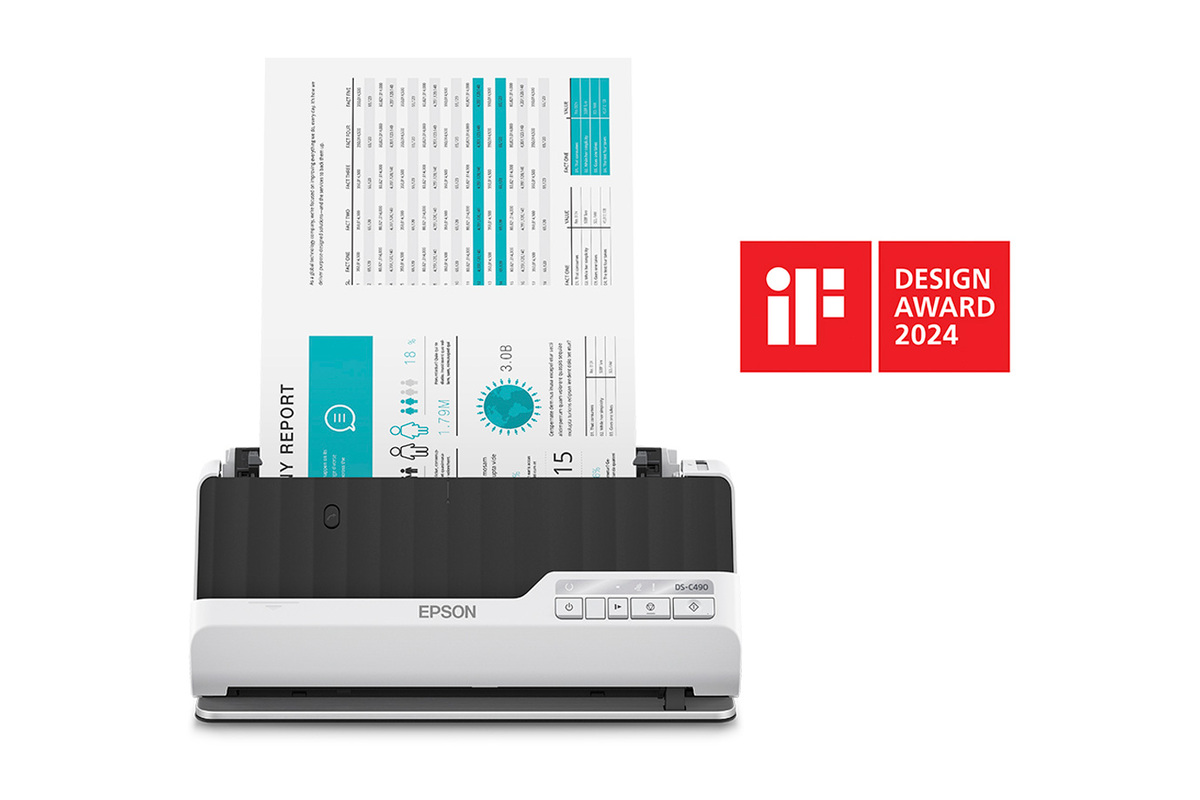
The Epson DS-C490 is a compact desktop document scanner with a 20-sheet ADF, one-pass duplex capture and a manufacturer rating up to 40 pages per minute or 80 images per minute. The exact U.S. model is B11B271201. Epson lists USB and TWAIN/ISIS drivers; the scanner has physical controls rather than a touchscreen and the researched model documentation does not establish Wi-Fi, phone capture or computer-free cloud delivery. Its defining differences from the nearby C330 are not a larger feeder, but its higher published speed rating, longer low-resolution original limit and model-specific booklet/passport procedures.
The manual describes a compact vertical position and a straight path that ejects special originals from the front. The body is about 11.7 inches wide; its height and depth vary with the selected position. Paper still needs room to enter and exit, and the straight path is not a second stack tray. A person considering it for passports or thick paper should plan for the actual path and output clearance instead of relying only on a compact product photograph.
Twenty sheets is a per-load figure with stock limits
Epson specifies a 20-sheet ADF load at 21 lb (80 g/m²), falling to 18 sheets at 24 lb, 15 at 28 lb and 12 at 34 lb in the guide's table. That is a real capacity boundary, not a daily volume estimate or a mixed-stock promise. Several media types have their own limits, while the straight path accepts one supported original at a time. If an office regularly scans more than a short packet, each reload adds handling that the 40 ppm headline does not remove.
The published 40 ppm/80 ipm figure applies to the manufacturer's stated Letter/300-dpi USB conditions. It is not an independently measured pace, and it does not include setup, OCR, inspection or downstream filing. The C330 is rated at 30 ppm/60 ipm under its listed conditions, but both models hold the same 20-sheet standard-paper load. The difference should be considered alongside the size and type of actual jobs rather than treated as a guarantee of elapsed workflow time.
Booklets and passports are C490-specific procedures
The shared C330/C490 guide labels the booklet workflow as a C490 feature. It also distinguishes the C490's ability to scan supported passports directly from the C330, which requires an optional passport carrier for every passport. These are meaningful model-level differences, not interchangeable family marketing. The C490's passport and booklet instructions still have size, thickness and handling limits; they do not make it a flatbed or establish safe handling for every bound or fragile original.
For ordinary special originals, Epson documents a straight path that feeds one item at a time. The long-sheet limit changes with resolution: up to 220 inches at 50–200 dpi, 215 inches at 201–300 dpi, and 53 inches at 301–600 dpi. Those figures describe a supported long original under listed conditions. If the task needs high resolution over a very long page, the 53-inch limit matters more than the 220-inch headline. Check the guide for paper type and setup before feeding a document that cannot easily be replaced.
Software is computer-centered, with compatibility still to check
The U.S. product page identifies USB and includes TWAIN and ISIS drivers, making the C490 relevant when a computer-based capture application needs one of those interfaces. The presence of a named driver does not guarantee that a particular application version or operating system is supported. The support page should be checked for the intended host and the software vendor should confirm its own compatibility matrix.
The C490 has no touchscreen, and the researched manual does not assign it the wireless/mobile/panel-cloud arrangement of the DS-C480W. A cloud destination in computer software is not a scanner-to-cloud feature: it requires a host computer to run the scan/upload workflow. If the job must start from a phone or reach a configured service without a computer at scan time, compare the C480W separately and examine its route-specific limits.
A USB connection can be an advantage in a fixed workstation where predictable host ownership is more important than wireless options. It also means cable and application setup belong to the workflow. The guide's slow-mode control may help with certain paper handling needs, but it should not be confused with evidence that every delicate document is safe for direct feeding. Where originals are valuable, follow the exact carrier and paper instructions and inspect the resulting image.
Choosing among Epson's compact models
The C490 and C330 share a 20-sheet feeder, USB computer connection and one-pass duplex approach, but the C490 has a higher manufacturer speed figure and its own booklet/passport procedures. C330's long-sheet limit falls to 30 inches above 300 dpi, while C490's corresponding high-resolution maximum is 53 inches. The wireless DS-C480W also has a 20-sheet feeder but trades the C490's 40 ppm/80 ipm rating for a touchscreen and documented Wi-Fi, Smart Panel and panel-cloud workflows. All of these products remain small-load machines compared with a 50- or 100-sheet office feeder.
The C490 is a plausible fit when the task is computer-based USB capture, short duplex batches and occasional supported booklets or passports without the C330's carrier requirement. It is weaker when the ADF must hold a larger stack, wireless/mobile routing is mandatory, or a direct cloud destination must be available at the scanner. Verify the exact B11B271201 identity, host and TWAIN application support, paper weight, long-original resolution requirement and front clearance. Source details are in Epson's DS-C490 product record, support route and the shared English guide.
Key specifications
Key details at a glance
| Scanner class | Compact desktop document scanner |
|---|---|
| Manufacturer-listed simplex rate | 40 ppm |
| Manufacturer-listed duplex image rate | 80 ipm |
| Automatic document feeder capacity | 20 sheets |
| Optical resolution | 600 dpi |
| Connection options | USB |
| Automatic duplex capture | Yes |
| Separate manual-feed route | Yes |
| Touchscreen | No |
| TWAIN driver documented | Yes |
Use the exact model’s instructions for operating limits, supplied equipment and version differences.
Sources for this review
Sources for this assessment
Compare the workflow before you choose
Use the finder to test your connection, paper and software requirements against the documented scanner arrangements.