
Your needs, this model
Does it fit your priorities?
Can it send scans to cloud storage without keeping a computer connected?
Yes, the ES-590W has a touchscreen ScanWay route to registered cloud services without a computer at scan time. Set up the network and cloud destination/account first, and verify that the selected cloud provider is supported for your region and needs.
Explore this need in the finder →What does the 100-sheet feeder capacity mean for my actual paper?
The manual specifies 100 Letter sheets at 80 g/m² with a stack under 12 mm, but gives 86 sheets at 90 g/m² and 74 at 104 g/m²; Legal is 80 sheets at 80 g/m². Treat 100 as a per-load limit for the documented basis, not a promise for heavier or mixed stacks.
Explore this need in the finder →Is Wi-Fi enough to scan from my phone, and can I also connect a computer by USB?
Epson documents USB and Wi-Fi for the ES-590W and Smart Panel scanning from compatible iOS or Android devices. The manual also describes Wi-Fi Direct, but app setup is required; confirm the exact phone, network and software versions before relying on a managed workflow.
Explore this need in the finder →Can it feed unusual originals one at a time without a separate manual-feed route?
Automatic Feeding Mode can take successive originals through the ADF, but Epson describes it as a computer-configured software mode, not a separate manual-feed inlet. Cards, envelopes, long sheets and fragile originals have specific rules; some require an optional carrier sheet, and some are excluded from direct feeding.
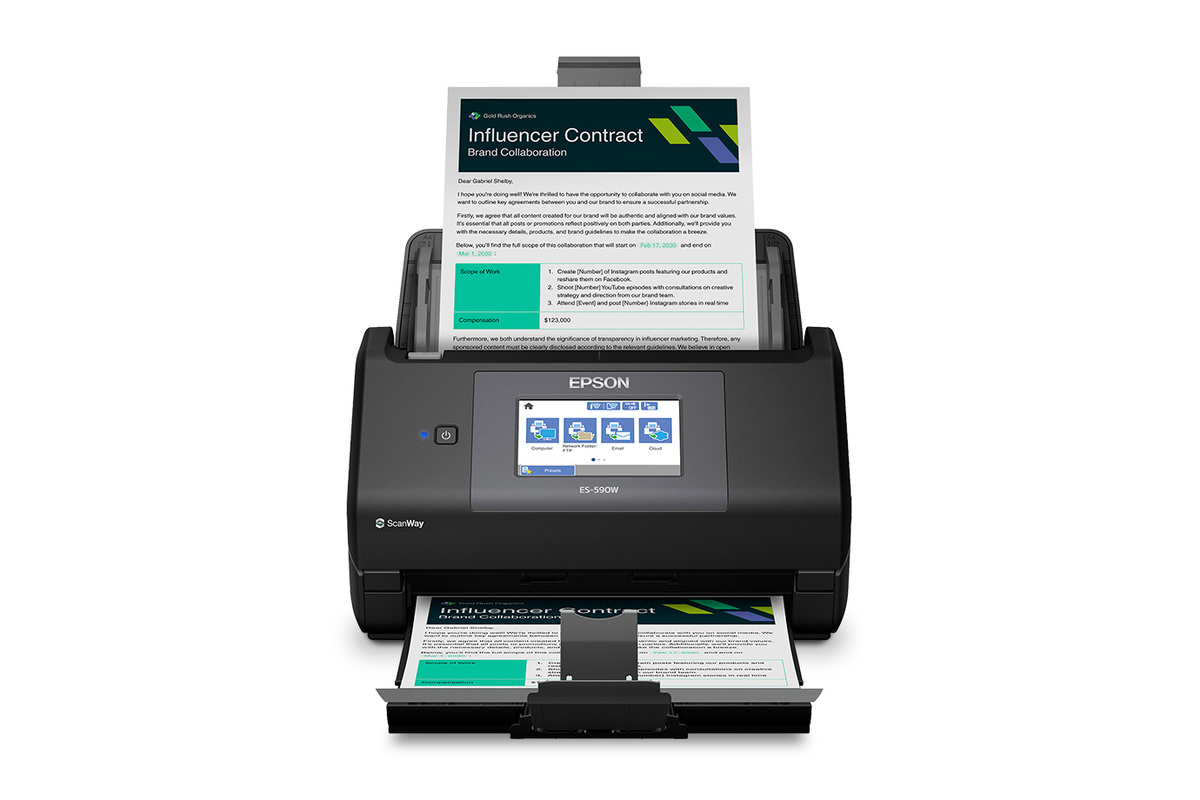
Explore this need in the finder →This assessment is about one exact U.S. model: Epson WorkForce ES-590W, model B11B288202. It is a desk-based sheet-fed scanner, not a printer or flatbed. Epson's published feature set combines duplex ADF scanning with USB and Wi-Fi connections, a 4.3-inch touchscreen, Smart Panel mobile support, and a panel workflow for sending scans to a computer or preconfigured destinations. The useful question is whether those routes and paper limits fit the way your office works—not whether a headline speed substitutes for checking the originals and destination setup.
Why the ES-590W stands out on paper
The feature combination is more important than any one number. The ES-590W can connect by USB or Wi-Fi, so a fixed computer workflow and a wireless workflow are both documented options. It adds a color touchscreen for presets and scanner-side actions, and Epson also lists TWAIN compatibility for software that specifically asks for that interface. Mobile scanning is a separate Smart Panel route for compatible iOS and Android devices. These are related, but not interchangeable: a mobile app, a computer capture program, and the scanner's own control panel have different setup and destination requirements.
For a shared home-office desk, that flexibility may reduce the need to route every scan through one computer. The touchscreen can send a scan to a registered cloud service, a preconfigured email server, a network folder, or a connected USB memory device. The manual treats those as distinct workflows, and some need settings established before the first page is scanned. In particular, a cloud destination still depends on network access, a registered service and any required account setup. “Computer-free” describes the scan action after setup; it does not mean setup, Internet access, and service eligibility disappear.
Read the feeder capacity as a paper-specific limit
Epson advertises a 100-sheet automatic document feeder. The model-specific manual makes that number more useful by stating what it means: for Letter-size originals, the stack must remain below 12 mm; 100 sheets is the listed load at 80 g/m². The allowed count falls to 86 at 90 g/m² and 74 at 104 g/m². Legal-size originals at 80 g/m² are listed at 80 sheets. Heavier or unusual stock can therefore change how many pages should be loaded at once. Treat the number as a per-load capacity under stated conditions, not a promise that a mixed stack always holds one hundred.
The same distinction matters when you scan receipts, business cards, plastic cards, envelopes, or mixed sizes. The manual gives separate specifications and loading instructions for those categories. It also describes Automatic Feeding Mode, which lets a computer user scan different originals sequentially by placing them in the ordinary ADF one at a time. That is helpful when the papers do not make one uniform batch, but it is not a separate manual-feed inlet. Some originals may need a separately purchased carrier sheet or a slower feed setting; the mobile app accepts a narrower set of original types than the computer workflow.
Epson says this model's feeder should not directly scan certain items, including photos, booklets, bank books, passports, transparencies, wet-ink pages, stapled or clipped sheets, and other fragile or problematic originals. Some carrier-sheet workflows are described for delicate items, but follow the exact sheet, thickness, and size limits rather than assuming any document can be protected that way. Carbonless paper may also increase roller wear. If your routine is mostly bound books, fragile photographs, or mixed archival materials, a flatbed or another specialized path may be a better starting point.
Duplex speed is a rated path, not a daily promise
The ES-590W scans both sides in one pass and is rated up to 45 pages per minute or 90 images per minute. Epson bases those figures on Letter-size scans at 300 dpi in black-and-white, grayscale, or color using USB. That is a clear test condition from the manufacturer, not an independent measurement and not a guarantee that a wireless scan, a high-resolution job, or a special original will finish at the same rate. The total work also includes arranging paper, reviewing the output, naming files, and delivering them to the right place.
Its touchscreen and profiles are useful when different people share a scanner, but the profiles still need to be configured for their desired file type, destination, and handling. Epson lists TWAIN compatibility and ScanSmart/Scan 2 software. The product page also notes that software installation requires an Internet-connected Windows PC or Mac. Before purchase, check Epson's current driver for the precise computer version and ask the capture-software vendor whether that TWAIN driver is supported. A marketing label or an available driver alone does not certify a particular work application.
Where it fits in the Epson comparison
Compared with the assessed ES-400 II, the ES-590W's practical differences are built-in Wi-Fi, the touchscreen, Smart Panel support, scanner-side destinations, and a higher stated feeder capacity. The ES-400 II is a USB-only 50-sheet arrangement; it does not inherit the ES-590W's wireless or panel-based cloud routes. The two machines are not merely different names for the same capability set. If USB duplex scanning and a smaller 50-sheet batch are enough, the ES-400 II remains a documented alternative; if shared wireless and panel routes are essential, the ES-590W is the relevant candidate to compare. This is a feature-based comparison, not a claim about which one is faster in real use or costs less today.
Checks to make before choosing a seller offer
Confirm the nameplate or seller description identifies U.S. model B11B288202, rather than a neighboring Epson scanner or an incomplete listing. For a paper-heavy routine, check your largest sheet size, stock weight, condition, and how often a batch exceeds the documented ADF load. For direct destinations, verify your cloud service, email server, network policy, mobile devices, and account setup before relying on a computer-free flow. For special originals, review the current ES-590W manual and whether an optional carrier sheet is needed; do not assume it is included in a particular box. Finally check the exact software, OS, TWAIN compatibility, seller, package, return terms, and current availability independently. No price, stock, package contents, or hands-on performance is asserted here.
Key specifications
Key details at a glance
| Scanner class | Desktop sheet fed document scanner |
|---|---|
| Manufacturer-listed simplex rate | 45 ppm |
| Manufacturer-listed duplex image rate | 90 ipm |
| Automatic document feeder capacity | 100 sheets |
| Optical resolution | 600 dpi |
| Connection options | USB / Wi-Fi |
| Automatic duplex capture | Yes |
| Separate manual-feed route | No |
| Touchscreen | Yes |
| TWAIN driver documented | Yes |
Use the exact model’s instructions for operating limits, supplied equipment and version differences.
Sources for this review
Sources for this assessment
- Epson U.S.: Home Document Scanners
- Epson U.S.: WorkForce ES-590W Wireless Desktop Color Duplex Document Scanner
- Epson U.S. Support: WorkForce ES-590W
- Epson ES-590W User's Guide, English, NPD7755-02 EN
- Epson U.S. Newsroom: Epson Unveils New AI-Ready WorkForce and RapidReceipt Desktop Scanners
- Epson U.S.: ES-590W official product gallery image
Compare the workflow before you choose
Use the finder to test your connection, paper and software requirements against the documented scanner arrangements.