
Your needs, this model
Does it fit your priorities?
Is the RR-620W different from the RR-600W, or just another name for the same scanner?
Epson gives them separate U.S. parts, B11B288203 for RR-620W and B11B258202 for RR-600W. The RR-620W page lists a 45 ppm/90 ipm rate under USB/Letter/300 dpi conditions, whereas RR-600W's page lists 35/70; other package or software equivalence is not assumed.
Explore this need in the finder →Can the RR-620W scan directly to a cloud destination from its screen?
Yes after preparation: Epson documents ScanWay touchscreen cloud sending, but requires Wi-Fi/network setup, Epson Connect registration and a saved destination. Service availability can change, and the connected USB host workflow is not the same route.
Explore this need in the finder →Does its 100-sheet ADF hold 100 Legal sheets or thick originals?
No. Epson's RR-620W guide lists 100 Letter sheets at 80 g/m² but 80 Legal sheets at that weight, and lower loads for heavier Letter stock. The limit is one loading and varies by paper type; it is not a daily-duty number.
Explore this need in the finder →Does the RR-620W have a separate manual-feed route for delicate originals?
No separate manual-feed mechanism is documented. Automatic Feeding Mode feeds originals one by one through the ADF under host control. Epson recommends a separately sold carrier sheet for selected fragile originals; verify fit and use instructions before feeding them.
Explore this need in the finder →Epson U.S. desktop scanner reference · RapidReceipt RR-620W · B11B288203
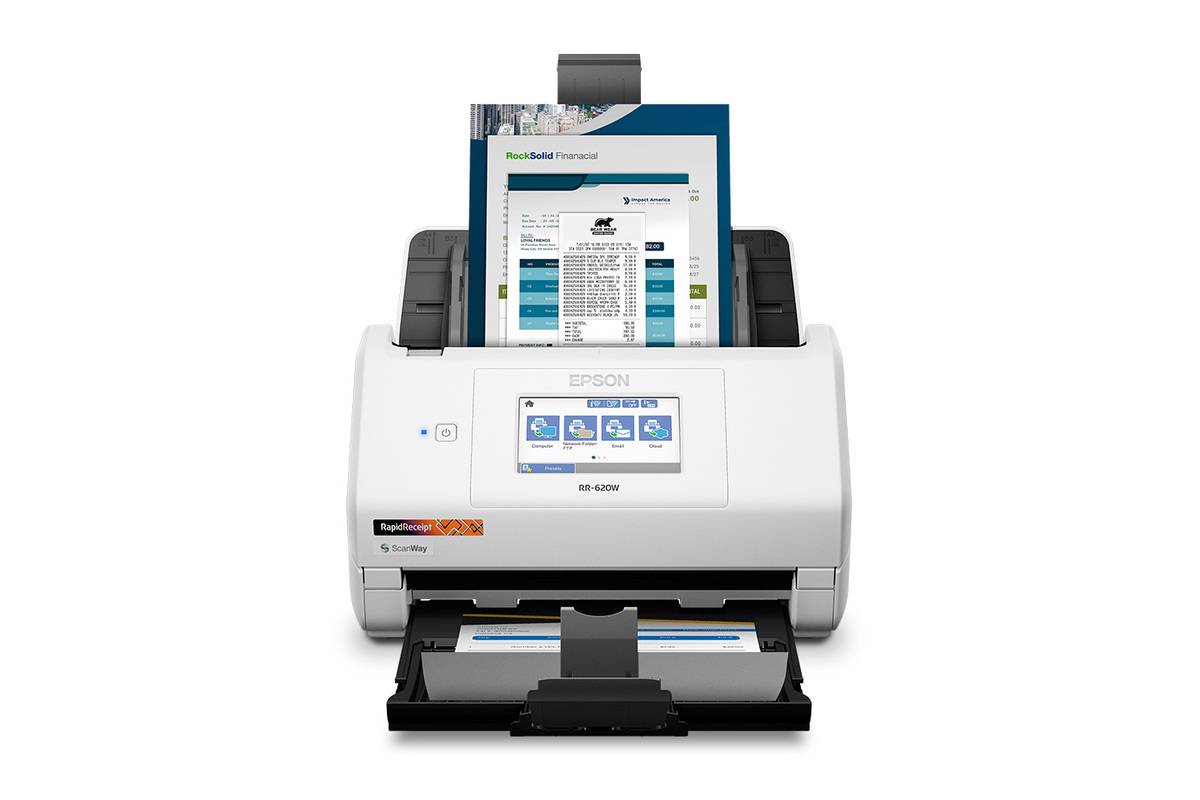
The Epson RapidReceipt RR-620W is a wireless desktop duplex ADF scanner for receipts, invoices and ordinary documents. Epson places it above the RR-600W by its stated speed and positioning, but each unit has a separate U.S. part and manual. This review covers only B11B288203—not an unidentified seller bundle, renewed unit, optional carrier sheet, condition or purchase-specific warranty. The RR-620W was not operated or independently tested.
What separates the RR-620W from the RR-600W?
The distinction is more useful than the shared “wireless receipt scanner” label. Epson assigns B11B288203 to the RR-620W and B11B258202 to the RR-600W. The RR-620W product page rates it at up to 45 ppm/90 ipm, while the RR-600W page lists up to 35/70. Epson's footnote conditions the RR-620W rate on Letter at 300 dpi in black-and-white, grayscale or color over USB. That makes it a manufacturer figure, not a promise of the time required for a mixed receipt run, review, OCR, accounting export or cloud save. The two models also have distinct support references; do not treat an RR-600W manual or replacement part as proof of RR-620W compatibility.
A 100-sheet rating is stock-specific
The RR-620W guide provides the useful loading boundaries. It lists up to 100 U.S. Letter sheets at 80 g/m² with a stack under 12 mm, while Legal at 80 g/m² is 80 sheets. Letter loads fall to 86 at 90 g/m², 74 at 104, 62 at 127, 50 at 157, 38 at 209, 30 at 256 and 18 at 413 g/m². The manufacturer explicitly cautions that capacity changes with stock. Think of the value as a one-load reference for the specific material, not a daily-duty figure or promise for a mixed pile. When a routine depends on more than 100 pieces per loading, this documented basis is a no; if it depends on heavier paper or long receipts, consult the matching manual table rather than the headline.
ScanWay is convenient after the destinations are prepared
The 4.3-inch touchscreen is more than a menu for starting computer software. Epson's RR-620W guide documents ScanWay routes from the panel to a computer, configured network folder or FTP, preconfigured email, registered cloud service, USB memory or WSD destination. The cloud path uses Epson Connect: connect the scanner to the network, register the product, and save the destinations before scanning. Available services can change. Email also requires a configured server and network connection. Direct USB memory has filesystem and security limitations, so the user should check media compatibility and current settings before depending on a computer-free workflow.
The separate host route uses USB or Wi-Fi with Epson software. Epson identifies TWAIN compatibility, but a reader should check the current driver and the exact capture program/operating-system combination. The Smart Panel app supports mobile scanning, but the RR-620W manual says the app handles standard-size originals and plastic cards, not every original the ADF can process. Its ADF's broader size/media capability does not automatically extend to the app. These routes make the scanner flexible, but they require different setup and acceptance checks.
Receipts and cards still have physical limits
Epson's guide covers receipt scanning and gives separate specifications for plastic and laminated cards. For embossed ISO ID-1 cards, it limits loading to one card at a time; non-embossed cards have different thickness, quantity and resolution restrictions. Smart Panel does not handle every type, and Epson's guide excludes direct feeding of some vulnerable originals, including photos, passports and booklets. The separately sold carrier sheet accommodates certain folded, delicate or irregular originals, but the sheet itself passes through the same ADF. A host-started Automatic Feeding Mode supports one-by-one work from varied originals; it is not a separate manual-feed mechanism.
Use receipt extraction as an aid, not an accounting control
ScanSmart AI PRO and the accounting integration are intended to turn receipt data into reusable digital records. That can reduce rekeying, but it is not verification. OCR may misread faded thermal text, unusual layouts, totals, dates or vendor names. The output should be checked against the source receipt before it is posted or used for a tax or reimbursement decision. Epson's note also says accounting export depends on ScanSmart Accounting Edition installed on a connected Windows PC or Mac, which is different from a phone-only route. Searchable and editable output relies on the listed software; it should not be treated as a guarantee that every file or recognition task is supported.
Who should consider this model?
The RR-620W merits consideration when a routine values duplex capture, a 100-sheet Letter/80 g/m² load, wireless and USB alternatives, a screen-led destination workflow, and a scanner-specific receipt application. The RR-600W remains a distinct alternative with the same advertised feeder count but a lower Epson speed rating. A flatbed, dedicated manual-feed route, high-volume archival workflow or delicate-original capture may call for another class. Neither “receipt” nor “AI-ready” alone establishes fit; the particular receipts, software, accounts and destination need to work together.
Before buying, verify B11B288203 on the actual offer and check condition, accessories, return terms, current OS-specific driver, TWAIN application, phone/tablet support, original types, paper-weight loading capacity, cloud/email setup and warranty language for the unit. One Epson retrieval displayed an out-of-stock message; that is not treated here as proof of discontinuation or any other seller's availability. Research for this review used the exact RR-620W page, Epson support, selected sections of the RR-620W User's Guide and Epson's U.S. receipt-scanner catalogue. No independent speed, OCR-accuracy, reliability, customer-experience, price or availability claim is made.
Key specifications
Key details at a glance
| Scanner class | Desktop sheet fed document scanner |
|---|---|
| Manufacturer-listed simplex rate | 45 ppm |
| Manufacturer-listed duplex image rate | 90 ipm |
| Automatic document feeder capacity | 100 sheets |
| Optical resolution | 600 dpi |
| Connection options | USB / Wi-Fi |
| Automatic duplex capture | Yes |
| Separate manual-feed route | No |
| Touchscreen | Yes |
| TWAIN driver documented | Yes |
Use the exact model’s instructions for operating limits, supplied equipment and version differences.
Sources for this review
Sources for this assessment
- Epson U.S. Receipt Scanners catalogue, RR-620W card
- Epson U.S. RapidReceipt RR-620W exact product page, B11B288203
- Epson U.S. RR-620W support page, SPT_B11B288203
- Epson RR-620W U.S. User's Guide, NPD7756-01 EN
- Epson RR-620W User's Guide: standard-size ADF loading-capacity table
- Epson RR-620W User's Guide: touchscreen destinations and cloud setup
- Epson RR-620W User's Guide: Automatic Feeding Mode
- Epson RR-620W exact product-gallery image
Compare the workflow before you choose
Use the finder to test your connection, paper and software requirements against the documented scanner arrangements.