
Your needs, this model
Does it fit your priorities?
Does this package guarantee that our records images meet FADGI?
No. PFU says the bundle can fulfill the FADGI Modern Textual Records profile when calibrated accordingly and operated at rated speed. The organization still has to establish that MTR applies to its records, define settings and acceptance checks, validate files and metadata, and maintain the process.
Explore this need in the finder →What does the package add to the fi-8190 scanner?
PFU’s current collection describes installation, calibration and verification support, operator training, a GoldenThread Device Level Target and one year of ScanCare Onsite Service. The linked 2024 datasheet identifies package part CG01000-310281 but uses different service wording, so request current written inclusions; the package does not add ADF capacity or change scanner speeds.
Explore this need in the finder →Is GoldenThread NXT included?
No. PFU’s current collection says the GoldenThread analysis software is sold separately. The 2024 fi-8190 bundle PDF also says it must be installed before the service technician arrives; confirm whether that timing requirement still applies and who provides the current license.
Explore this need in the finder →Will a new fi-8190 work with an older PaperStream driver?
Check the unit’s manufacture date. PFU says fi-8190 scanners manufactured on or after April 1, 2026 use an updated identity that PaperStream IP 3.36.0 and earlier will not recognize; it recommends 3.40.1 or later. This package listing does not identify the build date of a particular scanner.
Explore this need in the finder →The Ricoh fi-8190 FADGI bundle is not a different scanner engine from the standard fi-8190. The meaningful distinction is its package identity: PFU’s current U.S. FADGI page lists the bundle and describes installation, calibration and verification support, operator training, a GoldenThread Device Level Target and one year of ScanCare Onsite Service. Its linked dated sheet identifies the U.S. package part as CG01000-310281. The present service contract, quote and order path still need confirmation. This is a source-based assessment, not a report of use, testing or verified FADGI output.
The bundle changes support, not the scanner chassis
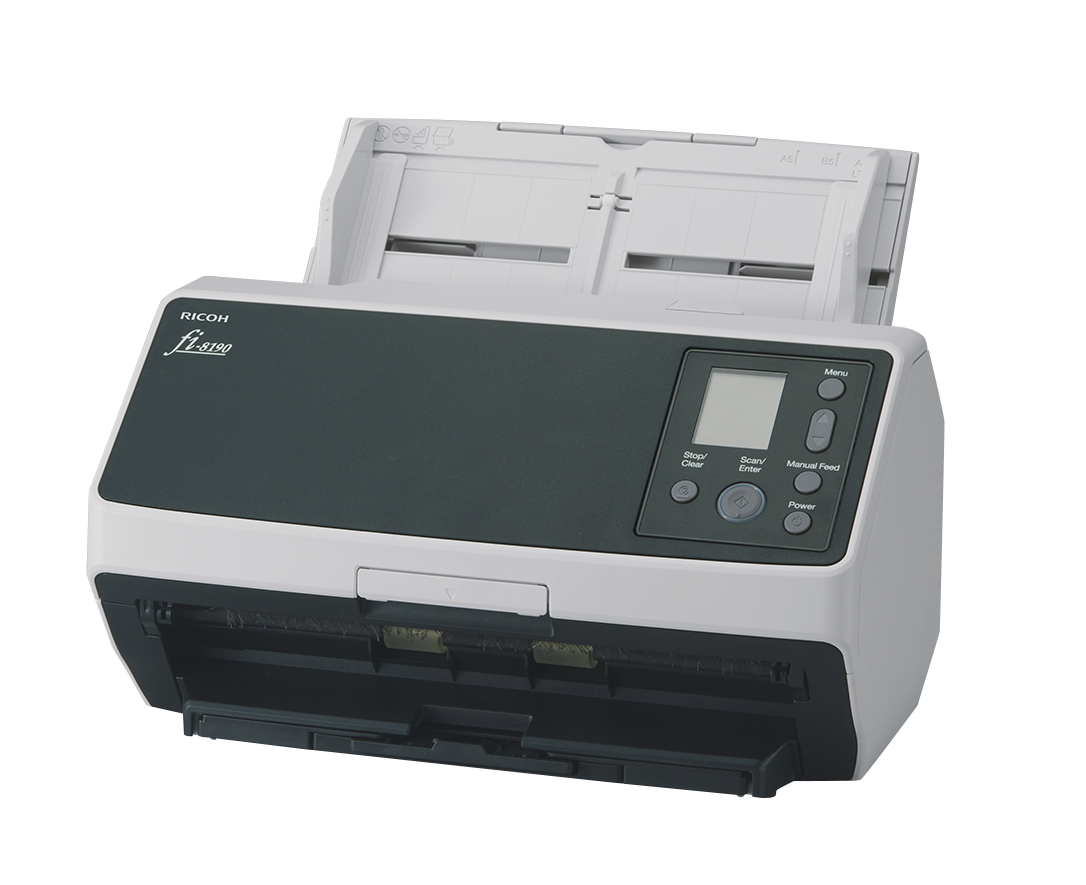
The fi-8190 itself is a wired departmental document scanner with a 100-sheet duplex ADF, USB and Gigabit Ethernet, a color LCD with physical buttons, TWAIN-family drivers, and a separate manual-feed mode. PFU rates it up to 90 pages per minute and 180 images per minute at specified settings. Those are manufacturer ratings—not a promise about total time after setup, indexing, review and delivery. The FADGI service layer does not turn this 100-sheet model into one of the 500- or 750-sheet production scanners, add a flatbed, or provide a wireless phone workflow.
That separation matters when you compare package quotes. The base fi-8190 may be enough for a department that needs wired duplex capture and occasional supported special originals. The FADGI bundle is a distinct package to assess if your institution also needs the described setup and calibration support. Do not assume the higher price of a bundle—or a compliance-oriented name—changes the physical paper path, feeder capacity or rated scanning speed.
Use the FADGI label within its actual records scope
PFU says its listed fi-series FADGI bundles can fulfill the Modern Textual Records profile when calibrated accordingly and operated at rated speeds. The current page frames the package as one part of a workflow: installation, calibration, verification support, a device-level target and training. The fi-8190 listing is not an independent assessment of every output file, record series, settings choice, metadata field or retention process an organization might use.
Start by establishing whether MTR is the right profile for the material. A bundle aimed at modern textual records is not automatically suitable for photographs, bound volumes, maps, fragile originals or a mixed collection that needs a different capture and handling approach. Decide the required image-quality target, file formats, acceptance criteria, metadata and validation responsibility with the records or imaging lead before treating the scanner package as a solution.
Confirm what is included, and what is not
The current PFU collection lists installation, calibration, verification support, operator training, a GoldenThread Device Level Target and a year of onsite ScanCare for its fi-8190 bundle. Its footnote says GoldenThread software is not included. The linked fi-8190 package datasheet, dated December 11, 2024, identifies CG01000-310281 but uses the shorter wording “Installation, Training & ScanCare”; its narrative gives older one-year service details and says GoldenThread NXT should be installed before the service visit. These are separate dated descriptions, not interchangeable terms in a current contract.
PFU’s FADGI page links the fi-8190 card to the dated datasheet, but its “Shop now” link opens the standard fi-8190 product page, not a bundle-specific cart. The sheet asks buyers to call for information or purchase options. I could not confirm a current quote, price, stock, seller or package checkout from these pages. Request a current written quote for the exact part number and have it spell out installation location, calibration and verification scope, service period, response coverage, renewals, software licensing and any prerequisite for the technician’s visit.
Check host and paper handling before specifying it
The fi-8190’s 100-sheet ADF uses published capacity conditions for standard Letter or A4 paper; actual loading depends on stock and the manual’s instructions. PFU also describes a distinct manual-feed route for some booklets, envelopes and thicker originals. The guide warns that speed slows in manual-feed mode and overlap detection is disabled there. Follow the exact size, thickness and handling limits rather than applying the headline manual-feed thickness to every document or putting unusual originals into a regular stack. The scanner has no flatbed for bound pages that must remain supported.
Driver identification is another practical detail. PFU says fi-8190 units manufactured on or after April 1, 2026 use updated scanner identification that PaperStream IP 3.36.0 and earlier will not recognize; the company recommends version 3.40.1 or later. The bundle listing does not give the build date of a particular unit. Check the manufacture date, host operating system, application and driver version—especially in a managed environment that keeps a fixed software image—before scheduling installation.
Who should compare it with the other packages?
This package is a plausible candidate when a team wants the fi-8190’s compact wired 100-sheet chassis and expects to use the described support for a defined MTR process. It is not a shortcut to a records policy, and it does not make the standard scanner capabilities different. The fi-8290 FADGI configuration adds a flatbed, which is relevant if an appropriate still surface is needed; the fi-8820, fi-8930 and fi-8950 bundles use different production-class chassis and have their own capacities and rates. Those sibling specifications should not be borrowed for the fi-8190.
Before a purchase request, compare the exact package part with the standard scanner offer and the written service scope. Ask for a demonstration with representative originals and the intended verification process if performance or image acceptance is material to the decision. No independent throughput, calibration, OCR or reliability testing is represented here, and no bundle photograph is available in this assessment: the image shows the fi-8190 chassis only, not the service package, target or software.
Key specifications
Key details at a glance
| Scanner class | Professional departmental sheet-fed scanner |
|---|---|
| Manufacturer-listed simplex rate | 90 ppm |
| Manufacturer-listed duplex image rate | 180 ipm |
| Automatic document feeder capacity | 100 sheets |
| Optical resolution | 600 dpi |
| Connection options | USB / Ethernet |
| Automatic duplex capture | Yes |
| Separate manual-feed route | Yes |
| Touchscreen | No |
| TWAIN driver documented | Yes |
Use the exact model’s instructions for operating limits, supplied equipment and version differences.
Sources for this review
Sources for this assessment
- PFU America: current FADGI-capable fi Series bundles
- PFU America: fi-8190 FADGI bundle datasheet (2024-12-11)
- PFU America: fi-8190 U.S. product page and FADGI Shop now destination
- PFU America: fi-8190 U.S. model specifications
- PFU America: fi-8190 U.S. scanner datasheet
- PFU America: fi-8000 Series Operator’s Guide
- PFU America: PaperStream IP scanner identification update notice
- PFU America: 2024 announcement adding fi-8190 and fi-8290 FADGI bundles
- PFU EMEA: exact-model fi-8190 image source (visual identity only)
Compare the workflow before you choose
Use the finder to test your connection, paper and software requirements against the documented scanner arrangements.