
Your needs, this model
Does it fit your priorities?
Can I load 100 A3 originals into the fi-4750C feeder?
The exact archived page lists a maximum 100 sheets at 64 g/m² (17 lb), but the reviewed English model source does not state that this load applies to A3 stock. Do not assume a 100-sheet A3 stack; check the exact operator guide for the actual size and paper weight.
Explore this need in the finder →Can it automatically scan both sides and handle bound material?
Yes, the model sources identify a duplex ADF and a separate flatbed, with A3 or up to 11-by-17-inch originals listed. The feeder and glass are different paths: a flatbed is one original at a time, not extra batch capacity.
Explore this need in the finder →Does its SCSI-2 interface provide a current USB setup?
No. The exact-model page documents SCSI-2 and a third-party option slot, not USB. The listed historical TWAIN/ISIS support does not show a current computer, driver, cable, or application will work; demonstrate the actual host path before buying.
Explore this need in the finder →Does “Manual Feeding Mode” guarantee a special-original bypass?
That is not established. The exact brochure uses the label but the reviewed English material does not expose the operating procedure, so this assessment does not count it as a separate safe route for envelopes, cards, or other special originals. Ask for the exact guide and test the intended media.
Explore this need in the finder →Can I choose scan profiles on a touchscreen or send scans from a phone?
The historical brochure lists an LCD, but no touchscreen profile-selection function or mobile route is established in the reviewed exact-model evidence. The documented plan is a legacy computer-connected SCSI-2 setup.
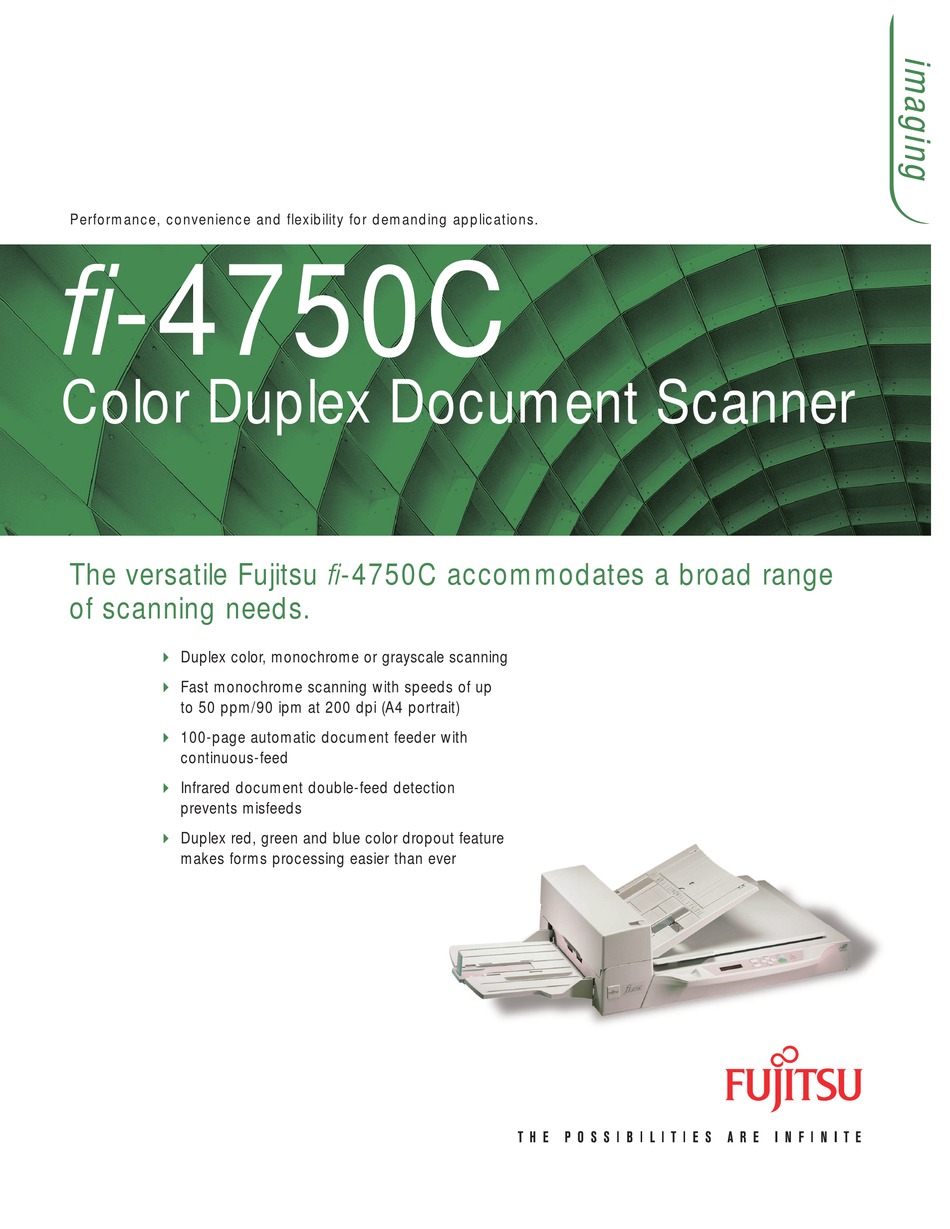
Explore this need in the finder →The Fujitsu fi-4750C is an earlier A3-class color scanner with both a duplex automatic document feeder and a flatbed. Its documented host interface is SCSI-2, not a ready-made USB or wireless connection, so a compatible legacy capture environment matters as much as its paper handling.
Keep the fi-4750C distinct from nearby machines
PFU America's U.S. discontinued-scanner roster places the fi-4750C in the Production column under “Discontinued for Service.” The page says those entries are no longer eligible for extended service coverage. That establishes the model's lifecycle reference, not the condition or support rights of any second-hand unit. The roster's replacement link is not a claim that the replacement is the same scanner.
Fujitsu's archived exact-model page describes the fi-4750C as an A3 duplex color scanner and lists a half-pitch, 50-pin SCSI-2 interface. A historical U.S. Fujitsu family datasheet names the fi-4750C Color as part CG01000-484601. Treat that as a historic model-family identifier to compare with an actual nameplate, not proof that a seller's machine, accessories, or software match it. The fi-4750L and M4097D are related but distinct models; do not transfer their feeder sizes, speed figures, or packages to this C model.
A flatbed and a duplex feeder serve different originals
The exact fi-4750C specification lists both an ADF and a flatbed, with originals up to A3 or 11 by 17 inches. The glass suits appropriate bound, delicate, or awkward originals that should not be stacked in the feeder; it is one item at a time, not extra batch capacity. The ADF captures both sides in one pass. Fujitsu's archived specification gives a maximum feeder load of 100 sheets on a 64 g/m² (17 lb) basis, but does not pair that figure with a paper-size-specific table. Do not assume 100 A3 sheets or a load for every stock; verify the operator guide for the actual paper and unit.
The manufacturer rates monochrome binary A4 portrait capture at up to 50 pages per minute simplex and 90 images per minute duplex at 200 dpi. It lists color at different resolution and orientation conditions, so those unlike figures should not be compared as if they described one mixed-color job. These are scanner ratings, not an observed throughput test: feeder condition, host interface, driver, image processing, application, and output handling can all affect a real workflow.
SCSI-2 is the practical compatibility gate
The fi-4750C's documented base interface is SCSI-2, using a shielded half-pitch 50-pin connector. The archived page recommends particular SCSI cards and cables and warns that other cards may cause unstable scanning. A recent PC may lack a compatible controller, driver, or capture application. Identify the connector, controller, cable and host, then ask the seller to demonstrate a scan through that setup. TWAIN does not make the scanner USB; do not assume an adapter works.
The product page displays historical Windows 95, 98, 2000, NT 4.0, Me, and XP compatibility marks, along with TWAIN and ISIS labels. Those show what the archived product documentation listed, not current Windows or macOS compatibility, available installers, application support, or transferable software licenses. No Wi-Fi, mobile-device, or computer-free cloud route is established by the exact-model sources.
Optional boards and feed modes need exact proof
Fujitsu lists a third-party option-board slot and optional video, image-processing, imprinter, and JPEG-compression boards. Their presence is not implied by the base model, and no seller's board or host route is established. The page also names a “Manual Feeding Mode,” but its exact operating procedure was not available in the reviewed English source material. That label is not enough to promise a special-original bypass or card support, so this review does not count it as one. Ask for the exact guide and demonstrate the intended route.
Plan around age, size, and maintenance
The archived product page lists a body about 696 by 521 by 234 mm (27.4 by 20.5 by 9.2 inches) and 22 kg (48.4 lb). Allow room for the feeder and output path, safe lifting, and service access; those body measurements are not a complete operating-clearance plan. The page names double-feed detection, long-paper scanning, and a page counter, but those features are not a guarantee that old rollers, sensors, or electronics still function.
For a used unit, request a readable nameplate and a live demonstration of both the flatbed and duplex ADF on a compatible SCSI host. Check the feeder for skew, double feeds, and worn rollers; ask which pad and pick-roller parts were replaced and when. Confirm the power cable, stacker, optional-board identity, media, software, return terms, and what will actually ship. The manufacturer once listed accessories, but that historical list is not a seller's inventory. Current availability, price, condition, working state, warranty, parts support, and transfer of service are not verified here.
Who should investigate it
The fi-4750C is most plausible as a narrow legacy-production reference for a buyer who already has a proven SCSI-2 workflow, wants both A3-capable flatbed and duplex ADF paths, and can validate maintenance and software before purchase. It is a poor default for a new USB-only workstation, wireless/mobile capture, a known 100-sheet A3 load, or anyone who needs current driver support without testing. Compare it only with separately verified machines that meet the same host, paper, and maintenance requirements.
This assessment uses archived manufacturer materials and the current U.S. lifecycle roster. It does not describe personal use, ownership, hands-on testing, a verified offer, or the condition of an individual unit.
Sources checked: PFU America's U.S. roster; PFU/Ricoh's archived exact-model page; Fujitsu's historical U.S. family datasheet (part reference only); and the manufacturer brochure reproduction. The Global page warns that its archive may be out of date; current host fit, seller package, and Manual Feeding Mode semantics remain unverified.
Key specifications
Key details at a glance
| Scanner class | Professional departmental flatbed adf |
|---|---|
| Manufacturer-listed simplex rate | 50 ppm |
| Manufacturer-listed duplex image rate | 90 ipm |
| Automatic document feeder capacity | 100 sheets |
| Optical resolution | 400 dpi |
| Connection options | SCSI-2 |
| Automatic duplex capture | Yes |
| TWAIN driver documented | Yes |
Use the exact model’s instructions for operating limits, supplied equipment and version differences.
Sources for this review
Sources for this assessment
Compare the workflow before you choose
Use the finder to test your connection, paper and software requirements against the documented scanner arrangements.