
Your needs, this model
Does it fit your priorities?
Is the fi-8820 still a large-batch scanner even though its feeder is smaller than the fi-8930's?
Yes. PFU lists a 500-sheet ADF for the fi-8820 compared with 750 sheets for the fi-8930 and fi-8950. It is a meaningful difference in how often a team may need to load stacks; actual capacity varies with media weight and loading instructions.
Explore this need in the finder →What does the touchscreen add to the fi-8820 workflow?
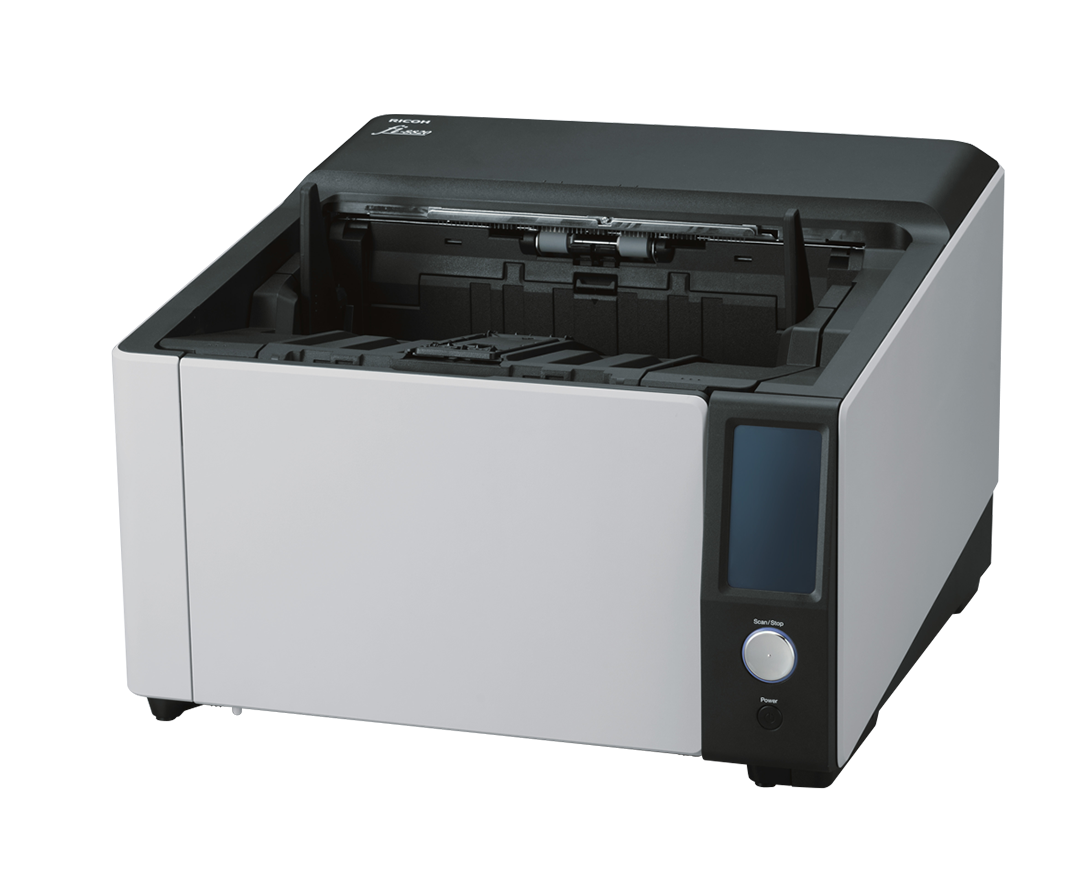
PFU's guide documents a 4.3-inch touch display for checking page counts and error status and changing scanner settings. It is an operator interface, not evidence of Wi-Fi, phone scanning or a computer-free destination.
Explore this need in the finder →Can it scan thick originals that should not use an ordinary U-turn feed?
PFU lists a straight-through/manual path for supported thicker items up to 1.25 mm. The permitted thickness and sheet sizes depend on the route; check the model guide rather than treating that maximum as a general ADF limit.
Explore this need in the finder →The Ricoh fi-8820 is the lower-capacity member of PFU's current fi-8900 production trio, but it is still a substantial wired duplex scanner. PFU's US materials list a 500-sheet ADF, 4.3-inch touchscreen and a landscape maximum of 120 ppm/240 ipm. The faster fi-8930 and fi-8950 are rated at 130/260 and 150/300, respectively, and have 750-sheet feeders. This assessment covers the named standard fi-8820 model; the US sources reviewed did not expose a standard retail part number, and optional imprinters are not assumed to be included. No testing or measured performance is claimed.
Where its capacity fits
A 500-sheet ADF can support a serious document intake workflow while requiring more reloads than the 750-sheet siblings. PFU specifies the capacity for Letter 20 lb or A4 80 g/m² paper, with maximum loading affected by paper weight. For a team that handles moderately large batches and can pause to load the next stack, that may be a reasonable balance. For a centralized operation that needs to minimize reload interruptions, the fi-8930 or fi-8950 deserves a direct workflow comparison.
The advertised rate is up to 120 ppm/240 ipm in A4 landscape at 200/300 dpi; PFU lists a lower portrait rate. Those are scanner-speed specifications, not a total process promise. Preparation, separator pages, multi-feed handling, image cleanup, OCR, review and destination checks all add work around the physical scan. If a contract or staffing plan depends on a certain number of completed files, validate the complete process rather than multiplying a rated page speed.
More than one way through the scanner
The fi-8820 has a U-turn ADF for ordinary stacks and a straight-through/manual path for supported thicker originals up to 1.25 mm. PFU describes use cases such as cumbersome documents and envelopes, but the size and weight limits remain route-specific. This is not a flatbed scanner: it cannot capture a bound page by placing it on glass. A passport or thick document may use the manual path only if it meets the model guide's precise limits and handling instructions.
Stapled-document detection, multi-feed handling and paper-ejection controls are intended to help protect originals and keep batches moving. They can inform a workflow, but are not a guarantee that fragile, crumpled or mixed paper will never jam or need operator attention. Design a clear procedure for questionable originals and exception pages before using the device in a shared station.
Touchscreen and wired operation
PFU's operator guide specifies a 4.3-inch pressure-sensitive color touchscreen for status and scanner settings. USB and Gigabit Ethernet are listed for wired use, with TWAIN/TWAIN x64/ISIS interfaces and WIA in the datasheet. This supports a computer-driven or managed network capture plan when the host and software are compatible. It does not establish Wi-Fi, mobile scanning or computer-free cloud delivery. A network port is only one part of an installation; confirm IP configuration, driver deployment, application access and file destinations.
PFU's PaperStream tools provide a starting point for profiles, image processing and batch capture, but organizations often connect production scanners to an existing capture or records system. Check the precise driver version, host operating system, server security policies and any required software licenses. The product page's compatibility summary is not a guarantee for every custom deployment.
Maintenance, service and scale
The fi-8820 weighs about 50.7 lb according to PFU, so installation space, delivery and service access matter. Its datasheet lists an expected daily volume of 100,000 sheets, but PFU explains that its figures are calculated references, not guarantees of actual output or durability. The page also lists three months of Basic Onsite Service; confirm the current coverage and exact sales terms for the actual unit rather than relying on a summary chart.
PFU's consumables guidance lists roller replacement intervals up to 700,000 sheets or one year for several production parts. Actual life can change with volume, paper type and cleaning. Maintenance labor, replacement stock, operator training and downtime should be part of the selection. The lower feeder capacity than the fi-8930/fi-8950 may reduce acquisition or space requirements in some configurations, but price and lifecycle cost need a current quote and cannot be inferred from the model number alone.
Who should shortlist it?
The fi-8820 is a plausible candidate for a wired production station that values a touchscreen, 500-sheet stack handling and a manual straight-through route, but does not need the larger capacity and faster headline rate of its two siblings. It is not a compact desktop choice, a phone-first scanner, or a flatbed for books. The scanner's standard US retail identifier and exact seller package should be confirmed; manufacturer sources also list separate front- and back-side imprinter options that may change a listing's contents.
Before purchase, check the exact model name, any part or option codes, included cables and software, service terms, available driver versions, feed-route restrictions and intended paper mix. Ask for a demonstration if the process depends on measured throughput, detection behavior or image quality. The manufacturer claims and feature descriptions summarized here are useful for screening, but they are not substitutes for independent testing under your actual workflow.
Key specifications
Key details at a glance
| Scanner class | Professional production sheet-fed scanner |
|---|---|
| Manufacturer-listed simplex rate | 120 ppm |
| Manufacturer-listed duplex image rate | 240 ipm |
| Automatic document feeder capacity | 500 sheets |
| Optical resolution | 600 dpi |
| Connection options | USB / Ethernet |
| Automatic duplex capture | Yes |
| Separate manual-feed route | Yes |
| Touchscreen | Yes |
| TWAIN driver documented | Yes |
Use the exact model’s instructions for operating limits, supplied equipment and version differences.
Sources for this review
Sources for this assessment
Compare the workflow before you choose
Use the finder to test your connection, paper and software requirements against the documented scanner arrangements.