
Your needs, this model
Does it fit your priorities?
Does the fi-8950 have enough feeder capacity for repeated large stacks?
PFU rates the standard model's feeder at up to 750 Letter 20 lb or A4 80 g/m² sheets. That is the manufacturer's maximum loading reference; paper weight and loading guidance still matter, and it does not mean every job can be left unattended.
Explore this need in the finder →Is this a scanner with a flatbed for bound pages?
No flatbed is documented for the fi-8950. It is a sheet-fed ADF scanner with U-turn and straight-through/manual feed routes; bound books need a separate device or a different workflow.
Explore this need in the finder →Can it work without a computer or with Wi-Fi?
The reviewed PFU sources establish USB and wired Ethernet, not Wi-Fi or mobile scanning. Ethernet is a network interface for a managed capture setup, not proof of a direct cloud route; confirm the host, driver and destination software before buying.
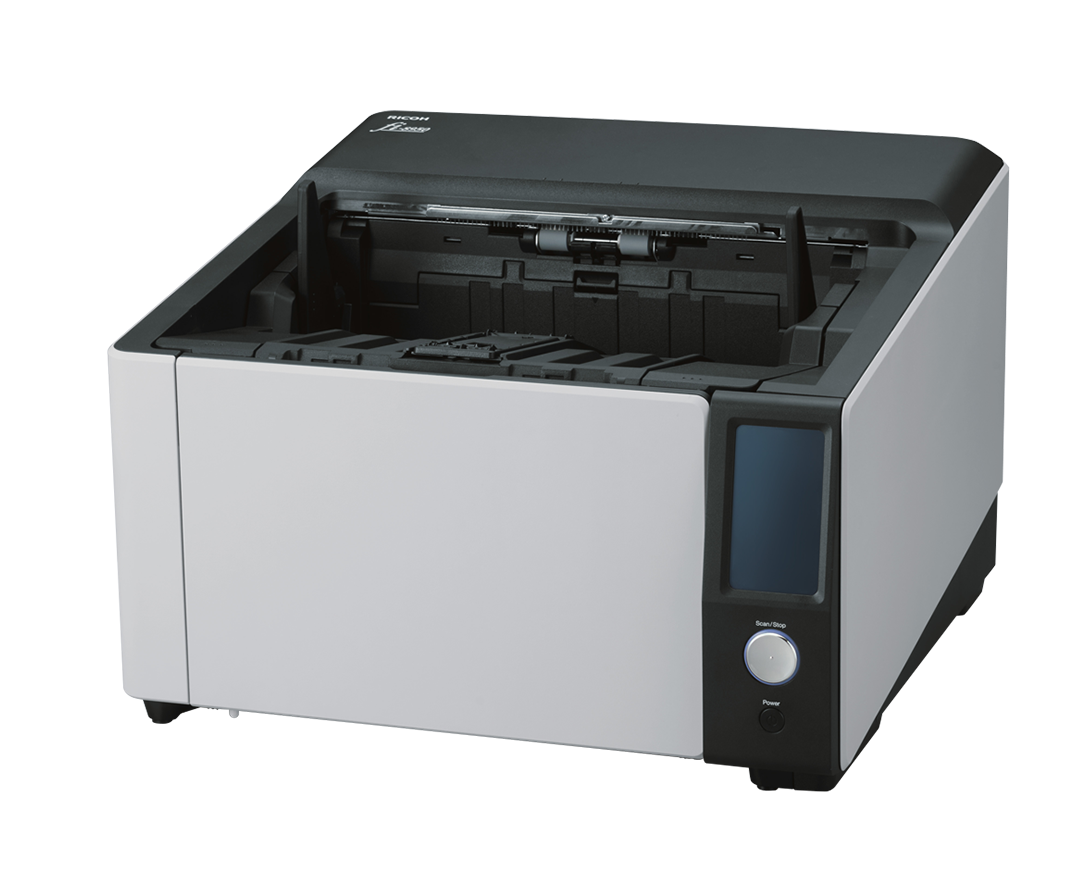
Explore this need in the finder →The Ricoh fi-8950 is a large production document scanner for centralized, wired capture—not a general-purpose home-office machine. PFU America currently presents the fi-8950 as a high-volume ADF model with a 750-sheet feeder, duplex scanning, a color touchscreen, USB and LAN. This assessment concerns the named standard scanner; I could not verify a US base retail part number in the reviewed US sources. Optional post-scan imprinters and software subscriptions are separate choices, not assumed to be in the box. The published speed and capacity are manufacturer specifications, not results from hands-on testing.
Capacity and rated speed are the headline differences
PFU lists a 750-sheet capacity for Letter 20 lb or A4 80 g/m² paper and a landscape maximum of 150 pages per minute, or 300 images per minute when both sides are captured. Those ratings describe a scanner's upper operating conditions, not the time from opening a file drawer to a verified, searchable record. Batch preparation, separators, paper condition, chosen resolution, image processing, barcode or OCR rules, exception handling and the destination system all affect a real job.
The fi-8950 sits above the related fi-8930 and fi-8820 in the current product comparison: the fi-8930 is rated up to 130 ppm with 750 sheets, while the fi-8820 is rated up to 120 ppm with 500 sheets. The differences can matter when loading frequency or peak scan-rate ceiling is a genuine constraint. If the process is dominated by document prep or downstream review, a faster scanner may not shorten the entire workflow.
Two feed routes, with different limits
Unlike a flatbed model, the fi-8950 handles loose originals through its automatic document feeder. PFU documents a conventional U-turn route and a straighter path for supported thicker items, up to 1.25 mm. That is useful when a department sees a mix of ordinary sheets and occasional stiff or awkward originals, but the route matters: paper weight, sheet size and thickness limits differ between paths. Do not treat the largest straight-path limit as permission to feed any envelope, card, label or damaged page through a normal stack.
Automatic skew correction, staple detection and multi-feed controls are intended to reduce handling errors, not guarantee that every mixed batch will feed unattended. The operator guide describes how to respond to overlap and feed conditions. A sensible process still separates risky originals, inspects flagged pages and tests special media before the scanner becomes a shared production dependency.
Touchscreen and capture software
The standard fi-8950 has a 4.3-inch color touchscreen for status and scanner settings, alongside physical controls. That panel is useful for operators at a central station; it does not turn the scanner into a phone-led or wireless product. PFU lists USB and Gigabit Ethernet, plus TWAIN, TWAIN x64 and ISIS interfaces (and WIA in its technical materials). Ethernet can support a networked computer or managed capture environment, but a network jack alone does not establish direct cloud upload or computer-free operation.
PaperStream Capture and ClickScan are among the listed software options, and the scanner is also designed to work with other capture applications. Before buying, match the required driver interface, supported Windows or server version, scan profiles, destination and any licensing needs to the exact host deployment. If an application requires TWAIN, confirm the correct driver package and architecture rather than assuming all capture software connects the same way.
Maintenance and commercial fit
This is a substantial machine—about 50.7 lb in PFU's US datasheet—and it needs a stable installation, clear output space and a maintenance plan. PFU lists replacement cycles of up to 700,000 sheets or one year for several production consumables, depending on the item and operating conditions. Its US model comparison lists three months of Basic Onsite Service, while service programs and extended arrangements are separately sold. Verify the exact sale, service territory, response terms and consumables before treating the scanner as covered for a production deployment.
PFU's global specification lists an expected daily volume of 130,000 sheets, but such figures are planning references, not a guarantee of unit durability or daily throughput. Establish a realistic workload with the manufacturer or reseller, especially if the scanner is a bottleneck or a service commitment depends on uptime.
Who should shortlist the fi-8950?
It is a plausible fit for an organization centralizing large stacks of documents, requiring two-sided capture and compatible with a wired TWAIN/ISIS workflow. The 750-sheet feeder can reduce reloads compared with the fi-8820, and the highest stated rate in this three-model production family belongs to the fi-8950. It is a poor match for a phone-first user, a compact personal desk, or anyone who needs a real flatbed for bound materials.
Before purchase, request the exact US model identifier and standard package details in writing: the manufacturer page I reviewed did not supply a standard retail part number, and listings may combine the scanner with options or software. Check the host connection, driver version, paper routes, installation space, service plan and return terms. Published speed, OCR claims and paper protection are not a substitute for a representative workflow demonstration. No independent performance, feed-reliability or image-quality testing is claimed here.
Key specifications
Key details at a glance
| Scanner class | Professional production sheet-fed scanner |
|---|---|
| Manufacturer-listed simplex rate | 150 ppm |
| Manufacturer-listed duplex image rate | 300 ipm |
| Automatic document feeder capacity | 750 sheets |
| Optical resolution | 600 dpi |
| Connection options | USB / Ethernet |
| Automatic duplex capture | Yes |
| Separate manual-feed route | Yes |
| Touchscreen | Yes |
| TWAIN driver documented | Yes |
Use the exact model’s instructions for operating limits, supplied equipment and version differences.
Sources for this review
Sources for this assessment
Compare the workflow before you choose
Use the finder to test your connection, paper and software requirements against the documented scanner arrangements.