
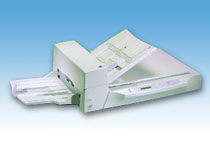
Your needs, this model
Does it fit your priorities?
Does the M4097D hold 100 A3 sheets in its ADF?
No. Fujitsu's historical sheet states 100 Letter/A4 sheets at 17 lb (64 g/m2). The exact operator guide's capacity chart shows 67 A3/Double Letter sheets at that paper weight, compared with 100 A4/Letter and 79 B4; it also caps the ADF stack at 8 mm. Treat the load as size- and stock-dependent, not a universal maximum.
Explore this need in the finder →Is M4097D Manual Feed a separate bypass for envelopes or fragile originals?
No. The guide describes a timeout mode that pauses after a batch so an operator can feed the next original on the same ADF chute, one by one. It is not another tray or permission to ignore media limits. Fujitsu directs uneven-thickness items such as envelopes, clipped or stapled sheets, curled and damaged sheets, and some special media to the flatbed instead.
Explore this need in the finder →Can its historical TWAIN label be used as proof that it will connect to a current USB computer?
No. The model's documented base host is a half-pitch 50-pin SCSI-2 interface, not USB. The old U.S. sheet lists TWAIN/ISIS for Windows 98, 2000, Me and XP, but that does not establish current driver or application support. Confirm the actual unit's interface board, compatible SCSI controller and cable, and a working scan on the intended host before purchase.
Explore this need in the finder →The M4097D is best treated as a historical workgroup/production scanner whose appeal depends on a very particular host-and-paper setup. Fujitsu's U.S. data sheet describes a monochrome duplex ADF scanner with a separate flatbed, an A3/11-by-17-inch document path, and a 100-sheet Letter/A4 feeder load. The current U.S. discontinued-scanner roster lists it as Production / Discontinued for Service. That is lifecycle context—not evidence that a working unit is available, supportable, or sold with a particular board or cable.
Large originals and automatic two-sided capture
The design combines two useful but different paper routes. The ADF automatically captures both sides, while the flatbed takes one original at a time. Fujitsu's historical mechanical rating is 50 pages per minute simplex or 90 images per minute duplex at 200 dpi in A4 portrait; the landscape figures are 67 ppm and 114 ipm. These are manufacturer conditions, not a test of a present-day used scanner, host or workflow. The U.S. sheet also says “up to 6,000 pages a day.” Read that as an old stated maximum rather than a promise about sustained workload, age, maintenance, or a particular unit.
Its 100-sheet figure is not an A3 capacity
The 100-sheet ADF specification is explicitly tied to Letter/A4 paper at 17 lb (64 g/m²). The model's operator guide makes the limitation more useful: its chart changes the permitted load with both paper weight and size. At 64 g/m² it shows 100 A4/Letter-or-smaller sheets, 79 B4 sheets and 67 A3/Double Letter sheets. It also tells the operator not to load a stack thicker than 8 mm, and specifies supported media from 52 to 127 g/m², with A8 originals limited to 127 g/m². So this can be an A3-capable scanner without being a 100-sheet A3 feeder. Do not turn its manufacturer rating into capacity for every stock or a daily page count.
Manual Feed extends a batch, not the media list
The M4097D's Manual Feed setting is a workflow convenience for a host-controlled batch. After the current documents are read, the scanner waits for its configured timeout rather than declaring paper empty; the operator can place the next original on the same ADF chute. The guide glossary describes the operator feeding each document manually. That is not a second tray, a straight-path route, or permission to run a fragile original through the feeder. The manual directs uneven-thickness originals such as envelopes, clipped or stapled pages, curled or torn sheets, and other specified special media to the separate flatbed. The flatbed is useful for those pages, but it does not increase the ADF load.
The SCSI interface is the serious compatibility hurdle
The documented base connection is half-pitch 50-pin SCSI-2. The guide covers setting the SCSI ID and terminator; the original U.S. data sheet lists historic TWAIN and ISIS drivers for Windows 98, 2000, Me and XP. Those details describe an old host arrangement, not current Windows/macOS support or guaranteed operation in a named capture application. Before considering a unit, identify the connector and any installed interface board, confirm a compatible SCSI controller and cable, and request a live scan on the exact intended host and software. The manual says SCSI-2 and the third-party slot cannot be used at the same time. Its video-interface option is not evidence of USB, Ethernet, Wi-Fi, mobile scanning, or computer-free cloud delivery.
Check the particular machine, not just the model name
The cabinet is about 27.4 by 20.5 by 9.2 inches and weighs 48.4 pounds, before allowing space to open the ADF, reach the flatbed, and support the output stacker. This is not a small desk-side choice. Ask for a clear nameplate photograph that says M4097D, a close view of the SCSI port and any option board, confirmation that the shipping lock and required parts are present, and a live duplex and flatbed demonstration. Ask what exactly is in the package: no current source establishes that a controller, cable, video board, driver media, cleaning kit, or service coverage comes with any seller unit. A compatible host, operating scanner, return policy and condition are more important here than a seller's generic “works” claim.
The M4097D makes sense only when the buyer already has a credible legacy SCSI-2 path, regularly handles large originals, and can follow the manual's stock-specific feeder limits. If the job requires direct USB, modern supported drivers, wireless scanning, or a 100-sheet A3 load, the reviewed evidence does not establish this model as a fit. Compare the exact model and package before treating an old specification page as a current purchase promise.
Key specifications
Key details at a glance
| Scanner class | Professional production flatbed adf |
|---|---|
| Manufacturer-listed simplex rate | 50 ppm |
| Manufacturer-listed duplex image rate | 90 ipm |
| Automatic document feeder capacity | 100 sheets |
| Connection options | SCSI-2 |
| Automatic duplex capture | Yes |
| Separate manual-feed route | Yes |
| Touchscreen | No |
| TWAIN driver documented | Yes |
Use the exact model’s instructions for operating limits, supplied equipment and version differences.
Sources for this review
Sources for this assessment
Compare the workflow before you choose
Use the finder to test your connection, paper and software requirements against the documented scanner arrangements.