
Your needs, this model
Does it fit your priorities?
Does the SP-1130N provide more rated speed than the SP-1120N without a larger ADF?
Yes. PFU lists the SP-1130N at 30 ppm/60 ipm and the SP-1120N at 20 ppm/40 ipm, while both are specified with a 50-sheet ADF. The speed figures are manufacturer ratings, not a promise of whole-job time.
Explore this need in the finder →Can it use a wired network while still relying on host software?
PFU lists both USB and Ethernet, and its guide documents wired-LAN setup through the Network Setup Tool and a selected computer. The guide says only one computer can be connected to the scanner at a time; Ethernet is not Wi-Fi or a computer-free cloud route.
Explore this need in the finder →What does the 50-sheet ADF rating assume?
PFU's shared SP-11xxN guide gives 50 sheets at 80 g/m² with a stack no thicker than 5 mm. Paper weight, condition and the guide's mixed-batch rules still matter; 50 is a per-load figure, not a daily-output claim.
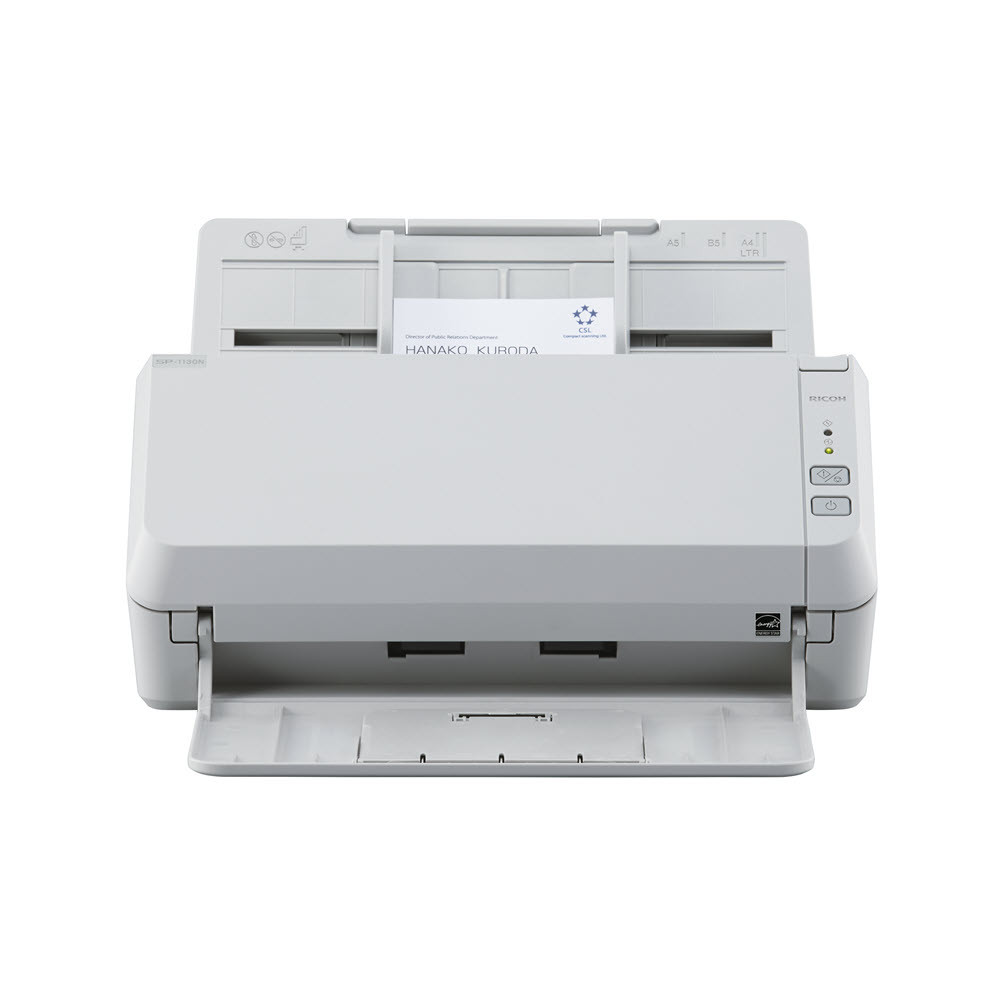
Explore this need in the finder →The Ricoh SP-1130N (U.S. part PA03811-B025) is an ADF-only desktop document scanner for a wired, host-computer workflow. PFU rates it at 30 pages per minute simplex and 60 images per minute duplex, with a 50-sheet feeder. Those are manufacturer specifications, not a speed test or a promise that every job will run at the rated pace. This is a source-based assessment of the documented configuration, not a hands-on review.
More rated speed, not a larger stack
The SP-1130N is the faster member of a closely related entry-level group. PFU lists the SP-1120N at 20 ppm/40 ipm and the SP-1130N at 30 ppm/60 ipm; both share a 50-sheet ADF, duplex capture, USB, wired Ethernet and TWAIN support. That makes the decision fairly specific: the published difference is throughput, not a larger feeder or a new wireless feature. If many short batches are interrupted by setup, paper prep or review, the stated rate alone cannot predict the time saved.
PFU's U.S. datasheet gives an expected daily volume of 4,500 sheets. The footnote treats that figure as a duty-cycle measure, not a durability warranty. It should not be read as a tested daily production result or an assurance that every page type can be run at that volume. The Operator's Guide also says transmission and software processing affect actual speed.
Check the 50-sheet loading basis
The 50-sheet ADF figure has a useful condition attached: PFU's shared SP-11xxN guide allows 50 sheets at 80 g/m² (20 lb) when the stack is no thicker than 5 mm. Heavier, curled, fragile or mixed documents may reduce a practical load or need a different preparation. The manual permits a range of paper weights and legal-size originals, and describes long-page scanning up to 120 inches with resolution limits as originals get longer. Those are boundaries to check against the actual documents, not a promise to feed every combination.
The scanner's normal path is the ADF. The reviewed material does not establish a separate manual-feed bypass, a flatbed, a touchscreen, or a one-sheet special-media route. PFU advertises plastic cards, labels and taped receipts among supported media, but that should not be confused with a separate feeder. For mixed-size batches the guide warns that skewing is more likely and says different paper weights or friction characteristics cannot be mixed; it recommends trying a few sheets first. No such trial is claimed here.
USB or wired Ethernet, with a computer in the loop
PFU lists USB and Ethernet. Its guide gives a USB-to-computer setup and a separate wired-LAN procedure using the SP Series network setup tools. The LAN workflow requires selecting the scanner from a computer, and the guide says the unit can be connected to only one computer at a time. Ethernet can let the host sit away from the scanner, but it is not Wi-Fi. The product evidence does not establish scanning directly from a phone or sending a scan to cloud storage without a computer.
For software, PFU lists PaperStream IP with TWAIN, TWAIN x64 and ISIS, plus WIA, PaperStream Capture and ClickScan. TWAIN is a meaningful fit for compatible desktop capture software, but the driver being present does not prove that a particular application, version or managed workstation will work. The current PFU support matrix includes the SP-1120N/SP-1125N/SP-1130N group across current Windows, macOS and Ubuntu rows; it excludes Windows on Arm and notes that macOS and Linux do not support LAN connection. Confirm the exact host and connection before ordering.
There is also a model-year check. PFU says scanners manufactured on or after April 1, 2026 use an updated RICOH USB identifier that PaperStream IP 3.36.0 and earlier will not recognize; the notice recommends version 3.40.1 or later. That is a driver compatibility issue, not an intrinsic scanning-capability difference. Ask for the manufacturing date if it matters to an existing imaging environment.
Keep the similarly named models separate
PA03811-B025 identifies the SP-1130N. It is not the separately named SP-1130Ne or the slower SP-1120N. The SP-1130N and SP-1120N share the 50-sheet capacity and wired interfaces in PFU's comparison, while the SP-1130N's higher published scan rate is the visible distinction. PFU's 2024 datasheet lists an AC adapter, USB cable and Setup DVD-ROM for the standard model, plus a one-year Depot warranty; a used, refurbished or third-party listing may have different contents or terms.
Who should consider it
The SP-1130N is worth comparing when a small office has repeat batches, needs automatic two-sided capture and wants a faster rated option than the SP-1120N while staying with a 50-sheet load. It is a poorer match for a wireless/mobile-first desk, touchscreen profile selection, an independent manual-feed path, or a very large stack between reloads. PFU's Store listing for the exact part displayed out of stock when checked on November 2, 2026; that dated page is not evidence of market-wide stock. Before choosing a seller, match PA03811-B025, confirm the operating system and driver revision, and ask what is actually included and covered. The central purchase page provides the detailed fit and source trail; the full review and the finder remain here.
Key specifications
Key details at a glance
| Scanner class | Professional desktop sheet-fed scanner |
|---|---|
| Manufacturer-listed simplex rate | 30 ppm |
| Manufacturer-listed duplex image rate | 60 ipm |
| Automatic document feeder capacity | 50 sheets |
| Optical resolution | 600 dpi |
| Connection options | USB / Ethernet |
| Automatic duplex capture | Yes |
| Touchscreen | No |
| TWAIN driver documented | Yes |
Use the exact model’s instructions for operating limits, supplied equipment and version differences.
Sources for this review
Sources for this assessment
- PFU America: exact U.S. SP-1130N product page and comparison chart
- PFU Ricoh Store: exact SP-1130N part PA03811-B025
- PFU America: SP-1130N U.S. technical datasheet
- PFU/Ricoh: SP-1120N/SP-1125N/SP-1130N Operator's Guide, October 2025
- PFU: SP-1120N/SP-1125N/SP-1130N current host and application support matrix
- PFU America: PaperStream IP driver identification update notice
Compare the workflow before you choose
Use the finder to test your connection, paper and software requirements against the documented scanner arrangements.