
Your needs, this model
Does it fit your priorities?
Is 50 sheets enough for a small duplex stack?
PFU specifies a 50-sheet ADF and duplex scanning up to 30 ppm/60 ipm at 200/300 dpi. Capacity depends on stock and does not make the manufacturer speed a whole-job guarantee.
Explore this need in the finder →Does this exact model offer a TWAIN driver?
Yes. PFU lists PaperStream IP for SP Series with TWAIN/TWAIN x64. Confirm the exact application, host OS and driver version; for units made on or after 2026-04-01, PFU says PaperStream IP 3.40.1 or later recognizes the updated device identifier.
Explore this need in the finder →Does a mention of cloud output mean it can send without a computer?
Not on the evidence reviewed here. PFU's page describes PaperStream ClickScan and says the user can send scans to email, cloud or a local folder, but the sources do not document a computer-free DirectScan workflow for the SP-1130Ne. Verify the host and destination setup before treating that as a fit.
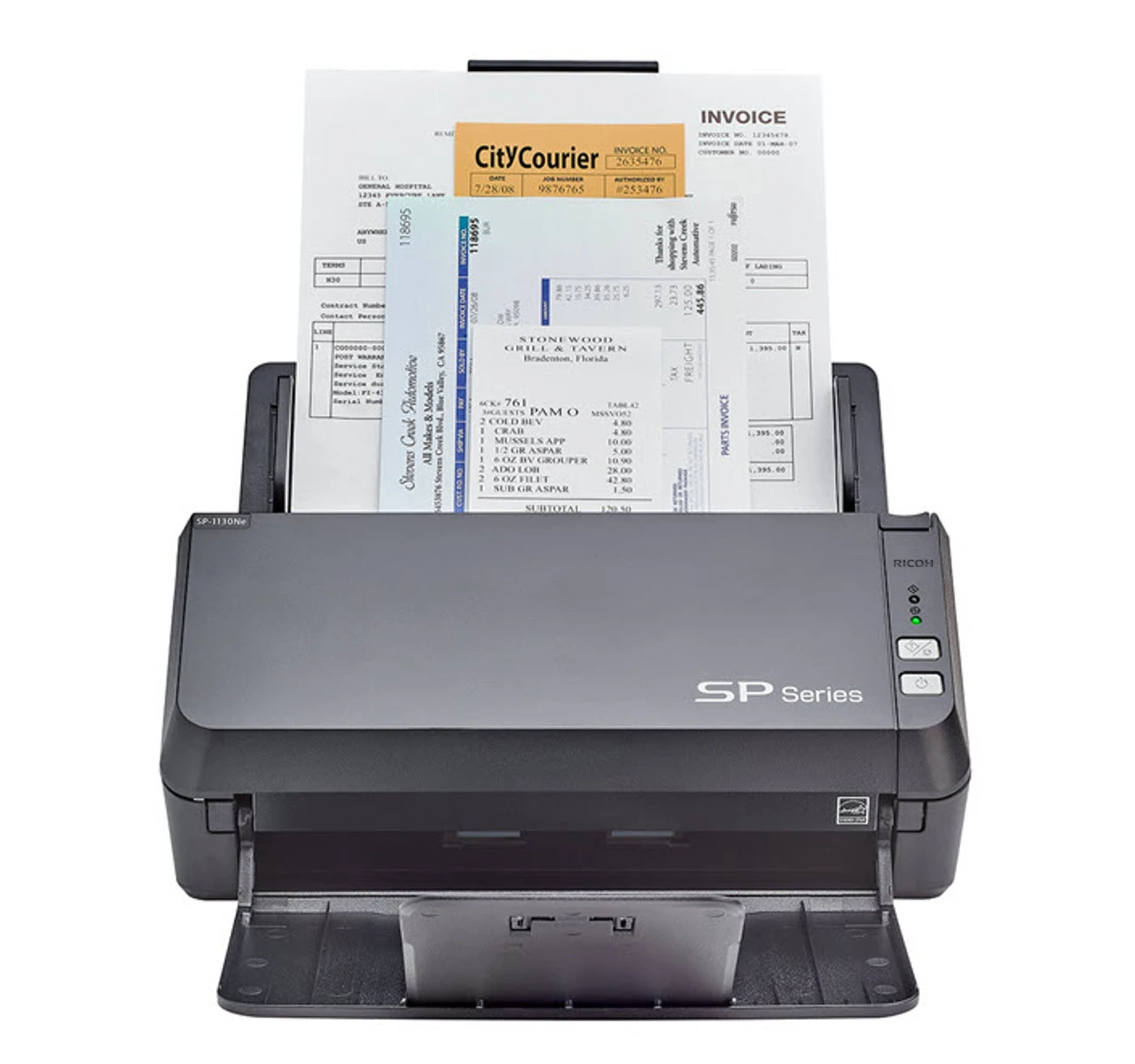
Explore this need in the finder →The SP-1130Ne is a compact, wired duplex scanner aimed at a small office or reception desk that needs a conventional computer-and-driver workflow. This assessment covers the exact US part PA03811-B035. PFU’s comparison table lists SP-1130Ne separately from the similarly named SP-1130N and SP-1120N; the suffix matters, so do not assume neighboring models share software, package or lifecycle details. This is an evidence-led assessment of manufacturer pages and specifications, not a hands-on review.
A 50-sheet feeder for modest batches
PFU specifies a 50-sheet ADF, automatic duplex and up to 30 pages per minute simplex or 60 images per minute duplex at 200/300 dpi. Those are maximum manufacturer figures. The expected daily volume is listed as 4,500 sheets, but the datasheet explains that the calculation is based on rated speeds and typical scanner use; it is not a guarantee of sustained throughput or hardware life. A smaller stack, mixed paper, software processing and careful file checking all affect the actual routine.
The rated 50-sheet capacity is tied to Letter 20 lb or A4 80 g/m² paper. PFU lists legal-size originals up to 8.5 by 14 inches, long pages to 120 inches, paper from 50 to 209 g/m², and plastic cards up to 0.76 mm. These limits help screen everyday invoices, forms and documents, but they are not blanket permission to feed every card, fragile original or uneven batch. Check the exact manual and prepare unusual pages separately.
The SP-1130Ne is specified with a 600-dpi optical resolution and common image cleanup functions such as automatic color detection, blank-page detection and deskew. Those functions can reduce routine setup, but they do not establish OCR accuracy or guarantee that every page is correctly oriented, complete or legible. Review output settings and inspect important files before originals are put away. The primary references are PFU’s US product page and US technical datasheet.
Wired connections, one-button capture
The exact model supports USB and wired Ethernet. PFU identifies PaperStream IP for SP Series with TWAIN and TWAIN x64, plus a WIA driver, PaperStream ClickScan and a network setup tool. The Store page notes an ICA driver for Mac. These are host-computer routes; check the current support downloads for the operating-system version and the exact scanning application before relying on a named driver. The panel is described as one-button operation, and the official product image shows physical controls rather than a touchscreen profile interface.
PFU’s page describes sending scans to email, cloud or a local folder as part of its ClickScan workflow. That is not enough to conclude that this model has a standalone, computer-free network destination mode. Unlike the SP-2240N, the inspected SP-1130Ne documentation does not state that DirectScan runs without a PC. If an office needs a no-computer delivery workflow, verify the host and destination dependencies first; do not infer PC-free cloud support from the words “Ethernet” or “cloud.” No mobile-device route is established in the reviewed sources.
Its difference from the SP-2240N
Both scanners provide a wired Ethernet option and duplex capture, but their stated capacities and workflows differ. The SP-1130Ne has a 50-sheet ADF and up to 30/60 ppm/ipm; the SP-2240N has an 80-sheet ADF, up to 40/80 ppm/ipm at 200/300 dpi, and PFU explicitly documents PC-less DirectScan to common network destinations. The SP-2240N datasheet also lists a manual-feed mode, which is not established for the SP-1130Ne. That makes the latter a simpler fit for a smaller host-based batch, not an equivalent substitute for the larger model’s documented network route.
Driver and availability checks
There is a time-sensitive driver detail for newer SP-1130Ne units. PFU’s March 2026 notice says machines manufactured on or after April 1, 2026 use an updated USB identifier that PaperStream IP 3.36.0 and earlier will not recognize; PFU recommends 3.40.1 or later. The notice also says SP-series machines are not supported on Windows 10/11 ARM-based PCs. Ask about manufacture date when coordinating with a fixed driver image, and confirm the exact host architecture. A current product page or compatible interface name alone does not settle driver recognition for a particular unit.
The official Store page showed the PA03811-B035 offer as out of stock when checked on October 29, 2026, and described it as available through e-tailers. That dated page state is not a market-wide availability conclusion. If considering an older or third-party listing, verify seller, condition, included AC adapter and USB cable, exact part number, warranty, return terms and current software access. The datasheet states a one-year Depot Warranty, but a used or refurbished scanner may not carry the same coverage.
Who should shortlist it?
The SP-1130Ne is a potential match for users who need a compact desk scanner, duplex capture, a 50-sheet feeder and a TWAIN-compatible USB or wired-host setup. It is less persuasive when a 100-sheet-class feeder, wireless use, touchscreen job selection, a separate manual-feed route or direct PC-less cloud/network delivery is essential. The manufacturer's figures are useful for comparing published capabilities, not independent performance results or a claim of error-free feeding.
Before choosing part PA03811-B035, confirm the exact model suffix, driver and operating-system compatibility, desired host connection, permitted paper/card limits and current seller package. Keep any cloud destination as a host/software question until the intended route is verified. No hands-on testing, personal use, price, current stock guarantee, OCR-accuracy result or customer experience is claimed.
Key specifications
Key details at a glance
| Scanner class | Professional desktop sheet-fed scanner |
|---|---|
| Manufacturer-listed simplex rate | 30 ppm |
| Manufacturer-listed duplex image rate | 60 ipm |
| Automatic document feeder capacity | 50 sheets |
| Optical resolution | 600 dpi |
| Connection options | USB / Ethernet |
| Automatic duplex capture | Yes |
| Touchscreen | No |
| TWAIN driver documented | Yes |
Use the exact model’s instructions for operating limits, supplied equipment and version differences.
Sources for this review
Sources for this assessment
Compare the workflow before you choose
Use the finder to test your connection, paper and software requirements against the documented scanner arrangements.