
Your needs, this model
Does it fit your priorities?
What does the iX1300 Deluxe package add?
PFU identifies Kofax Power PDF 4.0 for PC and Mac alongside the iX1300 scanner. The software license is a package distinction; the scan speed, 20-sheet ADF and paper paths remain those of the iX1300. Verify license terms and current compatibility with the exact offer.
Does Deluxe provide a larger batch feeder or faster scanner?
No hardware upgrade is documented. PFU describes Deluxe as integrating the full iX1300 functionality plus Kofax Power PDF 4.0; the official specifications list the same 20-sheet ADF and up-to-30-ppm / 60-ipm figures.
Explore this need in the finder →Can the scanner send a scan to a phone or tablet?
PFU documents a Wi-Fi mobile-device route for the scanner. Check current app and device-system compatibility separately; the bundled Power PDF license is described for PC and Mac, not as a mobile license.
Explore this need in the finder →Can a TWAIN-only system capture directly from it?
PFU's iX1300 specifications say the ScanSnap-specific driver does not support TWAIN for Windows or macOS. Kofax Power PDF does not change that scanner-driver fact; ask the application owner to approve a file-based workflow if appropriate.
Explore this need in the finder →Does it support a separate feed for a booklet or card?
The iX1300's documented Return Scan / Manual Feeder accepts selected individual originals; the bundled PDF editor does not change that route or turn it into ordinary ADF batch feeding.
Explore this need in the finder →“Deluxe” changes the software package, not the scanner
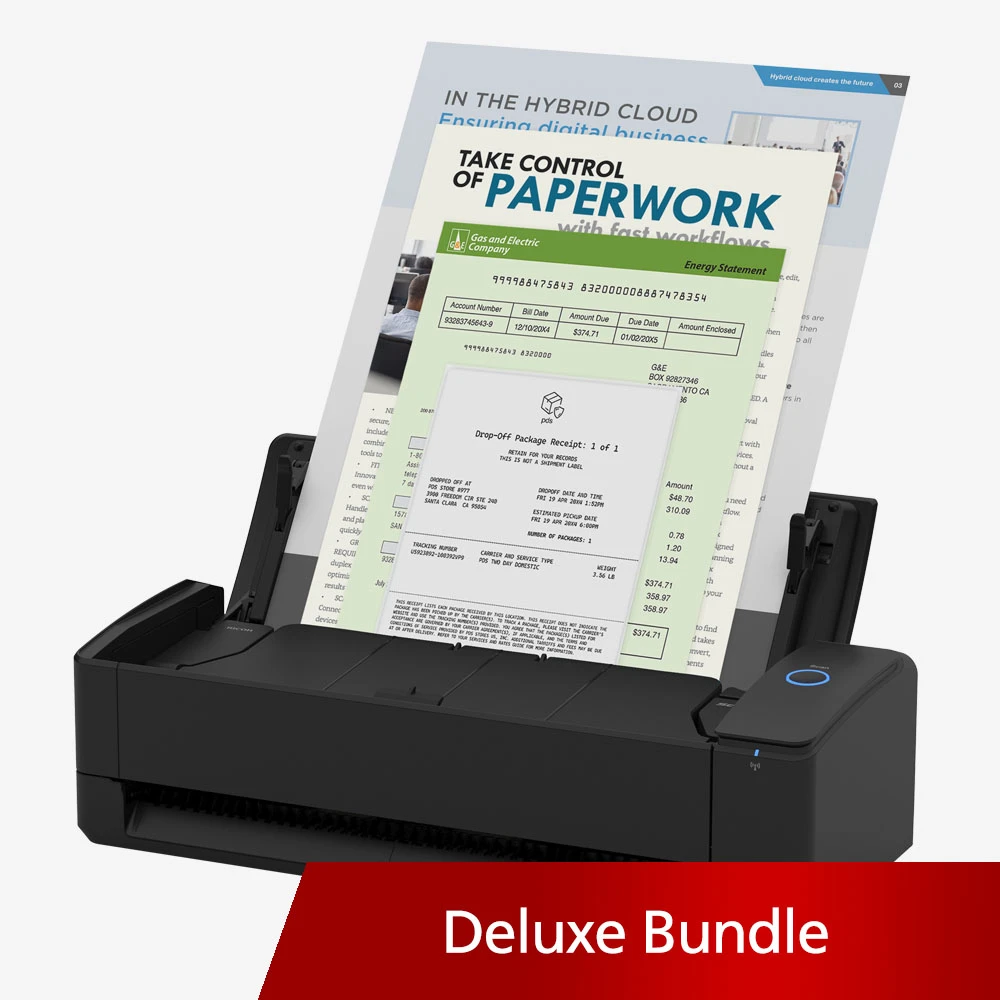
The ScanSnap iX1300 Deluxe is easy to misread as a more capable scanner than the Standard model. PFU's exact US offer, part CG01000-399205, instead describes the Deluxe as an iX1300 with a Kofax Power PDF 4.0 license for PC and Mac. That may be useful to someone who wants a PDF-editing application in the package, but the official material does not describe a different feed mechanism, extra wireless feature or larger batch capacity. Its 20-sheet duplex ADF and separate manual feeder are the iX1300's, not a Deluxe hardware upgrade.
This review covers that exact black Deluxe bundle. The Standard black package is PA03805-B105; white Standard is PA03805-B005. Those are separate manufacturer offers, and neither should be assumed to include the Deluxe software. The Standard scanner assessment explains the shared paper handling in more detail; the decision here is whether the bundled license is worth evaluating for your own workflow, not whether the underlying machine scans differently.
The same 20-sheet, two-path paper handling
PFU lists a 20-sheet duplex ADF, 30 ppm simplex / 60 ipm duplex and 600 dpi optical resolution. These are manufacturer specifications, not independent results. The smaller feeder means more reloading than the 100-sheet iX2400 and iX2500; no daily duty-cycle target was found in the material checked.
The Return Scan / Manual Feeder handles selected originals such as envelopes, cards, folded A3 documents, booklets and photos separately from ordinary ADF stacks. It does not increase continuous ADF capacity or turn the unit into a flatbed. PFU lists a separate Manual Single mode on the iX2500 too; the iX2400 is automatic-feed-only in this comparison.
On the desk, the listed closed dimensions are about 11.7 by 4.5 by 3.3 inches and weight is 4.4 pounds. Its compact footprint is useful when the paper entry point is a desk corner or shared workspace, but leave room for originals and the return path to operate. PFU's one-button operating description also signals a straightforward scanner workflow rather than a touch panel for selecting profiles at the device.
USB, Wi-Fi and the software question
The underlying scanner supports USB and Wi-Fi, with listed PC/Mac and mobile-device routes plus optional computer-free ScanSnap Cloud. The Cloud route is separate from phone-based scanning and depends on a ScanSnap Cloud account and supported destination. Verify current host, app, network and service requirements before relying on a route.
ScanSnap Home is the manufacturer's scanner software, while Kofax Power PDF 4.0 is the added PDF product named for Deluxe. PFU describes Power PDF as a tool for creating, converting, editing and sharing PDFs. That distinction matters: a scanner can capture and produce a PDF, while a PDF application works with the resulting file. The bundle description does not establish that a specific feature, workflow or business application is compatible, and it does not state license duration, activation rules, transfers, updates or current operating-system support. Treat those as purchase checks rather than assume them from the word “Deluxe.”
The Kofax license also does not solve a TWAIN requirement. PFU's iX1300 specification identifies a ScanSnap-specific driver and says that Windows does not support TWAIN or ISIS and macOS does not support TWAIN. A PDF editor is not a scanner driver. If a document-management system needs a named capture interface, have its software owner approve a supported route before choosing this package.
When the Deluxe bundle is, and is not, worth considering
Consider this bundle only if the scanner's paper paths and wireless options fit and a PC/Mac workflow has a specific use for Kofax Power PDF. PFU's page does not establish license value or terms, so check edition, compatibility, delivery, activation and restrictions on the exact offer.
Deluxe does not solve a capacity problem: it remains a 20-sheet scanner. The iX2400 and iX2500 offer 100-sheet feeders and 45 ppm / 90 ipm rates, but the iX2400 is USB-only and the iX2500's separate manual-single mode differs from iX1300 Return Scan. Compare the scanner workflow itself rather than assuming the Deluxe suffix means higher throughput.
The environmental label is another exact-configuration check. PFU's official iX1300 specification identifies EPEAT Silver for the black model only. The reviewed bundle is black, but a white Standard listing is a distinct part and should not inherit that claim. Check the exact offer's model number if color or procurement rules matter.
What to verify before selecting CG01000-399205
Match the part number and black Deluxe wording first. Confirm that the package includes the Kofax Power PDF 4.0 license as described, then check license duration, activation and host compatibility directly with PFU or the current offer. Separately verify ScanSnap Home support for your computer or mobile device, decide between USB and Wi-Fi, and confirm that 20 ADF sheets and individual manual feeding fit the paper you handle. If you need TWAIN, an Ethernet-connected shared scanner, a high-volume duty rating or a flatbed, the iX1300 Deluxe does not document those as solutions.
In short, CG01000-399205 is a software-bundle version of the compact iX1300 rather than a new scanning platform. The bundle can be a relevant convenience, but the buyer still needs to choose it for the actual PDF workflow and verify the license details. If the extra software is not needed, compare the black or white Standard part instead; if batch size is the priority, compare a larger-feeder model rather than paying for a bundle that leaves the scanner's paper capacity unchanged.
Key specifications
Key details at a glance
| Scanner class | Compact wireless desktop sheet-fed scanner |
|---|---|
| Manufacturer-listed simplex rate | 30 ppm |
| Manufacturer-listed duplex image rate | 60 ipm |
| Automatic document feeder capacity | 20 sheets |
| Optical resolution | 600 dpi |
| Connection options | USB / Wi-Fi |
| Automatic duplex capture | Yes |
| Separate manual-feed route | Yes |
| Touchscreen | No |
| TWAIN driver documented | No |
Use the exact model’s instructions for operating limits, supplied equipment and version differences.
Sources for this review
Sources for this assessment
- PFU Ricoh Store: iX1300 Deluxe black, CG01000-399205
- PFU Ricoh Store: iX1300 Standard black, PA03805-B105
- ScanSnap iX1300 official specifications
- ScanSnap iX1300 manual and support download index
- PFU Ricoh Store: iX1300 Standard white, PA03805-B005
- PFU ScanSnap comparison: iX2500, iX2400, iX1600 and iX1400
Compare the workflow before you choose
Use the finder to test your connection, paper and software requirements against the documented scanner arrangements.