
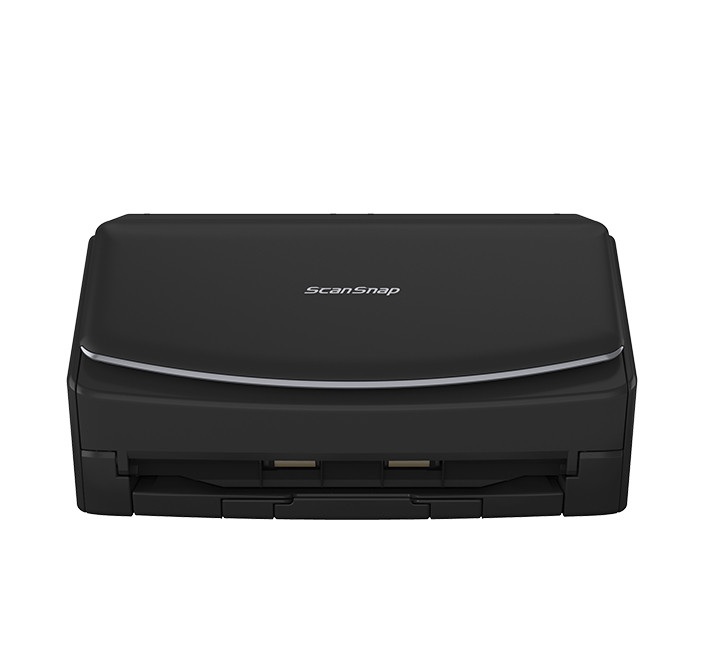
Your needs, this model
Does it fit your priorities?
Can I scan to a phone or tablet instead of using a computer?
PFU documents a mobile-device route for the iX1600 over Wi-Fi; check the latest ScanSnap app and your device operating system before relying on it.
Explore this need in the finder →Can it route to cloud storage without a computer?
PFU describes direct ScanSnap Cloud routing over Wi-Fi without a computer, but the route requires a ScanSnap Cloud account and supported destination service.
Explore this need in the finder →Can it handle an occasional envelope or folded A3 original?
PFU lists a separate manual-single mode for the iX1600 and gives envelopes, plastic cards, folded A3 and sticky-note pages as examples. Follow the current instructions; this is not ordinary mixed-stack ADF handling.
Explore this need in the finder →Does it support a TWAIN-only capture system?
No TWAIN driver is listed for this ScanSnap; PDF or JPEG output is not equivalent. Confirm an alternate application route with your software owner.
Explore this need in the finder →The short version: a connected, touch-controlled iX1600
The ScanSnap iX1600 Standard Edition is a personal desktop ADF scanner for someone who wants more than a single USB connection but does not need the newer iX2500's larger feeder. The black US Store listing identifies part PA03770-B635. PFU lists Wi-Fi and USB, a 50-sheet ADF, duplex scanning, a 4.3-inch color touchscreen and up to 30 saved profiles. This is a source-based review of manufacturer material, not a hands-on test: I have not measured speed, feed reliability, OCR accuracy or setup time. PFU says the iX1600 has been upgraded and replaced by the iX2500, so treat this as an earlier-model assessment and confirm software, seller condition and exact package before buying.
Batch paper without a giant feeder
A 50-sheet feeder is a practical middle ground for personal and small-office paperwork: a stack of statements or forms can be loaded together, but bigger jobs still mean returning to the scanner to reload. PFU publishes up to 40 pages per minute or 80 images per minute for ordinary color scanning at 300 dpi; those are maker specifications under a stated mode, not a promise for every paper size, resolution, host computer or OCR workflow. The 600 dpi optical specification is useful to know, but resolution alone does not guarantee that curled or unusually thin originals will feed cleanly. Follow the current manual's paper restrictions rather than treating ADF capacity as an all-media guarantee.
Unlike the simpler iX1400, PFU's current comparison lists the iX1600 with both automatic feed and a separate manual-single mode. The US Store copy describes envelopes, plastic cards, folded A3 and pages with sticky notes as examples for manual feed. That gives an occasional route for special originals; it does not mean those pieces should be mixed into the regular ADF stack. A3 and oversize originals may require a carrier sheet or a specific procedure, so check the current instructions for the exact paper. The store page also mentions an attachable receipt guide, but the fact record here does not assume that every listing includes that accessory.
Touchscreen profiles help when destinations vary
The front-panel interface is the iX1600's clearest day-to-day difference from the one-button iX1400. Its 4.3-inch touchscreen lets users choose a scan profile at the scanner; PFU says it can hold up to 30 customizable profiles. A shared device can put common destinations or output preferences one tap away instead of relying on one person's computer-side routine. That is useful when users have different tasks, but it is not proof of an administrator's permission model or fleet-management capability. Someone still needs to set up and maintain profiles.
USB remains available for a familiar computer-centered setup. Wi-Fi opens a different path: PFU documents mobile-device scanning and direct ScanSnap Cloud routing over Wi-Fi. The no-computer cloud workflow requires a ScanSnap Cloud account and a supported destination service; it should not be confused with scanning through a phone app. Check the current ScanSnap Home and mobile-app requirements for the exact Windows, macOS, iOS or Android device, along with the cloud service you actually use. Having Wi-Fi on the specification sheet does not establish compatibility with every office network or file destination.
Important software boundary: no TWAIN
The iX1600 uses ScanSnap's own software ecosystem and does not provide a TWAIN driver, according to PFU's specifications and support material. Creating a PDF, JPEG or searchable PDF does not give a scanner a TWAIN capture interface. If a records system, line-of-business application or workplace procedure explicitly requires TWAIN, treat that as a blocking compatibility question and confirm an alternative with the software administrator before considering the model. ScanSnap Home can organize document categories and produce supported file types, but recognized text should still be checked: the product page does not provide an independently verified OCR accuracy rate.
How it compares with the current iX2500
The newer iX2500 is the more capable reference point in PFU's own range: its listed ADF is 100 sheets, the screen is 5 inches with up to 100 profiles, and the advertised speed rises to 45 ppm / 90 ipm. It also keeps Wi-Fi, USB and duplex scanning. The iX1600's appeal is a smaller documented 50-sheet configuration with a 4.3-inch screen and a lower published speed; it retains the key wireless, profile and manual-single options. If the extra capacity and newer support horizon matter more than device cost or footprint, compare the iX2500 instead. If a one-button USB-only scanner is enough, the iX1400 is simpler, but it gives up Wi-Fi, mobile use, touchscreen profiles and manual-single feed.
Check the exact offer, not just “iX1600”
PFU lists black and white Standard, Receipt, Chromebook, refurbished and Premium iX1600 entries; this review covers black Standard PA03770-B635. The selector displays CG01000-310060 as black Standard, while its Store detail calls it a Premium bundle with four-year Depot Warranty, described as mail-in repair with one-way return. The official Store index still labels it Deluxe with Adobe Acrobat Pro DC; visible detail gives no Adobe license terms. Treat package mapping, software and warranty eligibility as unresolved, not scanner capabilities. Verify ordered part, condition, contents, software license, full warranty and return terms. Refurbished units have separate condition/return terms; Receipt Edition adds an unreviewed workflow.
Who should shortlist it?
On paper, the iX1600 suits a person or small team that wants a duplex feeder, touchscreen profile selection and the choice of USB or Wi-Fi/mobile/cloud routing, with only moderate 50-sheet batch capacity. It is not a fit for a TWAIN-dependent system, for someone expecting the current model's larger feeder, or for a workflow that assumes a specific cloud or mobile combination without checking the supported app and account. Verify the current OS, software version, network, account and package details before buying. Its feature set is flexible; the value depends on whether those choices solve a real routing problem rather than add controls you will never use.
Key specifications
Key details at a glance
| Scanner class | Personal desktop sheet-fed ADF |
|---|---|
| Manufacturer-listed simplex rate | 40 ppm |
| Manufacturer-listed duplex image rate | 80 ipm |
| Automatic document feeder capacity | 50 sheets |
| Optical resolution | 600 dpi |
| Connection options | USB / Wi-Fi |
| Automatic duplex capture | Yes |
| Separate manual-feed route | Yes |
| Touchscreen | Yes |
| TWAIN driver documented | No |
Use the exact model’s instructions for operating limits, supplied equipment and version differences.
Sources for this review
Sources for this assessment
Compare the workflow before you choose
Use the finder to test your connection, paper and software requirements against the documented scanner arrangements.