
Your needs, this model
Does it fit your priorities?
What does the iX2400 Deluxe add over Standard?
PFU identifies the same iX2400 scanner functionality and includes Kofax Power PDF 4.0 for creating, converting, editing and sharing PDFs. The license and compatibility terms should be checked on the exact offer.
Explore this need in the finder →Does the Deluxe package give the scanner Wi-Fi or phone scanning?
No wireless or mobile route is documented for the iX2400. PFU distinguishes it from Wi-Fi-equipped models; the included PDF software does not change that scanner limitation.
Explore this need in the finder →Is Deluxe compatible with a capture system that requires TWAIN?
PFU says the iX2400 does not include a TWAIN driver. PDF-editing software is not a replacement for a capture interface required by a specific records system.
Explore this need in the finder →Does Kofax change the feeder or scan speed?
PFU describes Deluxe as including the iX2400's functionality; the scanner remains the USB-only, 100-sheet duplex design. The up-to-45-ppm figure is a manufacturer specification, not a measured result for this review.
Explore this need in the finder →The short version: one-button scanning plus a PDF editor bundle
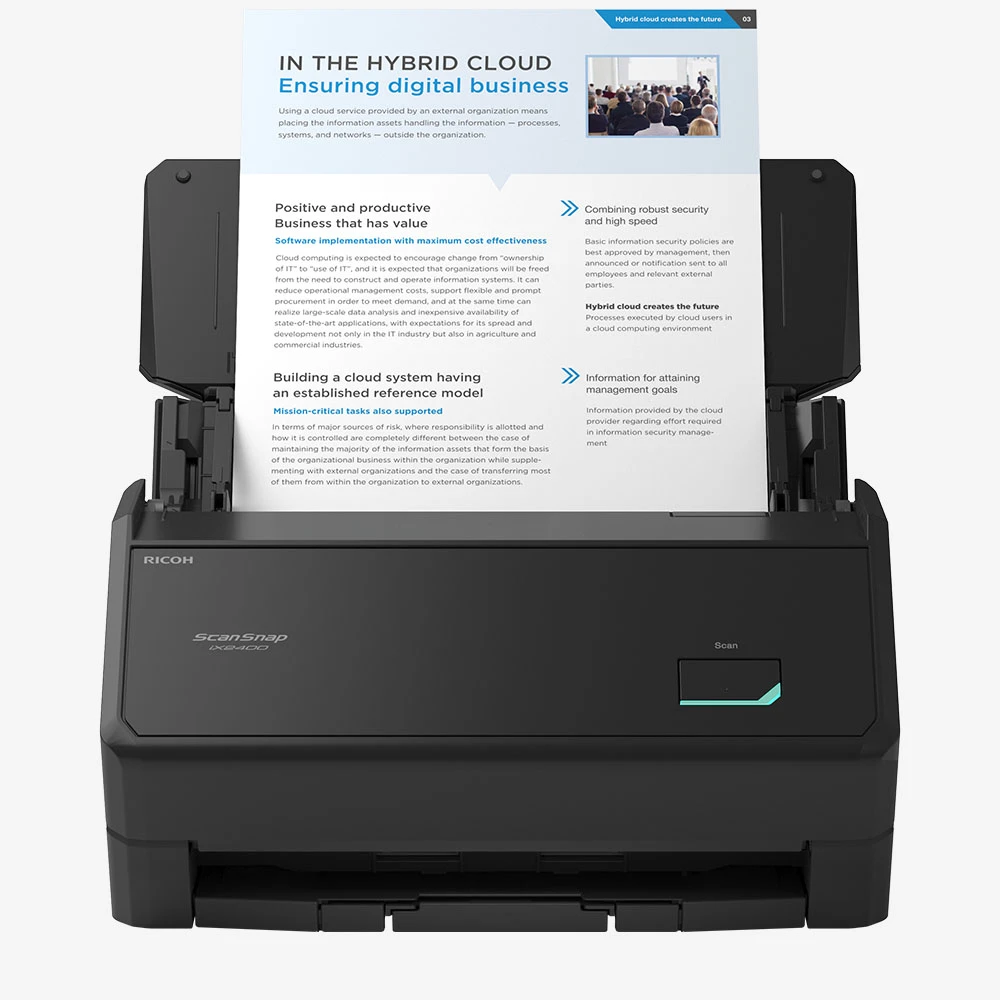
The ScanSnap iX2400 Deluxe is the iX2400 scanner in a software package that includes Kofax Power PDF 4.0. The exact US Deluxe SKU is CG01000-399209. PFU describes the Deluxe as having the iX2400’s full scanner functionality, then identifies PDF creation, conversion, editing and secure sharing as the added software role. That can be useful when the next step after capture is to work with PDFs, but it does not turn the scanner into a wireless or network model. This is a document-based assessment of the named package, not a hands-on test; there are no independent scan-speed, OCR or editing measurements here.
A focused desktop routine, not a shared wireless station
PFU positions the iX2400 as a one-button scanner with USB connectivity. Its 100-sheet automatic document feeder and duplex capture suit two-sided paperwork such as statements, forms, receipts or correspondence that will be processed at a nearby computer. The advertised rate is up to 45 pages per minute, or 90 images per minute in the comparison material. Those are manufacturer figures rather than a prediction for every paper mix or software destination. A stack still needs preparation, exception handling and file review, so a nominal feeder capacity is not the same as an end-to-end job time.
The Deluxe package does not change the feed hardware. PFU's US Store copy advertises a “Manual Feed mode” for envelopes, cards, folded A3 and sticky-note pages, but a newer four-model comparison lists iX2400 as automatic-feed-only, and ScanSnap Help says the iX2400 does not support “Manual scan.” PFU's global iX2400 specification likewise marks that mode unavailable. I therefore do not count a separate manual-feed route for the Deluxe Edition; it is a USB-only iX2400 plus software, not a different paper path. A carrier sheet is an accessory and should not be confused with a manual-feed bypass. If an unusual original is essential to your work, get confirmation for its exact type from PFU before buying. The manufacturer's claims about ultrasonic sensing and skew handling are design features, not guarantees against every double feed or skew. The sources inspected do not establish a daily duty rating.
What Deluxe adds—and what stays the same
Power PDF 4.0 is the package distinction. PFU describes it as software for creating, converting, editing and securely sharing documents. That is a more active PDF task than simply receiving the iX2400’s searchable PDF or JPEG output, and it may be useful if forms must be assembled, revised or passed along after scanning. The manufacturer’s page does not establish a particular license count, activation method, current operating-system matrix, update entitlement or compatibility with a specific records system. Check those terms against the exact offer and Kofax’s current requirements before treating the bundled name as proof that it fits an existing workflow.
The scanner itself remains the USB-only iX2400. PFU’s product comparison lists no mobile-device route, no touchscreen and no TWAIN driver for the family configuration. A software bundle cannot substitute for a wireless connection or a TWAIN capture interface. ScanSnap Home and the computer’s Quick Menu can route supported files to folders or applications, but a legacy document-management system that specifically requires TWAIN needs a separate compatibility check. The iX2400 can create searchable PDFs; the Kofax addition concerns subsequent PDF work, not a demonstrated improvement to capture accuracy.
Where the Standard edition is enough
The Standard Edition, part PA03870-B005, is the cleaner choice when the scanner only needs to feed a computer-based folder or application and no one needs the bundled PDF editing functions. PFU identifies the Deluxe Edition as a separate package rather than a different feeder or connectivity version. Both use the iX2400’s core one-touch, duplex and USB workflow. If the work instead needs Wi-Fi, phone scanning or a touchscreen at the scanner, compare the iX2500: its extra connection and control routes address a different problem, while the iX2400 remains the more limited one-cable option.
A useful way to decide is to trace one real document from paper to finished record. If the file is scanned, checked and then regularly edited as a PDF, the Deluxe software may save a separate procurement step. If the next destination only stores or reads searchable PDFs, the extra package may not materially change the process. Neither conclusion can be made from the scanner’s speed number alone.
Buying checks for a software bundle
Match the offer to the exact Deluxe part number, CG01000-399209, and make sure Kofax Power PDF 4.0 is actually included rather than being a separate retailer add-on. Confirm license and activation terms, supported computer, version updates and the organization’s security policy for document sharing. Check that USB can reach the computer that will run the scanning and PDF tools, that the current ScanSnap drivers support that computer, and that the intended capture software does not require TWAIN. If the workload is continuous or requires centralized network intake, seek a model with a documented duty rating and the right business-management route instead.
Primary references: PFU iX2400 Deluxe product page, PFU iX2400 Standard product page, and PFU iX2400 launch release.
Key specifications
Key details at a glance
| Scanner class | Personal desktop sheet-fed ADF |
|---|---|
| Manufacturer-listed simplex rate | 45 ppm |
| Manufacturer-listed duplex image rate | 90 ipm |
| Automatic document feeder capacity | 100 sheets |
| Optical resolution | 600 dpi |
| Connection options | USB |
| Automatic duplex capture | Yes |
| Separate manual-feed route | No |
| Touchscreen | No |
| TWAIN driver documented | No |
Use the exact model’s instructions for operating limits, supplied equipment and version differences.
Sources for this review
Sources for this assessment
- ScanSnap iX2400 Deluxe Edition US product page
- ScanSnap iX2400 Standard Edition US product page and specifications
- PFU America introduces ScanSnap iX2400
- ScanSnap comparison: iX2500, iX2400, iX1600 and iX1400
- ScanSnap iX2400 official store record and product photograph
- ScanSnap iX2500/iX2400/iX1600/iX1400 specification comparison (March 2026)
- ScanSnap iX2400 official global specifications
- ScanSnap Help: synchronizing profiles
Compare the workflow before you choose
Use the finder to test your connection, paper and software requirements against the documented scanner arrangements.