
Your needs, this model
Does it fit your priorities?
Does the Receipt Edition add anything beyond the regular iX2500?
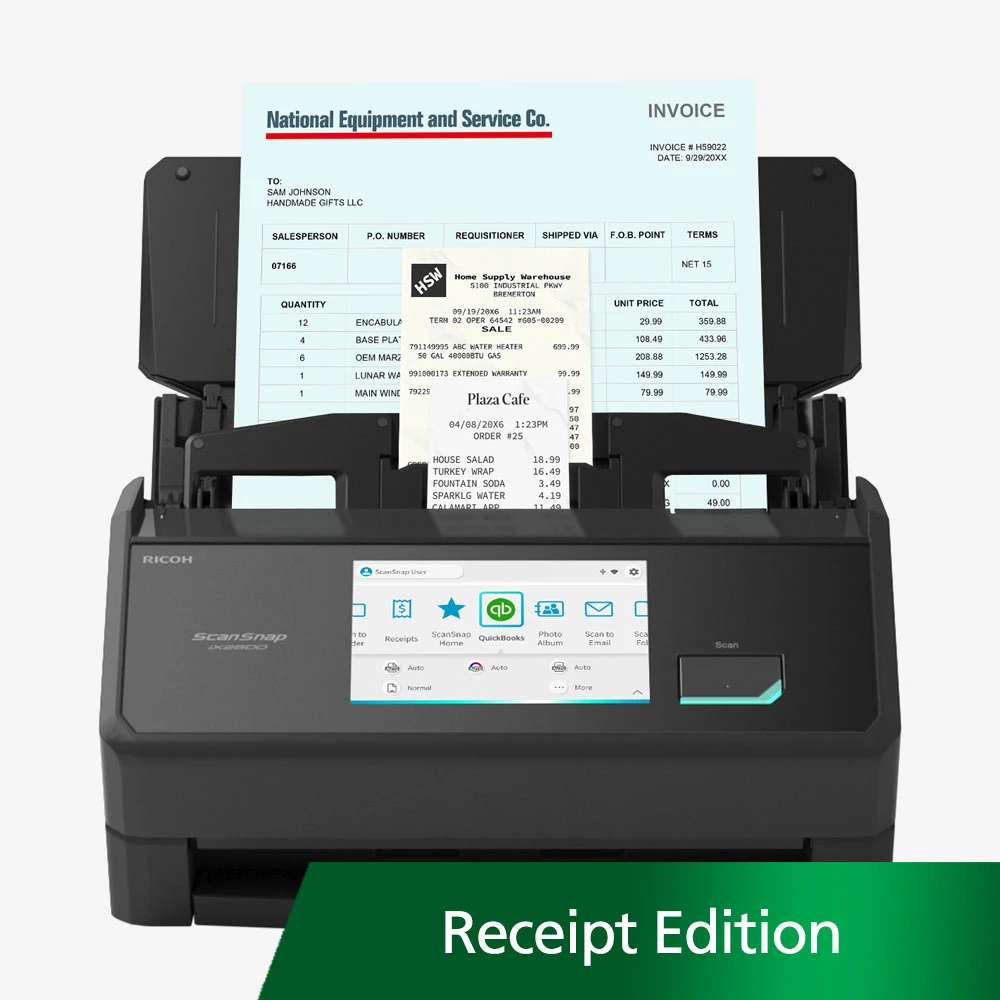
PFU identifies a QuickBooks profile and invoice/receipt OCR that extracts fields for review and editing, with CSV output described. That is a software workflow difference, not a claim of a new scan engine or guaranteed recognition accuracy.
Explore this need in the finder →How many sheets fit with the supplied Receipt Guide installed?
PFU specifies up to 50 sheets with the Receipt Guide and up to 100 sheets in the feeder without that guide. Follow the loading instructions for the originals being scanned.
Explore this need in the finder →Can it send directly to cloud without a computer?
PFU documents a separate ScanSnap Cloud route over Wi-Fi that requires a ScanSnap Cloud account. The QuickBooks invoice/receipt extraction is a different function and the launch release says it needs a PC or Mac.
Explore this need in the finder →Can the extracted invoice figures be trusted without checking?
No. PFU describes the extracted fields as reviewable and editable, and no independent recognition-accuracy test was performed for this assessment. Check amounts, dates and vendor details before posting records.
Explore this need in the finder →The short version: an iX2500 configured around bookkeeping and receipts
The ScanSnap iX2500 Receipt Edition makes the most sense when a paper workflow is already centered on receipts or invoices and someone will review the resulting data in QuickBooks. Its scanner is based on the iX2500: PFU lists duplex capture, a 100-sheet feeder, USB and Wi-Fi, and a five-inch touch display. The edition distinction is the receipt workflow and guide, not a faster scanner engine. PFU identifies this black Receipt Edition as PA03860-B305; its exact black Standard offer and SKU page identify B005. The unqualified page's default part label conflicts, so verify the exact package. This assessment is based on manufacturer documentation; it is not a hands-on test.
Why the receipt workflow may justify the edition
PFU describes a QuickBooks profile for sending receipt and invoice scans into QuickBooks Online or Desktop. Its Receipt Edition material also describes OCR that extracts invoice and receipt details into fields that can be reviewed and edited, with CSV output available. That is a more specific promise than simply creating a searchable PDF: it aims to turn parts of a financial document into structured information. For a bookkeeper who repeatedly enters similar paper records, a prepared profile and recognizable fields could reduce some repetitive steps. The practical question is whether those fields map to the account and review process actually in use.
Do not treat “automatic” as a guarantee that every amount, date, vendor or line item will be recognized correctly. The manufacturer describes data that can be checked and changed, which is the sensible way to use OCR on financial records. No independent recognition-accuracy testing was performed for this review, and the feature should not replace verification before data is posted or a paper record is discarded. The release notes say a PC or Mac is needed for the invoice/receipt function, and identify the unique QuickBooks profile with ScanSnap Home for PC. That matters: a QuickBooks profile on the scanner’s screen is not evidence that the extraction pipeline itself works as a computer-free cloud job.
The receipt guide changes the useful batch size
The advertised ADF holds up to 100 standard sheets, but PFU specifies a lower limit of up to 50 sheets when the Receipt Guide is installed. The guide is included with this edition and is intended to help manage smaller receipts alongside invoices and everyday paper. That capacity distinction is easy to miss when comparing only the headline 100-sheet figure. If a routine uses the guide for curled or narrow receipts, plan around the 50-sheet limit rather than assuming a full 100-sheet load. Without the guide, the listed feeder capacity returns to 100 sheets; follow the exact loading instructions for the paper type.
PFU lists duplex scanning at up to 45 pages per minute, along with manual feed for unusual originals such as envelopes, plastic cards, folded A3 pages and documents with sticky notes. The speed is a manufacturer specification, not a measured receipt throughput. A mixed batch still needs preparation, and time for OCR review, naming, exception handling and filing belongs in any realistic estimate of the complete bookkeeping job. No daily-duty rating was established in the inspected product pages, so a continuously loaded office should compare a business scanner with a documented workload rating rather than infer one from the ADF size.
Keep the three destinations separate
The iX2500 can connect through USB or Wi-Fi and PFU documents mobile-device scanning and a direct ScanSnap Cloud route over Wi-Fi. Direct cloud scanning requires a ScanSnap Cloud account, but the account is not needed for every way of using the scanner. These are general iX2500 routes; they should not be conflated with the Receipt Edition’s more specific QuickBooks OCR workflow, which the manufacturer says requires a PC or Mac. A scan sent to cloud storage is not automatically a verified accounting entry.
The touch display lets a user choose a prepared profile at the device, while ScanSnap software can also create searchable PDFs and editable Office files. PFU says the iX2500 does not include a TWAIN driver. If a tax, records or accounting application requires TWAIN capture, check that exact requirement with the software vendor or IT administrator; producing a file that another app can open is not the same interface. Likewise, verify the operating-system and QuickBooks version currently supported before depending on the edition’s named integration.
Compare it with the Standard iX2500 and iX2400
The black Standard iX2500 shares the main scanner characteristics but does not carry the same explicit receipt-profile and invoice-field claim on its product page. The Receipt Edition may be worth comparing when those features matter; otherwise the Standard package avoids paying for a workflow that will not change the work. The iX2400 takes another route: PFU lists the same 100-sheet, duplex, up-to-45-ppm outline, but it is USB-only and has no mobile-device path. Its Deluxe package adds Kofax Power PDF 4.0 rather than the iX2500 Receipt Edition’s QuickBooks-oriented extraction. These are different software decisions, not interchangeable feature names.
Check the exact offer and workflow first
Before ordering, confirm the Receipt Edition part PA03860-B305 and included Receipt Guide; black Standard is PA03860-B005. PFU's unqualified page has a conflicting default part label, so rely on the exact offer and package description. Confirm QuickBooks setup, host computer, operating system and account edition are supported, and ask who will review extracted fields. Check whether your frequent job needs the guide-installed 50-sheet capacity or the un-guided 100-sheet mode, whether the device’s Wi-Fi will reach its intended location, and whether TWAIN is a hard requirement. This is a strong on-paper fit for receipt-heavy records that need assisted capture into QuickBooks, but it is not a promise of error-free bookkeeping, a measured speed result or a rated production scanner.
Primary references: PFU iX2500 Receipt Edition product page, PFU launch release, and PFU Ricoh Store product record.
Key specifications
Key details at a glance
| Scanner class | Personal desktop sheet-fed ADF |
|---|---|
| Manufacturer-listed simplex rate | 45 ppm |
| Manufacturer-listed duplex image rate | 90 ipm |
| Automatic document feeder capacity | 100 sheets |
| Optical resolution | 600 dpi |
| Connection options | USB / Wi-Fi |
| Automatic duplex capture | Yes |
| Separate manual-feed route | Yes |
| Touchscreen | Yes |
| TWAIN driver documented | No |
Use the exact model’s instructions for operating limits, supplied equipment and version differences.
Sources for this review
Sources for this assessment
- ScanSnap iX2500 Receipt Edition US product page
- ScanSnap iX2500 Receipt Edition official store record
- PFU America introduces ScanSnap iX2500 Receipt Edition
- ScanSnap comparison: iX2500, iX2400, iX1600 and iX1400
- ScanSnap iX2500 black Standard Edition official store record
- ScanSnap iX2500 black Standard Edition exact PFU SKU route
- PFU iX2500 unqualified U.S. page default part-number display
Compare the workflow before you choose
Use the finder to test your connection, paper and software requirements against the documented scanner arrangements.