
Your needs, this model
Does it fit your priorities?
Does the S300 turn both sides of a small stack automatically?
Yes. PFU describes an ADF with duplex capture, but the load is only ten sheets on a paper-specific basis. It is not a larger batch feeder.
Explore this need in the finder →Can its feeder meet a 20-sheet minimum?
No. Both the historical U.S. datasheet and the exact-model archive cap it at ten sheets, though their named paper-weight bases differ. The questionnaire's smallest numeric choice is 20 sheets.
Explore this need in the finder →Can TWAIN-required capture software address the S300 directly?
No documented TWAIN path is available: PFU identifies the S300 driver as proprietary and says TWAIN is not supported. Confirm an alternate file-import workflow with your application owner before buying.
Explore this need in the finder →Will its original Windows software work on a current PC?
That is not established. The archived model page lists a Windows-only ScanSnap Manager V4.2, while PFU now says ScanSnap Manager is no longer downloadable and its current list omits the S300. Verify the exact machine and lawful driver source first.
Explore this need in the finder →The ScanSnap S300 is an earlier, compact USB document scanner built around a small automatic duplex feeder. That combination can sound convenient for short stacks, but two constraints dominate the decision now: the ADF holds only ten sheets, and its documented software belongs to an old Windows-only ScanSnap setup. This assessment uses manufacturer specifications and support material, not a hands-on test or a claim about any current seller unit.
A short stack, not a batch-workstation feeder
PFU describes an automatic document feeder that captures both sides of a page. Its archived model page lists a maximum ten-sheet A4 load; the historical U.S. technical sheet also says ten A4 sheets but names 20 lb (80 g/m²) stock, while the archived specification states 64 g/m². Those paper bases differ, so they should not be blended into a promise about heavy, mixed or unusually thick originals. The English-language questionnaire's smallest ADF requirement is 20 sheets, which the S300 does not meet under either statement.
The rated load is only one part of the paper path. The published range begins at 64 g/m² and rises to 104.7 g/m², but that range does not override the model's loading notes or make every paper type suitable. PFU's sources document size detection and warn against treating the device like a production feeder. Feed clean, straight originals within the exact manual instructions; curled, damaged, clipped, coated or fragile pages need special care and may not be suitable. The reviewed evidence does not establish a separate Manual Scan mode for special originals, so ordinary insertion into the ADF is not counted as a manual-feed feature.
Manufacturer speed depends on power and image settings
Fujitsu's U.S. specification lists up to 8 pages per minute and 16 images per minute in Normal mode using the AC adapter at 150-dpi color or 300-dpi monochrome. The same normal setting is listed at 4 pages per minute and 8 images per minute on USB bus power. Higher-resolution modes slow further. These are manufacturer ratings under specific settings, not observed job times or a guarantee of real throughput. If the old compact format tempts a mobile setup, the power detail matters: the historical U.S. sheet says bus-powered operation needs two active computer USB ports, while the AC adapter is the other documented option.
The interface is USB 2.0/1.1 compatible through a Mini-B connector. The reviewed sources do not establish Wi-Fi, phone scanning or a computer-free cloud destination. That leaves a wired computer workflow, not a modern untethered desk-side routine. Automatic duplex is genuinely useful for a double-sided short stack, but neither duplex nor the 8/16 manufacturer headline changes the ten-sheet capacity.
Software is a more important risk than the cable
The archived S300 specification identifies a Windows-only configuration and ScanSnap Manager V4.2. It also states that the proprietary driver does not support TWAIN; PFU's current ScanSnap guidance says ScanSnap models do not support TWAIN or ISIS. A program that can import a finished PDF may still lack the device-facing driver interface needed for capture, so check the named application rather than assuming that USB plus PDF output is enough.
PFU America now says ScanSnap Manager is no longer available for download and has been replaced by ScanSnap Home. Its current page's displayed compatible-model list does not include the S300. That omission is not evidence that a historical installer never existed, but it means this research does not establish a present, supportable Windows setup. Before considering a used scanner, identify the exact computer, Windows version, application, driver package and license path, then confirm that the specific unit can scan to the destination actually required.
Keep the S300 separate from the S300M
The similar model name hides a consequential difference: the S300 is the Windows-only model, while the S300M is a separate Mac-only configuration with a different ScanSnap Manager release. Their USB connection and ten-sheet duplex feeder make them look like siblings, not interchangeable editions. The reviewed source trail does not justify transferring the S300M's regional CardMinder bundle description or any software package to the S300's U.S. configuration.
The U.S. datasheet gives historical part PA03541-B005, while PFU's current U.S. roster lists S300 as discontinued for service. The archive page reports that sale ended in 2009; those lifecycle statements do not identify a current retail offer, service entitlement or functioning used machine. Do not read an old part number as a listing or assume service coverage transfers with ownership.
Who should consider it—and what to verify
The narrow case for the S300 is an owner who already has a known-compatible Windows environment, can use the documented ScanSnap-specific software, needs only occasional short duplex stacks and accepts USB-to-computer capture. It is a poor match for a required TWAIN source, Wi-Fi, phone/cloud workflow, touchscreen control, a separate special-original feed path or a minimum 20-sheet loading. A newer model with an established software path is usually the lower-risk direction if these constraints do not fit.
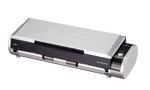
For any specific secondhand unit, verify the S300 nameplate and connector, inspect the rollers and paper path, confirm whether the AC adapter and required cable are present, and establish the exact driver, host and scan application before paying. Ask for a sample scan on representative paper and check output, duplex registration and feed reliability rather than relying on a listing's generic “works” claim. Also confirm the unit's condition, return terms and any claimed included accessories directly with the seller. The official product image shows the chassis only; it does not prove a current package, software installation, service coverage, price or stock.
Key specifications
Key details at a glance
| Scanner class | Portable desktop duplex adf |
|---|---|
| Manufacturer-listed simplex rate | 8 ppm |
| Manufacturer-listed duplex image rate | 16 ipm |
| Automatic document feeder capacity | 10 sheets |
| Optical resolution | 600 dpi |
| Connection options | USB |
| Automatic duplex capture | Yes |
| Touchscreen | No |
| TWAIN driver documented | No |
Use the exact model’s instructions for operating limits, supplied equipment and version differences.
Sources for this review
Sources for this assessment
- PFU America: current U.S. discontinued-scanner and service-status roster
- PFU/Ricoh archived exact-model ScanSnap S300 specifications
- Fujitsu U.S. ScanSnap S300 technical specifications (PDF-reader observation)
- PFU America: ScanSnap Manager availability and current listed-model scope
- PFU/Ricoh exact S300 archive-page-linked manufacturer thumbnail

Compare the workflow before you choose
Use the finder to test your connection, paper and software requirements against the documented scanner arrangements.