
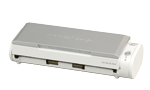
Your needs, this model
Does it fit your priorities?
Does the S300M duplex a small stack automatically?
Yes. PFU documents a duplex ADF. The maximum ten-sheet load is restricted by paper size, 64 g/m² / 17 lb stock and a stack-height limit of 1 mm in the operator guide.
Explore this need in the finder →Will its feeder meet a minimum of 20 sheets?
No. The exact-model archive and the English guide describe a maximum ten-sheet load, below the questionnaire's smallest selectable minimum of 20. A suitable paper basis still matters for short stacks.
Explore this need in the finder →Can a TWAIN-only Mac capture program use the S300M as a scanner source?
PFU's model page explicitly says its ScanSnap driver does not support TWAIN. A file-save/import workaround is not the same as a TWAIN device driver; confirm the exact workflow with the software owner.
Explore this need in the finder →Is a current Mac automatically supported because the S300M is USB?
No. The guide lists Mac OS X 10.2.8 through 10.5, PFU no longer makes ScanSnap Manager available for download, and its displayed current model list omits S300M. USB describes the physical connection, not a working driver or app.
Explore this need in the finder →The ScanSnap S300M is a distinct earlier model for a narrow legacy workflow: a USB-connected Mac, automatic two-sided capture and very short paper stacks. Its compact duplex ADF is useful in concept, but the feeder holds no more than ten sheets on carefully qualified stock and its original software dates to an obsolete Mac OS era. This is a source-based assessment, not a hands-on test or confirmation that any present seller has a working unit.
Ten sheets is the paper limit, not a practical batch promise
PFU's exact-model page identifies an automatic feeder with duplex scanning and a maximum of ten A4 sheets at 64 g/m². The English Operator's Guide narrows the load: A4, Letter or smaller originals; no more than a 1 mm stack; and 64 g/m² (17 lb) paper for the maximum. That is a modest per-loading figure, not a guarantee for every stock, size or condition. A feeder rated for ten cannot meet the site's lowest 20-sheet questionnaire minimum, even before heavier or irregular pages reduce the workable load.
The manual also warns against feeding unsuitable originals—such as damaged, wrinkled, folded, coated, carbonless or clipped paper—through the routine path. Do not infer a dedicated special-original mode from the ordinary act of placing one sheet in an ADF. The reviewed model page and guide establish an ADF but do not document a separate Manual Scan route, so this assessment leaves that option unknown rather than promoting the scanner as a special-media device. Handle delicate or unusual originals only according to an exact, available manual or another suitable capture method.
USB and duplex do not solve the computer-compatibility problem
The archive calls the S300M a Mac-only configuration and lists USB 2.0/1.1 with a Mini-B connector. It documents AC-adapter and USB bus-powered modes; the guide says the bus-powered arrangement uses two host USB ports. PFU's published Normal-mode specification lists up to 8 pages and 16 images per minute with the AC adapter, compared with 4 pages and 8 images on bus power. These are manufacturer rates under named color/monochrome settings, not measured office output. Resolution, paper condition, host transfer and operator handling all affect the job.
Nothing in the reviewed S300M configuration establishes Wi-Fi, mobile-device scanning or a direct cloud route without a computer. It remains a wired computer device. More importantly, the English guide lists Mac OS X 10.2.8 through 10.5 as its supported era. A USB port on a newer Mac does not prove that a compatible scanner driver, ScanSnap Manager or capture application can be installed today. Plan around the exact Mac hardware, operating system and software version; do not assume a contemporary macOS release can use this model.
Driver and package identity need special care
PFU lists ScanSnap Manager V2.2 as the model's Mac-only driver and explicitly says its ScanSnap-specific driver is not TWAIN-compatible. PFU's current U.S. software page now says ScanSnap Manager is no longer downloadable and the displayed current model list does not contain S300M. The public series guidance likewise says ScanSnap does not support TWAIN or ISIS. A TWAIN-dependent capture program therefore should not be treated as compatible merely because the scanner can save documents to a file. Verify a named supported import route with the application owner.
This is not the Windows S300 with a different cable. The S300M uses a different host platform and Manager version, which changes its suitability even though both models have a small duplex ADF. The exact archive page opened for the hardware details is the Japanese S300M CardMinder bundle edition and names FI-S300M-P; that is not proof of a U.S. part number or U.S. retail package. Do not assume CardMinder, Cardiris, a particular license or an installer disc is present in any U.S. listing.
Lifecycle and present-day purchase risk
PFU America's U.S. service roster places S300M in its “Discontinued for Service” section, which says those models are no longer eligible for extended service coverage. The exact archived page separately reports that sales ended in 2009. Neither record proves that a working unit or replacement supply is available today, and neither establishes transferable repair coverage. The official archive thumbnail verifies only that the pictured chassis is S300M; it cannot authenticate an individual seller's unit, operating condition or package.
Before considering a secondhand example, ask for a legible S300M label, the correct power adapter and USB cable, a demonstration on the exact Mac setup and scan software, and sample duplex output from paper similar to your own. Confirm feed behavior, roller condition, return terms and whether any included software is licensed and installable. Treat an absent or vague driver answer as a stop sign, not a detail to solve after purchase.
Who might still find a role for it?
The S300M is only a conditional option for someone with a verified legacy Mac environment and a routine that genuinely fits very short, clean duplex stacks over USB. It does not satisfy a 20-sheet minimum, a TWAIN requirement, a mobile route or a computer-free destination. If the goal is simply a compact way to turn paper into digital files on a current computer, verify a current supported model before considering this legacy scanner. The old model name and original interface do not establish a working modern workflow.
Key specifications
Key details at a glance
| Scanner class | Portable desktop duplex adf |
|---|---|
| Manufacturer-listed simplex rate | 8 ppm |
| Manufacturer-listed duplex image rate | 16 ipm |
| Automatic document feeder capacity | 10 sheets |
| Optical resolution | 600 dpi |
| Connection options | USB |
| Automatic duplex capture | Yes |
| Touchscreen | No |
| TWAIN driver documented | No |
Use the exact model’s instructions for operating limits, supplied equipment and version differences.
Sources for this review
Sources for this assessment
- PFU America: current U.S. discontinued-scanner and service-status roster
- PFU/Ricoh archived exact-model ScanSnap S300M specifications (Japanese-market bundle page)
- PFU ScanSnap S300M Operator's Guide (PDF-reader observation)
- PFU America: ScanSnap Manager availability and current listed-model scope
- PFU/Ricoh exact S300M archive-page-linked manufacturer thumbnail

Compare the workflow before you choose
Use the finder to test your connection, paper and software requirements against the documented scanner arrangements.