
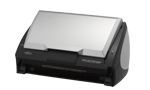
Your needs, this model
Does it fit your priorities?
Does the S500 scan both sides in one pass?
Yes. Fujitsu describes a duplex ADF that captures both sides, but the 50-sheet headline is qualified by stock and stack height in the exact-model guide. It is not an all-paper capacity guarantee.
Explore this need in the finder →Can every 50-sheet stack be treated as within the S500 limit?
No. The U.S. data sheet says 50 sheets at 20 lb, while its English guide says A4-or-smaller, 5 mm maximum stack, about 50 sheets at 64 g/m² / 17 lb. PFU's Japanese archive prints a separate 80 g/m² basis. Follow the exact unit's instructions.
Explore this need in the finder →Will a TWAIN-only capture program see the S500 as a direct scanner source?
No direct TWAIN or ISIS path is documented. The S500 uses its ScanSnap-specific software; a PDF/JPEG output or file-import workaround is not the same as a TWAIN device. Confirm the named application's route before relying on this older model.
Explore this need in the finder →Does the Windows label mean the old software will run on my current PC?
No. The U.S. materials describe Windows 98SE/2000/XP-era software, and PFU says it no longer provides S500 software. Verify an exact, lawful installer and host compatibility before considering any specific unit.
Explore this need in the finder →Verdict: a promising period feeder with a serious software caveat
The Fujitsu ScanSnap S500 is an earlier desktop document scanner, not a current plug-in recommendation. Its useful proposition is still easy to understand: a compact, USB-connected automatic feeder that captures both sides of a page in one pass, with a published batch maximum of 50 sheets. The hard part is not its historical feature list. It is establishing that the particular S500, its power supply, the right software and a compatible Windows host can be brought together now. PFU America lists the S500 under “Discontinued for Service”; its notice says software is no longer provided for the model. No current offer, used-unit condition, transferable service entitlement or seller package is established here.
Fifty sheets is a qualified loading limit, not a universal promise
Fujitsu's U.S. product sheet identifies the S500 as an ADF with duplex color scanning, a 50-sheet hopper and ordinary paper weights from 52 to 127 g/m². It labels the hopper figure as 50 sheets at 20 lb. The exact-model English Operator's Guide is more specific about stacking: for A4-size paper or smaller, the maximum is a 5 mm stack, described as 50 sheets at 64 g/m² / 17 lb. PFU's separate Japan-region archive prints a different 50-sheet basis—A4 paper at 80 g/m². Those are source-specific descriptions, not values to average or quietly transfer across regions. Check the manual that belongs with the individual unit and respect its paper, size and stack guidance.
The sheet also gives a 52–127 g/m² paper-weight range, but an allowed single sheet at the edge of that range does not prove that a full 50-sheet batch of the same stock will feed. The S500 is a feeder, not a platen scanner. Its optional Carrier Sheet is a specialized path for certain large, folded or delicate originals; it is not an independent hand-feed mode, and the historical brochure does not tell us whether a seller still has one. If a job depends on photos, brittle pages, receipts or unusually thick stock, compare the manual's specific handling notes rather than assuming the carrier or a complete kit is included.
Rated speed changes with image quality
The U.S. data sheet advertises up to 18 pages per minute, or 36 images per minute in duplex, in Normal mode at 150 dpi color or 300 dpi monochrome. The same table falls to 12/24 in Better mode, 6/12 in Best and 0.6/1.2 in Excellent, as the listed resolution rises. These are manufacturer ratings under stated settings, not independent timing results. The period guide also notes that settings such as automatic size/skew detection or rotation can slow a scan, while the data sheet warns that system and USB conditions can matter. A present computer that cannot run the expected software makes the nominal speed irrelevant.
Windows describes the original era, not today's compatibility
The historical U.S. material identifies part PA03360-B505 and lists Windows 98SE, 2000 and XP-era software, including ScanSnap Manager V4.0. The source describes a proprietary ScanSnap driver and explicitly says TWAIN and ISIS applications cannot use it directly. That can work for a self-contained ScanSnap-to-file routine on a verified period setup; it is a poor assumption for a current capture platform that requires a TWAIN device.
PFU's current notice is the decisive ownership warning: as of its September 2023 update, it says it no longer provides software for S500. That does not prove no existing disc or legally held installer can ever be used, but it does mean buyers should not count on a present manufacturer download or infer current Windows compatibility from the old system table. Before evaluating a specific used offer, identify the host OS, confirm the exact Manager installer and license source, and verify the desired application's import path. An old S500 part number alone confirms neither software nor a working machine.
How it differs from the S500M
The S500 and S500M share a broad USB duplex-feeder concept, but they are not a color or bundle selector for one another. The S500 is the Windows-oriented configuration; the S500M has a distinct Mac-era software path and a different U.S. part number. PFU's 2023 end-of-support notice names both models. If considering either, compare its operating-system evidence with the exact host first; never assume a Manager installer for one suffix works for the other.
What to verify in an individual listing
Ask to confirm the nameplate says S500, then check the AC adapter and USB cable, the unit's power-on behavior, feeder rollers and pad, and whether a lawful, compatible Manager installation is available. A seller's test report would describe that individual unit only; this research does not test or inspect an example scanner. Ask for the correct manual, the return window and the condition of the consumable path. The manufacturer once listed a power adapter, cable, software CDs and a carrier sheet in the package, but that historical box list is not evidence of what a present seller ships.
In short, the S500 can be understood as a compact 50-sheet duplex ADF from the Windows XP era. Its paper handling and one-pass duplex are documented, but its proprietary discontinued software, unsupported TWAIN route and unknown present-unit condition dominate the decision. Treat it as a model to identify and scrutinize, not as a safe substitute for a supported scanner.
Primary evidence: Fujitsu’s U.S. S500 data sheet and PFU’s S500 Operator’s Guide were reviewed through the browser PDF reader because local file requests returned access errors; those error bodies are not treated as the documents. The guide and U.S. sheet supply the Windows-era, paper-loading, speed and driver details. PFU’s 2023 software-support notice and U.S. service-status roster establish the current support caveat. The Japanese-region S500 archive is used only for model-page/image association and its explicitly regional values.
Key specifications
Key details at a glance
| Scanner class | Desktop duplex adf |
|---|---|
| Manufacturer-listed simplex rate | 18 ppm |
| Manufacturer-listed duplex image rate | 36 ipm |
| Automatic document feeder capacity | 50 sheets |
| Optical resolution | 600 dpi |
| Connection options | USB |
| Automatic duplex capture | Yes |
| Touchscreen | No |
| TWAIN driver documented | No |
Use the exact model’s instructions for operating limits, supplied equipment and version differences.
Sources for this review
Sources for this assessment
- PFU America current U.S. discontinued-scanner roster
- Fujitsu U.S. ScanSnap S500 product data sheet (PDF-reader observation)
- PFU ScanSnap S500 Operator's Guide (PDF-reader observation)
- PFU/Ricoh archived S500 product profile (Japan region)
- PFU notice ending support and software distribution for ScanSnap S500 and S500M
- PFU/Ricoh S500 archive-page-linked thumbnail

Compare the workflow before you choose
Use the finder to test your connection, paper and software requirements against the documented scanner arrangements.