
Your needs, this model
Does it fit your priorities?
Does this edition remove hand-turning for two-sided receipt batches?
Canon specifies single-pass duplex capture and up to 90 images per minute, with an ADF rated for up to 60 sheets. These are manufacturer figures, not a tested accounting workflow; compare stock condition, batch size, host processing and QuickBooks review steps.
Explore this need in the finder →Can QuickBooks be part of the included desktop scanning workflow?
Canon lists a Scan to QuickBooks Online plugin with Receipt Edition SKU 7292C009. The scanner must be connected to a computer with CaptureOnTouch, and Canon says the online account is required; confirm current plugin access and any premium feature requirements.
Explore this need in the finder →Would it suit an application that only accepts a TWAIN source?
No documented TWAIN route is available: Canon explicitly says this edition does not support TWAIN or ISIS and requires CaptureOnTouch. Verify that a named application can import files from that software before choosing it.
Explore this need in the finder →The imageFORMULA R40II Receipt Edition is the bookkeeping-focused package in Canon's compact 60-sheet scanner family. It is not a faster receipt-only mechanism: Canon publishes the same feeder capacity, duplex speed, dimensions and USB connection as the standard R40II. What changes is the included CaptureOnTouch software bundle, which adds a route for sending receipt and invoice scans to QuickBooks Online. That distinction can matter to a small office, but the plugin still depends on a computer, an online account and terms that should be checked before relying on it.
The package difference is software, not feeder capacity
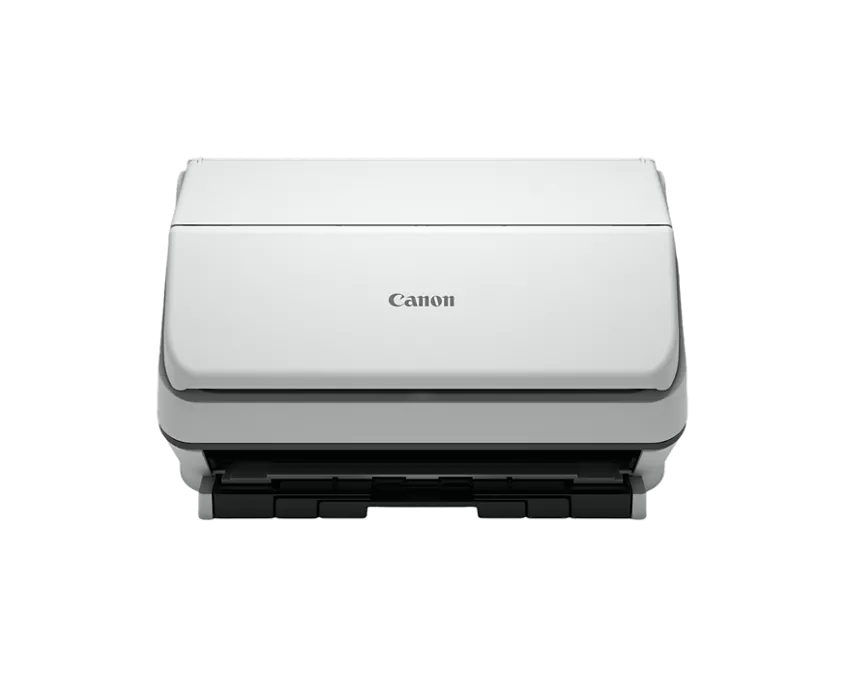
Canon identifies the Receipt Edition as U.S. SKU 7292C009, separate from standard R40II SKU 7292C002. Both product pages list a 60-sheet automatic feeder, single-pass duplex, up to 45 pages or 90 duplex images per minute, and a USB 2.0 Type-C connection. The dimensions and other main scanner specifications also align. The visible product image represents the scanner chassis; it does not show the bundled software or prove that an account or plugin license is included in a particular seller's offer.
Canon's Receipt Edition launch material describes scanning batches of receipts and invoices, using OCR and then routing information to QuickBooks Online through the included CaptureOnTouch plugin. The announcement says an online QuickBooks account is required and that advanced functions may need a premium plugin. It does not establish that every field is extracted without review, that the bookkeeping record is automatically correct, or that a subscription is included. Confirm the plugin's current terms, account permissions and exact capabilities before treating it as an accounting control.
It is still a USB desktop scanner
The setup described by Canon connects the scanner to a workstation with the supplied Type-C cable and runs CaptureOnTouch on the computer. Canon lists receipt, invoice, business-card, report, contract and other loose-paper workflows, alongside searchable digital output. The listed feeder range covers 2-to-8.5-inch widths and usual lengths of 2.1-to-14 inches, with long-document mode to 240 inches. That range is broad for loose paper, but a sheet-fed path is not a substitute for glass when an original is fragile, bound or unsuitable for rollers. The available support page showed the model manual but its download control was unavailable during review, so check the latest operating guide for exact media and loading restrictions.
The rated 45 ppm and 90 ipm are manufacturer maxima, with Canon's footnote specifying typical settings and letter-sized sheets at 200 dpi in portrait feeding direction. They are not an independent test of a QuickBooks job. Capturing both sides is only one part of an office routine; file naming, text recognition, reviewing extracted information and correcting exceptions can take time too. Canon publishes several image-adjustment functions, but their presence is not a guarantee that every receipt will feed cleanly or that every printed total will be recognized correctly.
Check software and driver fit before buying
Canon says CaptureOnTouch must be installed to use the scanner and explicitly states that the R40II Receipt Edition does not support TWAIN or ISIS. If an existing records application requires a TWAIN source, the included QuickBooks plugin is not a replacement for that driver. Ask the software owner whether the workflow can accept files produced through CaptureOnTouch or needs a different scanner interface.
Canon describes third-party cloud destinations through the computer software, subject to the service provider's own terms. The sources list USB only; they do not document Wi-Fi, a mobile-device route, a touchscreen profile panel or scanning directly to a cloud account without the workstation. This Receipt Edition makes the most sense for a desk where the computer remains part of the scanning and accounting process. If the goal is to scan from a phone or leave the computer out, the QuickBooks plugin wording should not be mistaken for a standalone network feature.
Compare it with the standard R40II
The standard Canon R40II assessment covers the 7292C002 package, which includes CaptureOnTouch but not the Receipt Edition's separately documented QuickBooks plugin. The chassis-level capacity and published throughput are alike in Canon's current pages. Choose between the two by checking what software is actually included and whether the QuickBooks route has value for the office—not by assuming the Receipt Edition holds more paper or scans faster. The separate plugin is a package and workflow difference, not proof of different feeder hardware.
Verify the package and current terms
Canon's exact product page lists SKU 7292C009 and includes a Type-C cable, power equipment and setup/warranty materials in its carton description. Yet the page also displayed an in-stock indicator and a discontinued/no-longer-available block when checked. Canon's home-office catalog still showed this product, so the contradictory detail page cannot support a current stock or price statement. Confirm the seller's exact model, condition, included QuickBooks plugin, account requirements, compatibility and return terms rather than relying on a search result title.
This package is worth evaluating when the office wants an ordinary duplex feeder plus a documented QuickBooks Online scan route through CaptureOnTouch. It is less suitable when TWAIN/ISIS integration, mobile scanning or direct cloud delivery without a computer is mandatory. This assessment is based on Canon's U.S. product, support and launch information; no ownership, installation, measured speed, receipt-recognition, OCR accuracy, app usability or durability test is claimed.
Key specifications
Key details at a glance
| Scanner class | Desktop sheet fed office |
|---|---|
| Manufacturer-listed simplex rate | 45 ppm |
| Manufacturer-listed duplex image rate | 90 ipm |
| Automatic document feeder capacity | 60 sheets |
| Optical resolution | 600 dpi |
| Connection options | USB |
| Automatic duplex capture | Yes |
| TWAIN driver documented | No |
Use the exact model’s instructions for operating limits, supplied equipment and version differences.
Sources for this review
Sources for this assessment
Compare the workflow before you choose
Use the finder to test your connection, paper and software requirements against the documented scanner arrangements.