
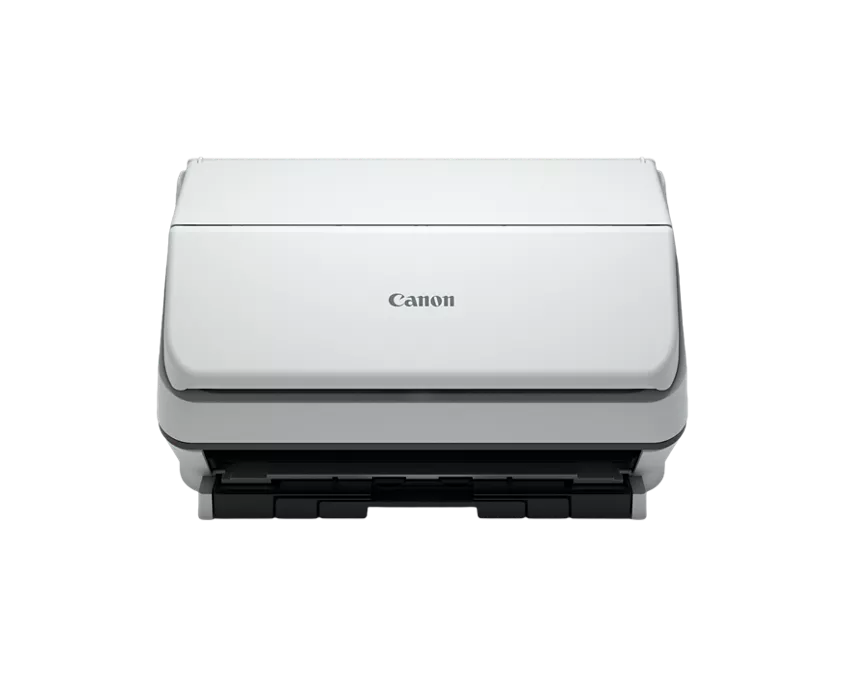
Your needs, this model
Does it fit your priorities?
Can it scan a two-sided stack without turning each page by hand?
Canon specifies duplex capture with a rated maximum of 90 images per minute. The 60-sheet feeder holds a moderate stack; actual throughput depends on originals, settings, host performance and the destination workflow, and this is not a hands-on speed result.
Explore this need in the finder →What software connection should an office application expect?
Canon says the standard R40II requires CaptureOnTouch and does not support TWAIN or ISIS. If a records or accounting application requires one of those driver standards, verify a different scanner or a supported file-import path with the application owner first.
Explore this need in the finder →Does the ordinary R40II package include the QuickBooks receipt plugin?
No. SKU 7292C002 is the standard CaptureOnTouch package. Canon lists the Scan to QuickBooks Online plugin with the separate Receipt Edition SKU 7292C009, which has its own account and plugin terms.
Explore this need in the finder →The standard Canon imageFORMULA R40II is a small-office sheet feeder for people who keep scanning near one computer. Its 60-sheet automatic feeder, single-pass duplex capture and USB connection support recurring batches without turning each page manually. The tradeoff is a narrow software route: Canon requires CaptureOnTouch and explicitly says the scanner does not support TWAIN or ISIS. If a named records application depends on one of those drivers, the model's speed rating will not solve the compatibility problem.
A compact feeder for ordinary office batches
Canon describes a folding feed tray and a chassis measuring 6.3 by 11.2 by 6.3 inches with trays closed. The R40II is designed for receipts, business cards, reports, contracts and other loose originals. Canon lists document widths from 2 to 8.5 inches, regular lengths from 2.1 to 14 inches, and a long-document mode up to 240 inches. Those figures describe the manufacturer's supported range; they are not permission to put every fragile or unusual original through the rollers. The accessible support page's manual download was unavailable when checked, so use the current instructions for exact feeding, loading and maintenance limits before placing valuable paper in the ADF.
The feeder is rated for up to 60 sheets. That is a practical middle ground for a desk where short batches recur, but it is not an unattended production stack. Paper weight, curl, surface condition and the document's construction still affect what can be loaded safely. Canon also lists automatic and manual feeding, but the accessible exact-model material did not explain a separate special-original path or its limits; this assessment does not treat that shorthand as proof of a bypass slot.
Duplex speed is a rated maximum, not a job promise
Canon publishes up to 45 pages per minute and 90 images per minute for duplex scanning, with a 600 dpi optical resolution. Its footnote ties the rate to typical settings and letter-sized paper at 200 dpi in portrait feeding direction, and says actual processing can vary with computer performance and application software. A scan job includes more than paper capture: choosing a profile, applying image processing, recognizing text, naming files and checking the output all add work. Treat the advertised rate as a ceiling under Canon's stated conditions rather than an estimate of your finished, searchable archive.
The R40II's built-in image-processing options include deskew, blank-page skipping, text enhancement, orientation recognition, background handling and ultrasonic double-feed detection. These can reduce repetitive adjustments in the bundled software, but no independent OCR, image-quality or feed-reliability test was performed for this review. If the result is a legal or financial record, inspect the file and keep the original according to your own policy instead of assuming a feature list guarantees a clean record.
One computer is the center of the workflow
The standard U.S. package is SKU 7292C002. Canon lists a USB 2.0 Type-C interface, a supplied USB cable and CaptureOnTouch software. The product page says CaptureOnTouch must be installed to use the scanner. Canon also explicitly excludes TWAIN and ISIS drivers. That makes it a poor fit when a document-management program expects to call the scanner through one of those interfaces. Before ordering, check the exact software's import options with the person who administers it; producing PDF files in Canon software is not the same thing as offering a TWAIN source.
Canon describes sending files onward to third-party cloud services from its software, subject to the cloud provider's terms. That is a computer-mediated workflow. The opened R40II sources list USB rather than Wi-Fi and do not establish a phone route or a direct-from-scanner cloud destination. The R40II should therefore be treated as a desk-side USB scanner, not a shared network appliance. The support page lists Windows 11 and macOS 13, 14 and 15, but operating-system download tables change; confirm the current package for the computer and application that will actually run CaptureOnTouch.
Do not confuse it with the Receipt Edition
Canon sells a separately named Receipt Edition as SKU 7292C009. The official pages publish the same R40II chassis dimensions, 60-sheet capacity, duplex rating and USB interface for both versions. The Receipt Edition adds a Scan to QuickBooks Online plugin to CaptureOnTouch; the ordinary 7292C002 listing does not include that package. Canon says an online QuickBooks account is required and notes that advanced features may require a premium plugin. Neither version adds TWAIN or ISIS. If that bookkeeping workflow is important, compare the distinct R40II Receipt Edition assessment and verify the plugin terms instead of assuming any R40II listing includes it.
Check the exact offer before deciding
Canon's home-office category showed the R40II among its current U.S. listings, but the exact SKU page simultaneously displayed an in-stock label and a discontinued/no-longer-available message. That contradiction is why this review makes no stock or price claim. Verify the model code, condition, included cable and software with the seller; ask Canon or the seller to clarify the offer if the current listing still conflicts. Also confirm that your operating system and document application work with CaptureOnTouch and that a 60-sheet loading limit suits the regular batch size.
The R40II is worth comparing when you want a compact USB feeder, routine duplex capture and Canon's bundled computer software, and when you do not need a standard TWAIN/ISIS source. It is not the right shortcut for a mobile, touchscreen or PC-free cloud routine. This is a source-based assessment, not a hands-on review: no ownership, setup, speed, scan-quality, OCR, reliability or durability testing is claimed.
Key specifications
Key details at a glance
| Scanner class | Desktop sheet fed office |
|---|---|
| Manufacturer-listed simplex rate | 45 ppm |
| Manufacturer-listed duplex image rate | 90 ipm |
| Automatic document feeder capacity | 60 sheets |
| Optical resolution | 600 dpi |
| Connection options | USB |
| Automatic duplex capture | Yes |
| TWAIN driver documented | No |
Use the exact model’s instructions for operating limits, supplied equipment and version differences.
Sources for this review
Sources for this assessment
Compare the workflow before you choose
Use the finder to test your connection, paper and software requirements against the documented scanner arrangements.