
Your needs, this model
Does it fit your priorities?
Does its 50-sheet feeder meet a 50-sheet minimum?
On the documented basis, yes: the U.S. S1500M sheet says a maximum 50 Letter sheets at 20 lb (80 g/m²). PFU notes capacity varies with paper weight, so the number is per qualifying loading, not a promise for every stock or daily volume.
Explore this need in the finder →Is S1500M the same purchase configuration as the regular S1500?
No. The U.S. datasheet identifies S1500M as PA03586-B105 and describes a Mac-oriented S1500M package; the shared manual assigns Cardiris to S1500M and CardMinder to S1500. That historic software distinction does not prove what a used box contains or whether a license transfers.
Explore this need in the finder →Can I use S1500M with a current Mac capture workflow?
Compatibility is not established. The archived specification lists older macOS requirements and ScanSnap-specific software; PFU says Manager is unsupported and unavailable for download, and the current Home path does not support the S1500/S1500M legacy family. Check a preserved lawful installer, exact macOS release and required application before purchase.
Explore this need in the finder →Does the model expose a generic TWAIN scanner source?
No on the reviewed documentation: PFU describes a ScanSnap-specific driver and says TWAIN/ISIS applications cannot be used directly; the shared guide also excludes WIA. Verify a named capture application's supported route rather than assuming that PDF or OCR output means TWAIN compatibility.
Explore this need in the finder →The M suffix changes the package question, not the feeder limit
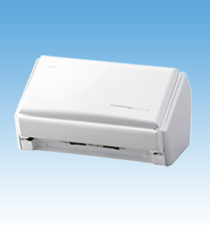
The Fujitsu ScanSnap S1500M is the earlier Mac-oriented sibling in this family, identified on the U.S. specification sheet as PA03586-B105. PFU's archived page calls it a color duplex ADF, and the U.S. sheet gives it the same broad paper-and-feeder profile as the base S1500: a maximum of 50 Letter sheets at 20 lb (80 g/m²) per loading, USB 2.0/1.1, and automatic two-sided capture. PFU cautions that the actual maximum changes with paper weight. That makes 50 a useful comparison boundary for ordinary qualifying stock, not an all-paper guarantee or a daily throughput rating.
The suffix is still worth taking seriously. The model's historical pitch is for Mac OS, and its listed bundle differs from the base PA03586-B005 S1500. But the shared Operator's Guide discusses Windows and Mac software, and PFU's archived table lists both. Therefore, neither “Mac-only hardware” nor “interchangeable software package” is an accurate shortcut. The exact unit, host, included media and license are separate checks.
A substantial ADF with specific document limits
PFU lists 20 ppm for several A4 portrait normal-resolution color/grayscale modes in simplex or duplex, and 5 ppm in Excellent mode. The U.S. S1500M sheet also specifies optical resolution of 600 by 600 dpi, paper from 52 to 127 g/m², Legal-size documents up to about 8.5 by 14.17 inches and long paper up to 34 inches outside Excellent mode. Those are manufacturer settings and limits, not an independent performance evaluation. The manual warns that converting to searchable PDFs or applying corrections can change capture speed.
A carrier sheet is the documented option for larger or less regular originals such as A3/B4, double-letter pages or photographs. It is still a sheet used through the ADF, not a second manual-feed path. The original datasheet lists a carrier sheet in the supplied components; for a used unit, verify that it remains with the machine and is in usable condition rather than assuming every resale package is complete.
The bundled applications are period-specific
The S1500M sheet lists Adobe Acrobat 9 Professional and Cardiris for Mac, alongside the ScanSnap Manager family and other dated applications. The shared manual assigns Cardiris to S1500M, while CardMinder is associated with base S1500. The global product page and U.S. sheet are historic software descriptions, not proof that a present seller provides the media or that a license can be transferred. This distinction matters if the M suffix is being considered for business-card recognition or a particular PDF workflow; check the exact package and licensing terms rather than relying on a model-name match.
PFU specifies a ScanSnap-specific driver. Its model page says direct TWAIN/ISIS use is not supported on Windows and direct TWAIN is not supported on Mac OS; the shared guide also says the scanner does not conform to WIA. A scanner-generated searchable PDF is useful only if the old software and host can actually run. It does not satisfy a requirement for a generic TWAIN source.
Legacy compatibility is the hard pre-purchase gate
The archived S1500M system table lists older Mac operating systems, including an updated row through macOS 10.13, and a corresponding old ScanSnap Manager path. That table itself says its support information may change with the software support policy. PFU's later notice states that software is no longer provided for the ended-support S1500/S1500M family. Its current ScanSnap FAQ lists S1500/S1500M among the legacy models and explains that ScanSnap Home does not support the old scanners; Manager is no longer supported or available to reinstall after removal.
That is not proof that a preserved installation on a particular older Mac stopped working. It is enough to make current installation compatibility unknown. Before considering the scanner, verify the precise macOS release, an already-installed lawful driver, the needed application and the intended save/export route. A seller's broad “Mac compatible” label or an old system-requirements table is not a current OS guarantee.
Paper handling and upkeep still matter on an old unit
PFU lists an ultrasonic multi-feed sensor and the family-specific pad assembly PA03586-0002 and pick roller PA03586-0001. The published recommended replacement intervals are up to 50,000 sheets or a year for the pad and 100,000 sheets or a year for the roller, qualified by document stock. They do not reveal the condition of a resale machine. For an actual offer, ask about feed errors, service history and the pickup components; confirm the adapter, cable, carrier sheet, setup media and package details individually. PFU's U.S. roster places S1500M under “Discontinued for Service”; that does not prove that any seller has stock, or that service can be transferred.
Who should consider the S1500M?
It is only a conditional fit for someone who needs a 50-sheet duplex USB feeder, specifically wants to assess the S1500M software/package rather than the base S1500, and can verify a usable legacy host setup before buying. It is not a safe default for current Mac installation, wireless phone scanning, computer-free cloud transfer or TWAIN-dependent capture. Compare it with the base S1500 assessment for the package difference, not for a supposed speed upgrade. This article is based on manufacturer documentation: no S1500M was owned, scanned, tested, measured or inspected, and no live offer or customer experience is claimed.
Primary sources: Fujitsu U.S. S1500M datasheet · PFU/Ricoh archived S1500M specifications · PFU America discontinued-for-service roster.
Key specifications
Key details at a glance
| Scanner class | Desktop duplex adf |
|---|---|
| Manufacturer-listed simplex rate | 20 ppm |
| Automatic document feeder capacity | 50 sheets |
| Optical resolution | 600 dpi |
| Connection options | USB |
| Automatic duplex capture | Yes |
| Touchscreen | No |
| TWAIN driver documented | No |
Use the exact model’s instructions for operating limits, supplied equipment and version differences.
Sources for this review
Sources for this assessment
- PFU America U.S. discontinued-scanner roster
- Fujitsu U.S. ScanSnap S1500M specification sheet, PA03586-B105
- PFU/Ricoh archived exact-model ScanSnap S1500M specifications and software
- PFU ScanSnap S1500/S1500M Operator's Guide, P3PC-2432-01ENZ0
- PFU notice on ScanSnap Manager software after legacy-model end of support
- PFU FAQ on ScanSnap Home and discontinued ScanSnap Manager support
- PFU/Ricoh official exact-model S1500M image

Compare the workflow before you choose
Use the finder to test your connection, paper and software requirements against the documented scanner arrangements.