
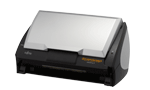
Your needs, this model
Does it fit your priorities?
Can this model scan a two-sided stack without turning each page?
Yes. PFU describes one-pass duplex capture through the ADF. The stated 50-sheet maximum is tied to paper and stack-height limits, so check the exact manual rather than treating every 50-sheet job as valid.
Explore this need in the finder →Does its 50-sheet figure make it a 50-sheet answer for any stock?
No. The U.S. data sheet names a 20 lb load, while the English guide specifies a 64 g/m² / 17 lb basis and a 5 mm stack limit; the Japan-region archive prints 80 g/m². Keep the source bases distinct and follow the guide for the exact unit.
Explore this need in the finder →Will a TWAIN-based document-capture application connect directly?
The U.S. data sheet says the ScanSnap Manager driver does not support direct TWAIN or ISIS applications. Confirm the named application's supported import route; producing a PDF is not the same as exposing a TWAIN source.
Explore this need in the finder →Should I assume the original Windows software works on my present PC?
No. The U.S. sheet's Windows and ScanSnap Manager V4.1 entries are historical. PFU now says Manager is no longer available for download and omits S510 from the displayed supported-model list; verify a lawful installer and exact host before purchase.
Explore this need in the finder →Verdict: a legacy Windows desktop feeder, not a plug-in-and-go choice
The Fujitsu ScanSnap S510 is best understood as a period Windows document-capture appliance: a compact, USB-connected, duplex automatic document feeder built around ScanSnap Manager rather than a general-purpose scanner driver. The U.S. historical data sheet identifies part PA03360-B515, while PFU America still lists S510 in its U.S. “Discontinued for Service” roster. That roster category means it is no longer eligible for extended service coverage; it does not establish that a working unit, a service transfer, a current offer, or a complete box is available. A used S510 is a plausible fit only if the buyer can first identify a compatible Windows setup and installable software.
Its useful distinction is the 50-sheet desktop ADF
Unlike the smaller ten-sheet S300, the S510 is specified for up to 50 pages in its automatic feeder and scans both sides in one pass. The U.S. sheet gives a 50-sheet load at 20 lb. The English Operator's Guide adds the working conditions that matter when translating that headline: up to 50 A4-or-smaller originals, no more than 5 mm of stack height, and a 64 g/m² / 17 lb paper basis. PFU's Japan-region archive prints a different 80 g/m² basis for 50 A4 sheets. Those are not identical statements. Treat them as source-specific specifications, not an invitation to assume any 50 sheets of any stock will feed; follow the manual for the exact regional unit.
PFU lists paper in a broad 52–127 g/m² range, but a supported single sheet is not proof of a 50-sheet batch at every weight. The feeder is not a flatbed, and no separately supported built-in manual-feed route was found. Historical ScanSnap Carrier Sheets could accommodate certain larger or delicate originals, but that accessory is a constrained document path, not a second input tray, and the seller's carton is unknown. Check paper size, folds, weight and the precise carrier-sheet instructions before relying on it.
Rated speed depends on the selected image mode
The U.S. data sheet advertises up to 18 pages per minute and 36 images per minute in Normal mode, at 150 dpi color or 300 dpi monochrome. It also publishes 12/24 in Better mode, 6/12 in Best, and 0.6/1.2 in Excellent mode as resolution rises. Those are manufacturer ratings, not measured throughput for a used scanner or a complete office job. Document preparation, host performance, file handling, paper condition and the chosen mode all affect elapsed time. The high-resolution Excellent figure is a useful warning against treating “18 ppm” as a universal rate.
The software is more restrictive than the USB socket suggests
The S510 is a Windows edition, separate from the Mac-only S510M. The historical U.S. sheet lists ScanSnap Manager V4.1 and period applications including Acrobat 8 Standard, ABBYY FineReader, ScanSnap Organizer and CardMinder. It specifies a proprietary ScanSnap driver and says TWAIN / ISIS applications cannot be used directly. This may suit a narrow routine that starts in the model's own capture software and exports files, but it is a poor assumption for an application that expects a standard TWAIN scanner source.
Do not infer present compatibility from “USB.” The old driver and operating-system list describe the launch-era system, not a supported Windows 11 computer. PFU America now states that ScanSnap Manager is no longer available for download and its displayed supported-model list does not include S510. That does not prove no historical installer exists; it does mean the current manufacturer page is not evidence of a straightforward supported setup. Before acquiring a unit, identify the exact Windows release, lawful installer source, connection cable, and a successful workflow in the capture application you intend to use. A saved PDF is not proof that TWAIN access is available.
What to verify on a specific used unit
The historical specifications describe an 11.2 × 6.2 × 6.2-inch body and weight of 5.9 lb or less without the power adapter. Those dimensions help plan a desk, but no present unit was measured here. Ask for a clear nameplate photograph showing S510 and, if useful, the old PA03360-B515 identifier; do not confuse the similar S510M suffix or assume an S500 is identical. Confirm the actual power adapter, USB cable, accessory sheets and software media instead of reading them into the model name. Check feed rollers, the pad and covers, duplex image alignment, and the return terms with representative paper. These are inspection questions, not claims that a particular unit has been tested.
For a buyer seeking a currently supported scanner, the S510's age, proprietary driver and lack of TWAIN matter more than its headline speed. For a Windows owner who already has a verified legacy host-and-software setup, needs a wired duplex feeder, and will follow the exact 50-sheet paper basis, its documented desktop format may still be relevant. The S510M is not a substitute: it has a different host platform and distinct historical Manager version. Compare both only after the software requirement is settled.
Primary evidence: Fujitsu U.S. S510 data sheet (PDF-reader observation; local retrieval was blocked), S510 Operator's Guide (browser-reader observation; local route returned 404), PFU/Ricoh S510 archive (Japan-region specifications), PFU America discontinued roster, and PFU America ScanSnap Manager status.
Key specifications
Key details at a glance
| Scanner class | Desktop duplex adf |
|---|---|
| Manufacturer-listed simplex rate | 18 ppm |
| Manufacturer-listed duplex image rate | 36 ipm |
| Automatic document feeder capacity | 50 sheets |
| Optical resolution | 600 dpi |
| Connection options | USB |
| Automatic duplex capture | Yes |
| Touchscreen | No |
| TWAIN driver documented | No |
Use the exact model’s instructions for operating limits, supplied equipment and version differences.
Sources for this review
Sources for this assessment
- PFU America current U.S. discontinued-scanner and service-status roster
- Fujitsu U.S. ScanSnap S510 product data sheet (PDF-reader observation)
- PFU/Ricoh archived exact-model ScanSnap S510 specifications
- PFU ScanSnap S510 Operator's Guide (PDF-reader observation)
- PFU America ScanSnap Manager current availability and supported-model page
- PFU/Ricoh exact S510 archive-page-linked manufacturer thumbnail

Compare the workflow before you choose
Use the finder to test your connection, paper and software requirements against the documented scanner arrangements.