
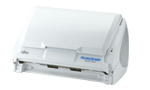
Your needs, this model
Does it fit your priorities?
Does the S510M scan the reverse side automatically?
Yes. Its exact-model sources describe one-pass duplex ADF capture. They also specify a paper-qualified 50-sheet maximum, so the feature is not a promise to handle every stock at that count.
Explore this need in the finder →Can I count on all 50 sheets at my paper weight?
No. The U.S. brochure says 50 at 20 lb, its English guide says 80 g/m² / 21 lb with a 5 mm stack limit, and PFU's Japan-region page prints 64 g/m². The values are preserved separately; follow the exact regional manual and check the unit's instructions.
Explore this need in the finder →Does S510M provide a TWAIN device for a Mac capture application?
No direct TWAIN or ISIS support is documented. The period software uses ScanSnap Manager; confirm that a named application can import its output through a supported route before buying.
Explore this need in the finder →Can the S510M be used on Windows or a current Mac just because it has USB?
No such compatibility follows from USB. The U.S. brochure describes a Mac OS X-era setup, PFU's exact page says Windows Manager was not provided, and PFU now says Manager is no longer downloadable. Treat current host support as unverified.
Explore this need in the finder →Verdict: a distinct Mac ScanSnap with an old, proprietary workflow
The Fujitsu ScanSnap S510M is not a color or bundle option for the Windows S510. The “M” marks a Mac-oriented model with its own ScanSnap Manager lineage, and PFU's exact-model requirement page explicitly says Windows ScanSnap Manager was not provided for it. The U.S. historical brochure identifies part PA03360-B615, but it survives here as a copy hosted by a scanner retailer. Its footer identifies the original 2007 Fujitsu Computer Products of America brochure and U.S. print run. That helps establish what the period U.S. document said; it is not evidence of a current box, seller, warranty, or machine condition.
PFU America's current U.S. roster names S510M under “Discontinued for Service,” which means it is no longer eligible for extended service coverage. A current-looking listing, if one appears elsewhere, would still need to be evaluated as an individual used or old-stock unit. No current retail offer, included software license, service transfer or exact U.S. seller package is established by the source set.
A 50-sheet ADF, with paper qualifications that deserve attention
The S510M has an automatic document feeder and captures both sides in one pass. The U.S. brochure rates the paper chute for 50 sheets at 20 lb. Its English Operator's Guide qualifies a maximum 50-sheet stack as A4 or smaller, 80 g/m² / 21 lb, and no more than 5 mm thick. PFU's separate Japan-region product page lists 50 A4 sheets at 64 g/m². These paper bases conflict rather than forming one universal limit. A prospective owner should use the manual that actually applies to the unit and follow its paper and stack instructions; neither brochure headline is a promise that an arbitrary 50-sheet pile will feed reliably.
PFU documents a 52–127 g/m² single-sheet range and standard lengths up to Legal, with a maximum size around 8.5 × 14.17 inches. The U.S. brochure also describes an optional Carrier Sheet for some delicate originals and larger folded documents. That special route does not create a separate flatbed or unrestricted manual-feed tray, and it does not confirm the accessory is included with a seller's unit. No independent manual-feed mode is established in the reviewed exact-model sources.
Resolution and host conditions change the published pace
The U.S. brochure's headline is up to 18 pages / 36 images per minute in Normal mode, based on 150-dpi color or 300-dpi monochrome. It also lists 12/24 for Better, 6/12 for Best, and 0.6/1.2 for Excellent mode. These are manufacturer figures with stated mode and resolution assumptions, not timings observed on an actual S510M. The brochure notes that performance can fall below the specified rate when recommended CPU, memory or USB 2.0 conditions are not met. A legacy computer may be part of this device's practical viability, so an 18-ppm line should not be treated as a guarantee for a particular host or document batch.
Check the Mac software before the hardware price
The brochure says the U.S. S510M works with Mac OS X 10.2.8, 10.3 and 10.4 on either PowerPC or Intel hardware. It lists ScanSnap Manager V2.1, Acrobat 8 Professional for Mac and ABBYY FineReader for ScanSnap Mac Edition as period software. PFU's official Japan-region requirements page describes Manager V2.2 and Mac OS X 10.2.8 through 10.5, with host-specific CPU and memory notes. The version and regional documentation differ, so this review does not collapse them into a single U.S. software package or treat Japanese specs as proof of a U.S. bundle.
PFU America now says ScanSnap Manager is no longer downloadable and its displayed supported-model list omits S510M. The historical brochure's Mac OS X table does not establish support on a current macOS release. The driver is proprietary: the U.S. brochure and PFU archive state that TWAIN / ISIS applications cannot be used directly. If a current business workflow needs a TWAIN source, modern Mac driver, cloud upload or phone scanning, the evidence does not establish that this model meets it. Verify a lawful installer, exact Mac version and the named capture application's import route before purchase.
What matters when assessing one particular S510M
The manufacturer lists a compact body of about 11.2 × 6.2 × 6.2 inches and a weight of 5.9 lb or less before the power adapter. These are historical product figures, not measurements of a used unit. Ask for a nameplate photo showing S510M and distinguish it from S510, S500M and S500. Check for the proper AC adapter, cable, any supplied Carrier Sheet and original media rather than assuming brochure-listed items remain in the carton. Inspect feed rollers, pad condition, the paper path and duplex output; request the seller's return terms and confirm the intended paper stock. Nothing here claims inspection or testing of an individual machine.
For a Mac user who already has a verified legacy environment, needs USB-connected double-sided paper capture and can honor the precise stock limit, the S510M has a well-defined historic role. For a Windows user, or anyone who needs a guaranteed current driver or TWAIN path, the model's platform restriction is decisive. It is not interchangeable with the S510, whose historical U.S. datasheet instead identifies a Windows-only Manager V4.1 configuration. Resolve host software first; only then compare feeder capacity and condition.
Primary evidence: Fujitsu's U.S.-branded S510M brochure (manufacturer document copy hosted by a third party), PFU/Ricoh's exact S510M archive and Mac requirements, the English Operator's Guide (browser-reader observation; local route returned 404), PFU America discontinued roster, and current Manager status.
Key specifications
Key details at a glance
| Scanner class | Desktop duplex adf |
|---|---|
| Manufacturer-listed simplex rate | 18 ppm |
| Manufacturer-listed duplex image rate | 36 ipm |
| Automatic document feeder capacity | 50 sheets |
| Optical resolution | 600 dpi |
| Connection options | USB |
| Automatic duplex capture | Yes |
| Touchscreen | No |
| TWAIN driver documented | No |
Use the exact model’s instructions for operating limits, supplied equipment and version differences.
Sources for this review
Sources for this assessment
- PFU America current U.S. discontinued-scanner and service-status roster
- Fujitsu U.S. ScanSnap S510M product brochure (original manufacturer PDF copy hosted by a third party)
- PFU/Ricoh archived exact-model ScanSnap S510M specifications (Japan-region page)
- PFU ScanSnap S510M English Operator's Guide (PDF-reader observation)
- PFU/Ricoh exact S510M Mac operating-environment page
- PFU America ScanSnap Manager current availability and supported-model page
- PFU/Ricoh exact S510M archive-page-linked manufacturer thumbnail

Compare the workflow before you choose
Use the finder to test your connection, paper and software requirements against the documented scanner arrangements.