
Your needs, this model
Does it fit your priorities?
Can ES-50 connect to a computer over USB and use a TWAIN application?
Yes. Epson lists USB 2.0 and an included TWAIN driver; verify the current OS and named capture-application support.
Explore this need in the finder →Can I scan over Wi-Fi from a phone or tablet?
No Wi-Fi or mobile route is documented for this ES-50 base model; the shared guide labels those routes for ES-60W/ES-65WR instead.
Explore this need in the finder →Will its input slot hold a 20-sheet ADF stack or scan both sides automatically?
No. Epson classifies the ES-50 as simplex and lists one-sheet paper capacity, below a 20-sheet feeder minimum.
Explore this need in the finder →A portable USB model with a one-page rhythm
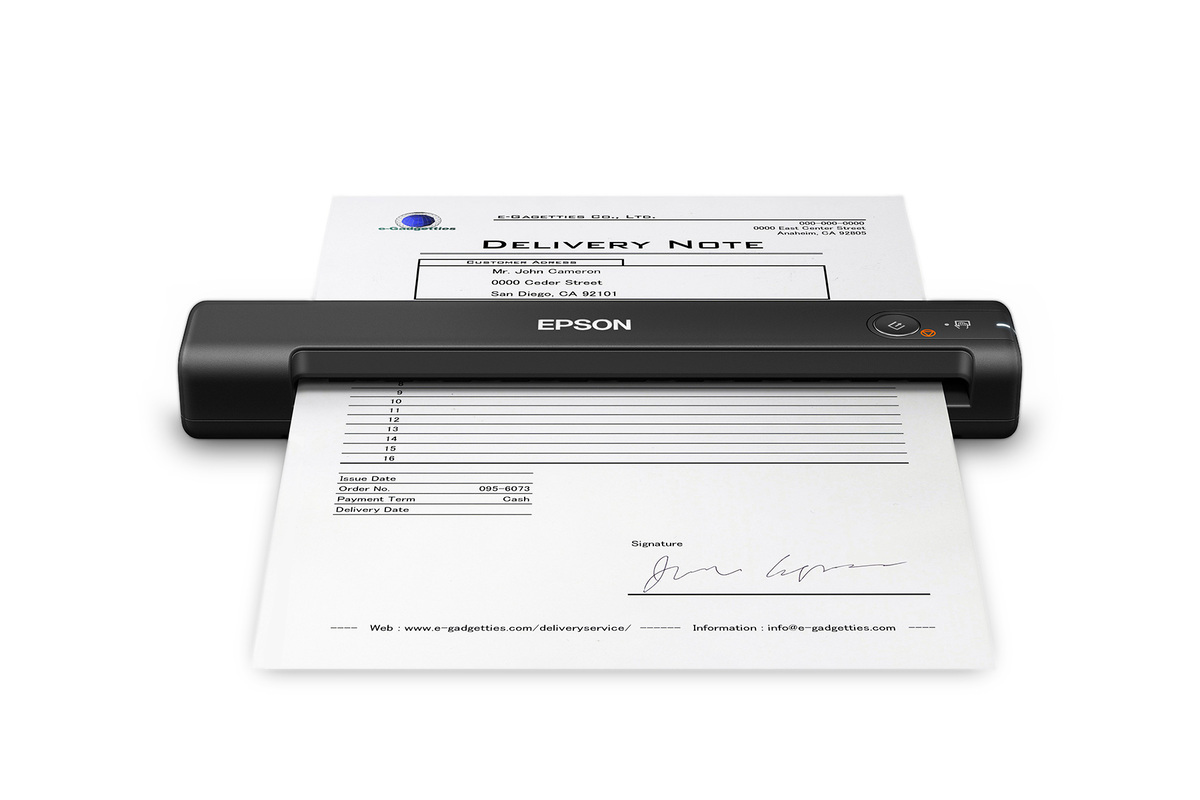
The Epson WorkForce ES-50 is the wired counterpart in Epson’s small portable family. The U.S. product page identifies the base scanner as model B11B252201 and lists USB 2.0, USB bus power and a 0.59 lb body. The critical expectation is its feed style: the user guide identifies a single-sheet, simplex scanner with capacity for one sheet. A person can place pages in sequence and let the software combine them into one document, but that is not the same as loading an ADF tray and letting a stack feed by itself.
That distinction determines the fit more than the headline portability. For an occasional receipt, single-sided form or loose page sent to a computer, its narrow workflow may be adequate. For double-sided forms, a multi-page stack or frequent unattended capture, the user must manage each page and the reverse side. Epson lists a 10 ppm single-sheet rate and up to 5.5 seconds for a Letter page at 300 dpi; these are stated conditions, not an independent test of end-to-end filing time. Do not compare that one-page rate with a desktop duplex scanner as if they measured the same job.
USB and desktop software, without the W model’s wireless route
The ES-50’s exact base page lists USB 2.0 as standard connectivity and says no battery or external supply is needed while it is connected to a computer. Epson lists ScanSmart, Epson Scan 2, Nuance OCR and an included TWAIN driver. Its documented workflow is computer-centered: use the connected host to scan, review and save. Epson’s cloud note refers to ScanSmart on an Internet-connected Windows PC or Mac, not to a scanner-side cloud connection.
The shared manual is model-qualified. It labels Wi-Fi, battery and Smart Panel routes for ES-60W/ES-65WR, not for the ES-50. The ES-50 is not the ES-60W with wireless turned off: its reviewed configuration has no phone/tablet scanning plan or network route. A TWAIN driver can help when a desktop application requests that interface, but Epson’s product statement does not guarantee support for every app, current computer, managed environment or driver version. Check the current downloads page and the software vendor’s exact model/OS matrix.
Nuance OCR is listed for searchable PDFs and editable Office files. That can reduce manual file handling, but it does not certify the accuracy of text recognition. Review names, dates, amounts and other important fields against the original. Similarly, a saved multi-page file does not turn the scanner’s one-sheet slot into a stack feeder.
Paper and special-original limits
Epson lists receipts, cards and pages up to 8.5 by 72 inches, but each media type has its own loading conditions. The family guide specifies one receipt or one plastic ID card at a time. Embossed cards have a thickness limit of 1.24 mm, and the manual warns that a thin laminated card may still fail. Long originals are also subject to resolution limits. These exact restrictions matter more than a broad phrase such as “versatile paper handling”; verify the original’s material, size and condition before scanning an important document.
There is only one input slot, so a card or receipt does not use a separate manual-feed route. The ES-50 does not meet the finder’s requirement for a distinct occasional-special-original path, nor does it have automatic duplex. If the task depends on separated handling for passports, thick documents or a repeated ADF routine, compare a model with a source-documented alternate path and check its carrier-sheet restrictions. The ES-60W has different wireless and battery options, but it shares the one-sheet simplex limitation; its extra radio does not improve the ES-50’s feeder capacity.
Small dimensions are not a workload rating
Epson lists the ES-50 at 10.7 by 1.9 by 1.4 inches and 0.59 lb, with 600 dpi optical resolution. The size makes storage and transport a plausible use case, but a compact chassis says nothing about daily volume or long-run reliability. No independent measurement, hands-on test, OCR benchmark, jam-rate test or endurance study was performed for this assessment. Treat the 10 ppm figure as the manufacturer’s one-sheet rating, not as a tested promise for an entire document workflow.
The model page’s “What’s in the box” list names the scanner, a Start Here poster, USB cable and maintenance sheets. That is useful documentation of Epson’s listed package, not proof that a particular current listing or used unit includes every item. Verify the actual cable, condition, return policy and any seller-specific changes before ordering. The support route linked from that page displays a B11B252201-N model string, while the product page identifies the base B11B252201. This assessment retains the base identity from the product page and does not use the support suffix to imply a renewed package or a specific offer.
Who should shortlist the ES-50
The ES-50 is worth comparing if a buyer wants a low-weight USB scanner for a small number of one-sided originals and expects a computer to own the workflow. It is a poor match for someone who requires a Wi-Fi phone app, battery use away from a computer, automatic duplex or 20 sheets in a single feeder loading. If those are priorities, compare the exact ES-60W for phone/Wi-Fi capability or an ADF model such as the ES-C220 for duplex stack scanning; neither comparison erases the need to check exact paper limits.
Before choosing, confirm the B11B252201 label, current driver support, named software compatibility and the intended paper type. Decide whether USB tethering and single-page operation are acceptable, and verify the specific seller’s condition, box contents and return terms. The reviewed evidence supports a compact USB workflow, not wireless capture, computer-free cloud, automatic two-sided scanning, a second manual path or high-volume feeding.
Key specifications
Key details at a glance
| Scanner class | Portable one-sheet sheet-fed scanner |
|---|---|
| Manufacturer-listed simplex rate | 10 ppm |
| Automatic document feeder capacity | 1 sheets |
| Optical resolution | 600 dpi |
| Connection options | USB |
| Automatic duplex capture | No |
| Separate manual-feed route | No |
| Touchscreen | No |
| TWAIN driver documented | Yes |
Use the exact model’s instructions for operating limits, supplied equipment and version differences.
Sources for this review
Sources for this assessment
Compare the workflow before you choose
Use the finder to test your connection, paper and software requirements against the documented scanner arrangements.