
Your needs, this model
Does it fit your priorities?
Can this scanner send scans to cloud storage without a desktop or laptop?
Yes, by using Epson Smart Panel on a compatible iOS/Android phone or tablet. Epson's guide says the app can upload captured data to a cloud service; this is a phone-led Wi-Fi route, not an on-scanner touchscreen destination. Confirm device/app support and the required Internet and cloud-account setup.
Explore this need in the finder →Does its 20-sheet ADF rating apply to every paper stack?
No. The guide specifies 20 sheets at 21 lb (80 g/m²), then lists 18 at 24 lb, 15 at 28 lb, and 12 at 34 lb for the stated path. Cards, receipts, folded originals and other special media have separate size and feed instructions; twenty is neither a mixed-stack promise nor a daily-volume rating.
Explore this need in the finder →Does it have an on-device touchscreen like the ES-C380W?
No. Epson's exact model page specifies no display, while its guide describes physical buttons and indicator lights. It can still scan from a compatible phone or a computer; the separate ES-C380W adds a touchscreen and different panel-controlled destinations, so the two interfaces are not interchangeable.
Explore this need in the finder →Can I use it with software that requires TWAIN and keep both USB and Wi-Fi as options?
Epson's exact product page identifies an included TWAIN driver and USB/Wireless connectivity. Treat those as model-level capabilities rather than a promise that every host and app works: check the current download for your exact operating system and the named capture application's compatibility list.
Explore this need in the finder →The screen is the meaningful difference
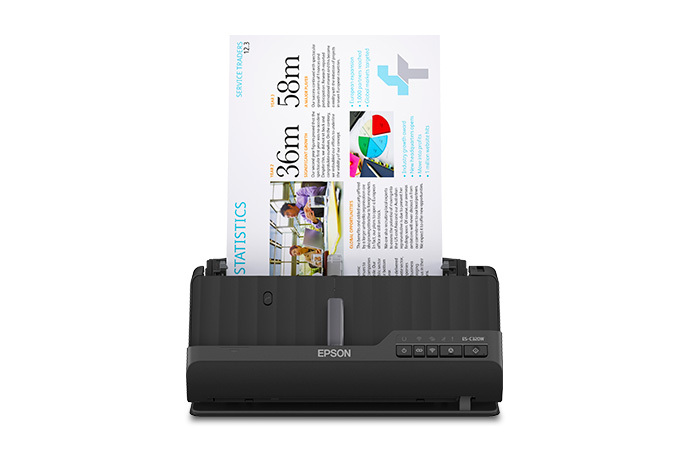
The Epson WorkForce ES-C320W is a compact, sheet-fed document scanner with a 20-sheet automatic feeder and one-pass duplex capture. Its U.S. model number is B11B270201. The exact product page lists USB and wireless connections, a TWAIN driver, and no display. That last point matters more than a small line in a spec table: the C320W relies on a computer or mobile app for scan controls instead of letting someone choose a profile on a scanner touchscreen.
This is not the same arrangement as the similar-looking ES-C380W. Both are compact 20-sheet duplex scanners with USB and Wi-Fi, but the C380W adds a 2.4-inch touchscreen and scanner-side ScanWay destinations. The C320W has physical buttons and indicator lights. Its advantage is not the richer stand-alone panel; it is that a small footprint and several computer/mobile paths are available without a display. This assessment describes the scanner model, not a specific seller package, unit condition, current price, or accessory bundle.
A twenty-sheet load for short batches
Epson specifies a 20-sheet load on 21 lb (80 g/m²) paper. The shared ES-C220/ES-C320W user guide reduces that stack to 18 sheets at 24 lb, 15 at 28 lb, and 12 at 34 lb in the stated loading setup. Cards, receipts, long originals and other special media have their own rules. Treat 20 as a one-loading paper limit, not a promise about mixed stacks, daily volume or an unattended day’s work.
The scanner captures both sides in one pass. Epson rates it up to 30 pages or 60 images per minute for Letter paper at 300 dpi over USB in black-and-white, grayscale or color. That is a manufacturer rating, not an independent measurement or a finished workflow time. Opening the feed, arranging the originals, reviewing pages, using OCR, naming files and sending them where they belong all affect the task. If you routinely start with more than twenty loose sheets, plan on reloading; the larger 50-sheet ES-400 II, ES-500W II, ES-590W and ES-865 assessments describe higher-capacity tradeoffs.
USB, Wi-Fi, and the phone-led cloud route
The guide identifies a USB 2.0 Type-C host interface and separate Wi-Fi/Wi-Fi Direct setup. For a computer-centered routine, pressing the physical start button can open Epson ScanSmart on the connected computer. Epson says its included TWAIN driver is intended to connect to document-management software, but that is not a guarantee that a particular application, current operating system, or managed network will work. Check Epson’s current download for this exact model and the software maker’s compatibility list before buying around a named TWAIN workflow.
The wireless choices add two distinct uses. A computer can scan over the network, and Epson Smart Panel can scan from a compatible iOS or Android phone or tablet. The manual says the mobile workflow can save the capture to the device, upload it to a cloud service, or send it by email. So the C320W can support a no-desktop-computer cloud task, but only through the phone-led app route: the phone, Wi-Fi/direct-wireless setup, Internet access and cloud account still matter. This is not a touchscreen destination on the scanner. Epson’s separate ScanSmart cloud workflow is computer-based and requires a connected Windows PC or Mac.
The C320W therefore differs from both its nearby Epson siblings. The USB-only ES-C220 does not offer the same Wi-Fi and mobile setup. The touchscreen-equipped ES-C380W can send from its own panel to a registered Epson Connect destination, a distinct route from the C320W’s phone upload. “Wireless,” “mobile” and “computer-free cloud” are related but not interchangeable labels; use the route that matches the device and account you actually have.
Special originals need a separate plan
The scanner has vertical and straight-path positions, and Epson documents supported special-original handling, including passport scanning with an optional passport carrier sheet. The straight path is useful for occasional paper that the normal feeder route cannot handle in the same way, but it is not a second batch tray or universal permission to feed valuable or fragile material directly. The exact original’s size, thickness, surface and carrier-sheet requirement still need checking.
Mobile convenience has its own limits. The guide excludes carrier-sheet scans and originals longer than 15.5 inches (393.7 mm) from Smart Panel scanning. The model-family technical table lists a maximum document length up to 120 inches, but maximum length varies with scan method and resolution; that headline must not be carried over to the phone app. If a long sheet, passport, card or other unusual original is central to the job, read the specific loading section before deciding which route can handle it.
When this profile is worth considering
The ES-C320W is a plausible fit to assess when the job is a modest pile of duplex paper, the desk is constrained, and users want a choice between USB, Wi-Fi computer capture and a phone/tablet path. Its included TWAIN listing may help where the named capture program requires TWAIN; its Smart Panel route is relevant when a compatible mobile device is already part of the process. The absence of a scanner display is not a hidden drawback if every operator will use a host or phone, but it is a mismatch when people need to select scan presets directly on the device.
Before ordering, confirm that B11B270201 is the intended model, the offered unit’s condition and package, whether you need an optional passport carrier, the exact stock loaded at one time, and that the current driver/app combination supports your host and cloud provider. No hands-on speed or recognition test is claimed here, and an advertised page rate does not establish the time or accuracy of your own end-to-end recordkeeping workflow.
Key specifications
Key details at a glance
| Scanner class | Compact desktop document scanner |
|---|---|
| Manufacturer-listed simplex rate | 30 ppm |
| Manufacturer-listed duplex image rate | 60 ipm |
| Automatic document feeder capacity | 20 sheets |
| Optical resolution | 600 dpi |
| Connection options | USB / Wi-Fi |
| Automatic duplex capture | Yes |
| Separate manual-feed route | Yes |
| Touchscreen | No |
| TWAIN driver documented | Yes |
Use the exact model’s instructions for operating limits, supplied equipment and version differences.
Sources for this review
Sources for this assessment
Compare the workflow before you choose
Use the finder to test your connection, paper and software requirements against the documented scanner arrangements.